Get in touch
HomeAboutWorkServicesMentorshipContactGet in touch

SimpliEdSchool platform

A student management and learning platform for Foundation Public School, now offered to other schools as SimpliEd. Strategy and product design, 2020 to 2022.

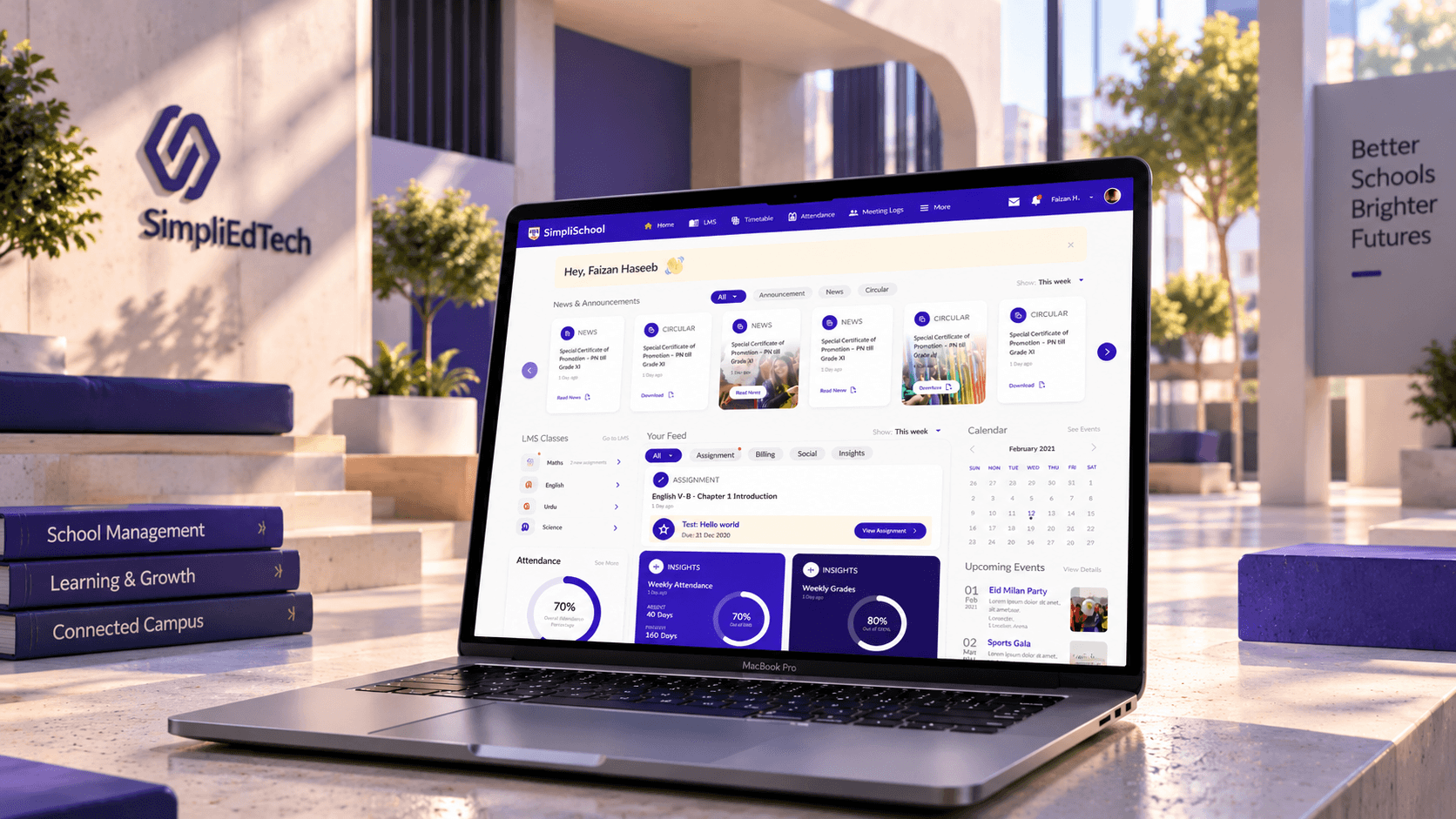
A MacBook on a sunlit stone ledge in a school courtyard showing the SimpliSchool student home, with news, circulars, LMS classes, attendance and weekly grades, beside indigo books titled School Management, Learning and Growth and Connected Campus, and the SimpliEdTech logo on the wall behind

The short version

FPS set out to fix its own school's software, and came out with a product other schools could buy.

Foundation Public School has run O and A Level campuses in Karachi and Hyderabad since 1981. Its student records, fees, attendance and timetables sat in separate systems that didn't talk to each other. The plan was one platform for administration, teachers, students and parents, built so FPS could later sell it to other schools as SaaS. That product is SimpliEd.

I ran the design through Grocode, my studio at the time, as strategist and product designer. Discovery, interviews, wireframes for every module, the design system and the Figma handoff were ours. FPS's in-house developers built it.

Role
Product strategist and lead designer
Client
Foundation Public School Karachi
Platform
Web platform for admin, teachers, students and parents
Team
My studio, Grocode, plus a brand designer I directed. Build by FPS's in-house developers
Status
Live as SimpliEd ↗ Designed 2020-2022

One school, scattered across systems.

A student's profile, fee vouchers and attendance lived in different databases. The same details were typed in more than once, and nobody had a single view of a child, a class or a campus.

The bigger brief came on top of that. Whatever we designed for FPS had to work for a school FPS had never seen.

  • Data in many places

    Records, fees and timetables were split up, with nothing moving between them.

  • Five kinds of user

    Admin, teachers, students, parents and the curriculum team each needed their own view of the same school.

  • Every school runs differently

    Eight periods a day or six. Terms or semesters. A shorter Friday. A product for other schools had to handle all of it.

Research first, colour last

We worked from FPS's office when we could, and over video calls through COVID. Nothing went to UI until its structure was agreed.

  1. 1

    Discovery

    The whole platform mapped in Miro, then roles and workflows agreed with FPS.

  2. 2

    Module research

    Interviews with the staff who would use each module, plus a look at the best tools in its category.

  3. 3

    Wireframes

    300+ low-fidelity screens across 18+ modules, approved by FPS.

  4. 4

    Design system

    The core system, built once the wireframes were signed off.

  5. 5

    UI and handoff

    Every wireframe turned into a final screen and handed off in Figma.

The first call ended with a Miro mind map of the whole school: every role, every module and how they connect. That map became the information architecture, and every later screen traced back to it.

Each module then got its own research. Interviews came first, most of all with the admissions and billing teams. Alongside them, a competitive review of the best tools for that job, like Google Classroom and Blackboard for the LMS, showed what schools already expect before we decided what FPS needed.

Tools
Miro and Figma for the work, Google Meet and Google Drive with FPS
Benchmarks
Google Classroom, Blackboard and the leading tool for each module
Modules
18+ School setup, academics, students, employees and teachers, parents, admissions, attendance, behaviour, communications, billing, curriculum, the LMS, extra-curricular, reports, search, profiles, user roles and data import.

Design decisions

What I decided, and why

A school platform is many products sharing one database. These calls kept them feeling like one.

Structure

Wireframe the admin side first.

The admin sees everything, so its screens set the structure for the whole platform. Teacher, student and parent views were then cut from the same parts, each showing only what that role needs. FPS asked that nothing sit more than two clicks away, so every module opens on its own dashboard and the record behind any number is one click further.
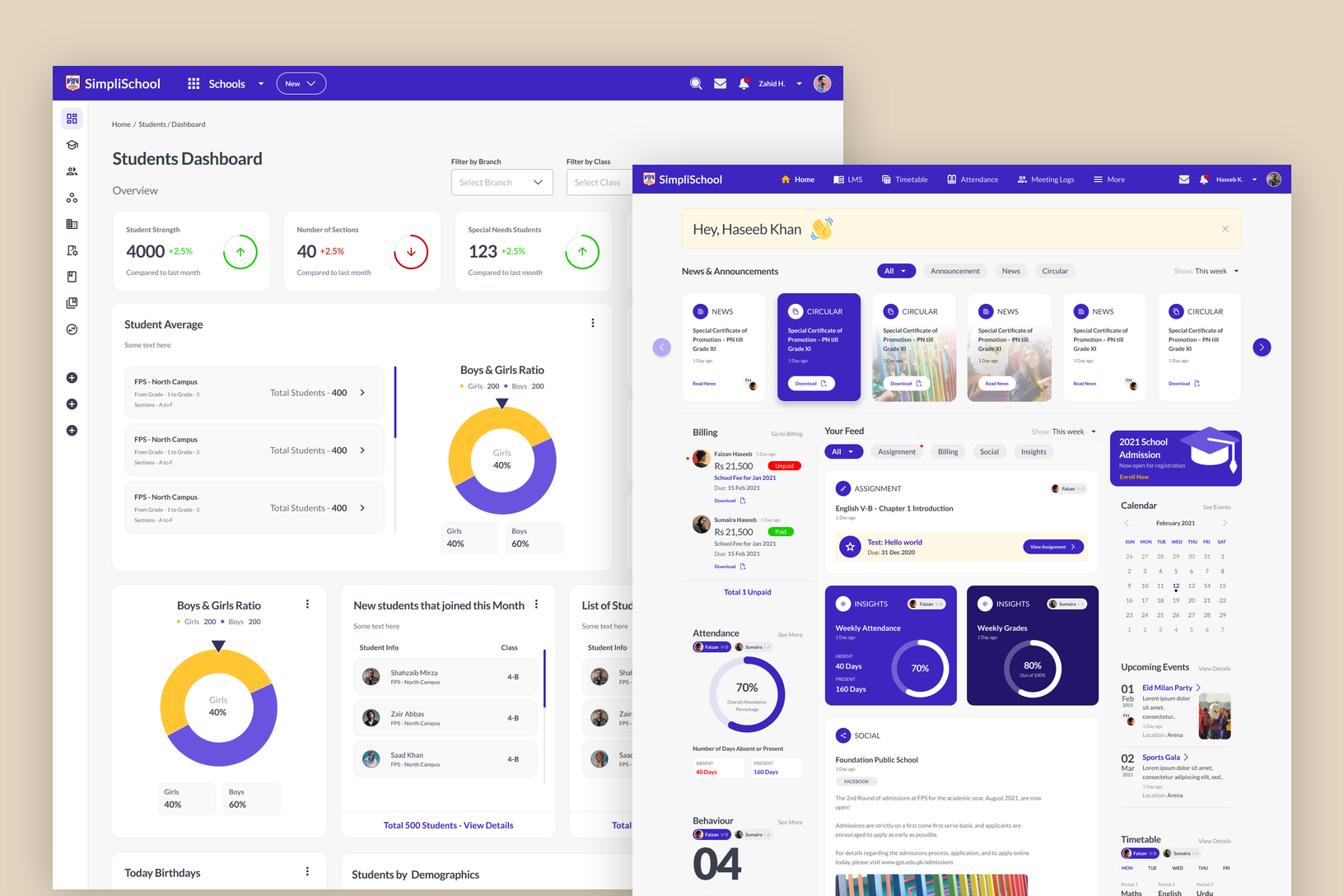
The admin's Students Dashboard with student strength, sections, campus totals and the boys and girls ratio, overlapped by the parent home with news, circulars, billing, a feed and attendance cards

Setup

Let each school set its own rules.

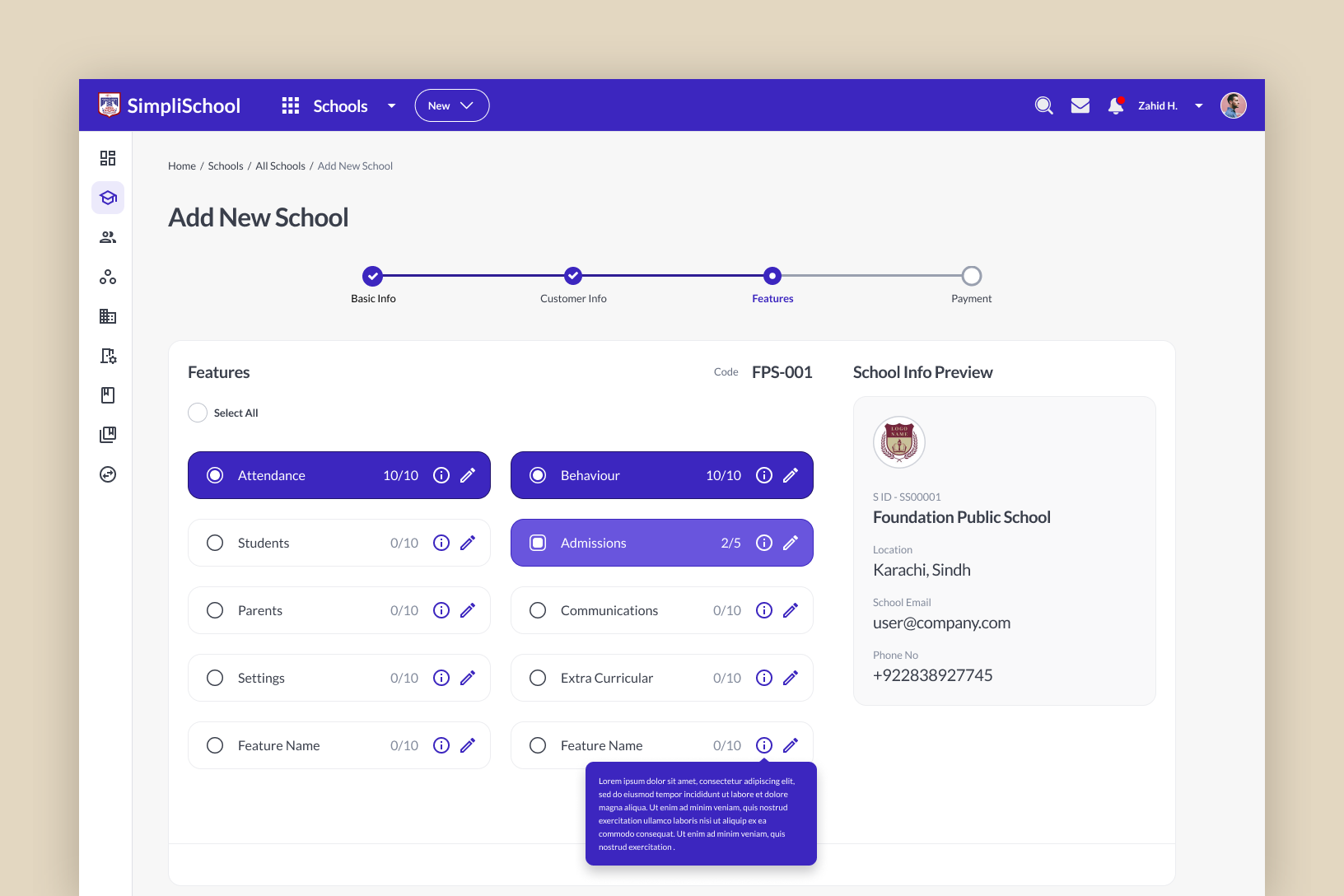
A new school is added in four steps: its details, the customer account, the features it gets and payment. Each module can be switched on with only the parts that school needs. After that, setup follows the school year: terms, grade levels, sections and capacity, then the timetable. Students, parents and staff come in through Excel imports, because no school starts with an empty roster.

Add New School, step three of four: feature tiles for attendance, behaviour, students, admissions, parents, communications, settings and extra-curricular, each showing how many of its parts are switched on, beside a school info preview

Admissions

Move applicants without leaving the list.

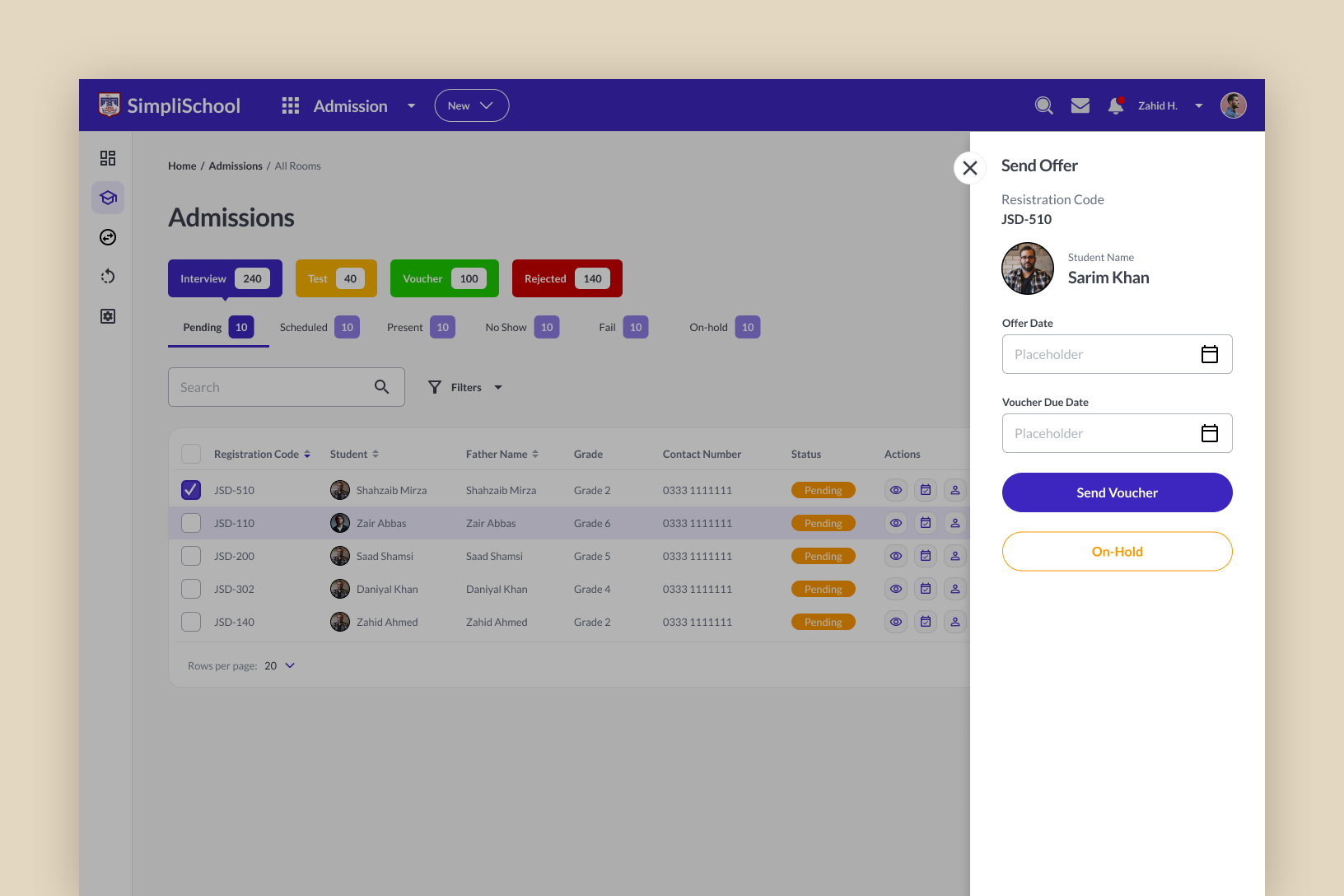
The admissions team asked for this one in interviews. Applicants sit in stages, from inquiry to interview, test and offer, with counts at the top. Every action opens in a side panel over the list: schedule the interview, record the evaluation, send the offer with its fee voucher, put on hold or reject. The list stays in view, so the next applicant is a click away.

Admissions list with stage counts for interview, test, voucher and rejected, and a Send Offer panel on the right with offer date, voucher due date, Send Voucher and On-Hold

Billing

Review a whole batch before it posts.

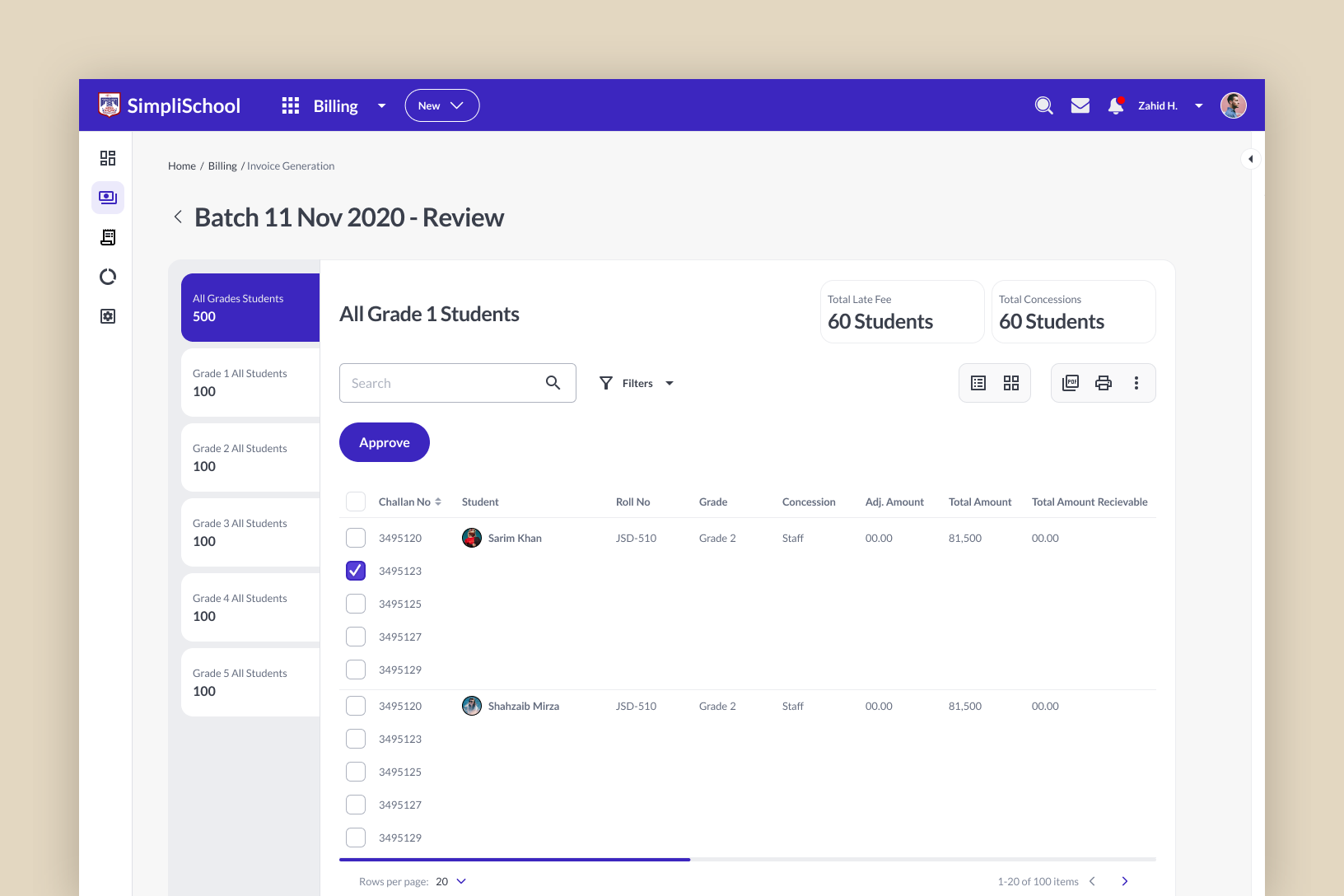
The fee office bills a whole grade or campus at once, with concessions and late fees on top. So fees are generated as a batch, checked student by student against the summary, approved, and only then posted to parents. A mistake gets caught in the batch before any parent sees a voucher.

Batch review for November 2020 billing: grades listed on the left with student counts, all Grade 1 students in a table with challan numbers, concessions and amounts, and an Approve button

Inside the platform

Module by module, from the admin's morning register to the parent checking in.

01 / 08

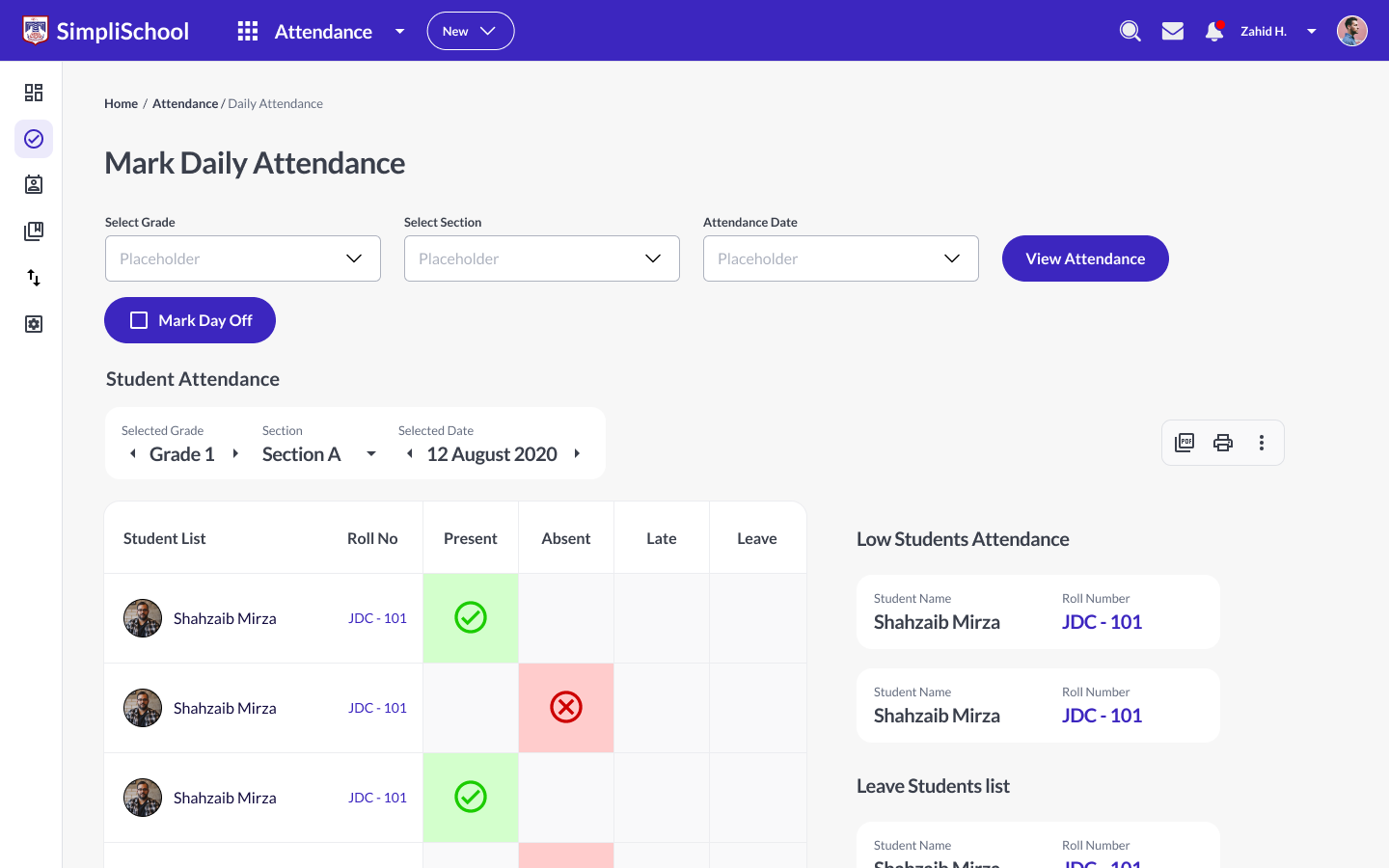
Daily attendance for a section: each student in a row with present, absent, late and leave marks for the day
AttendanceMarked by class, imported from a sheet, flagged below the school's cut-off.
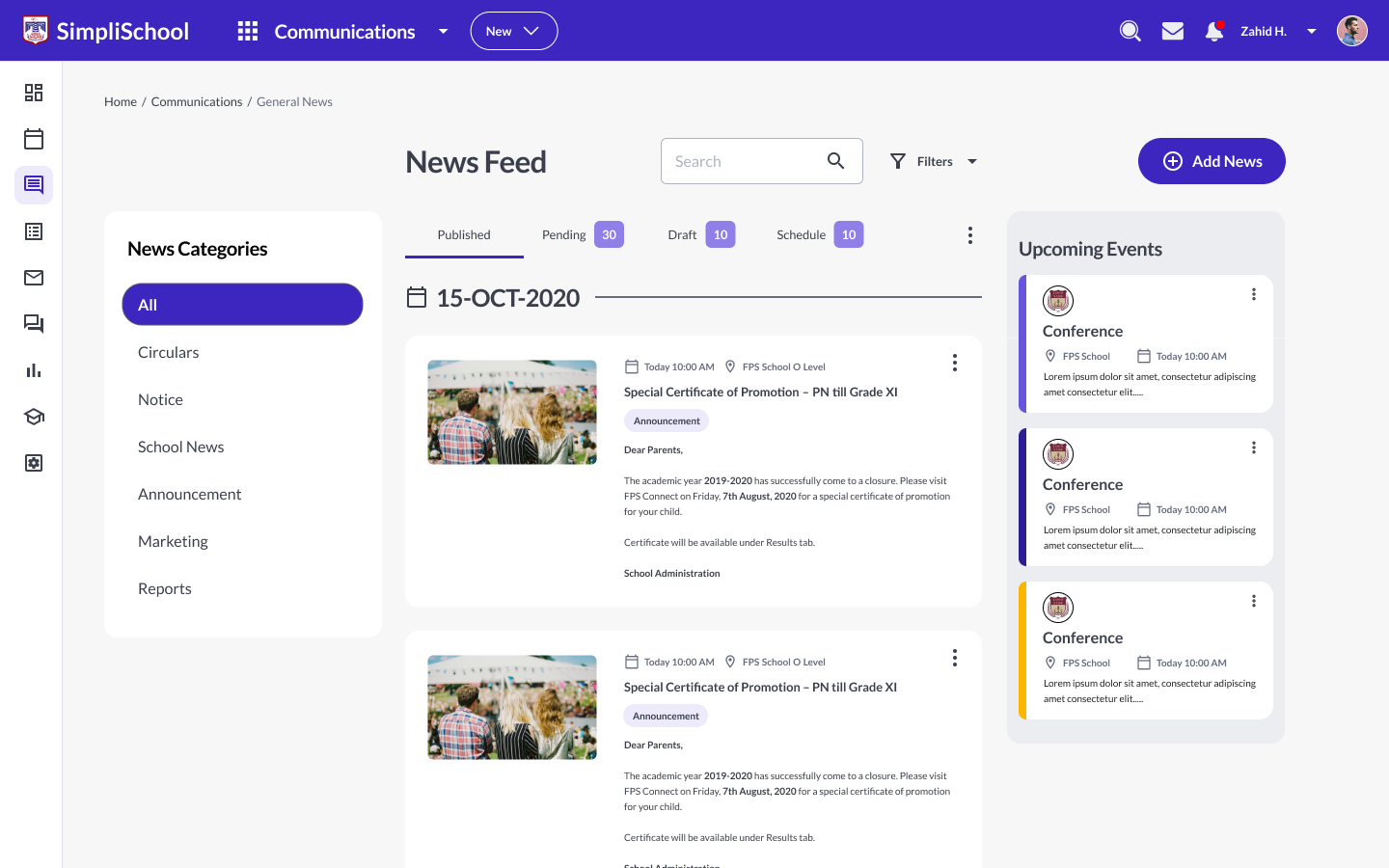
News feed with categories on the left, dated posts with photos in the middle and upcoming events on the right
CommunicationsNews, circulars and events, posted to exactly the right campus, grade or section.
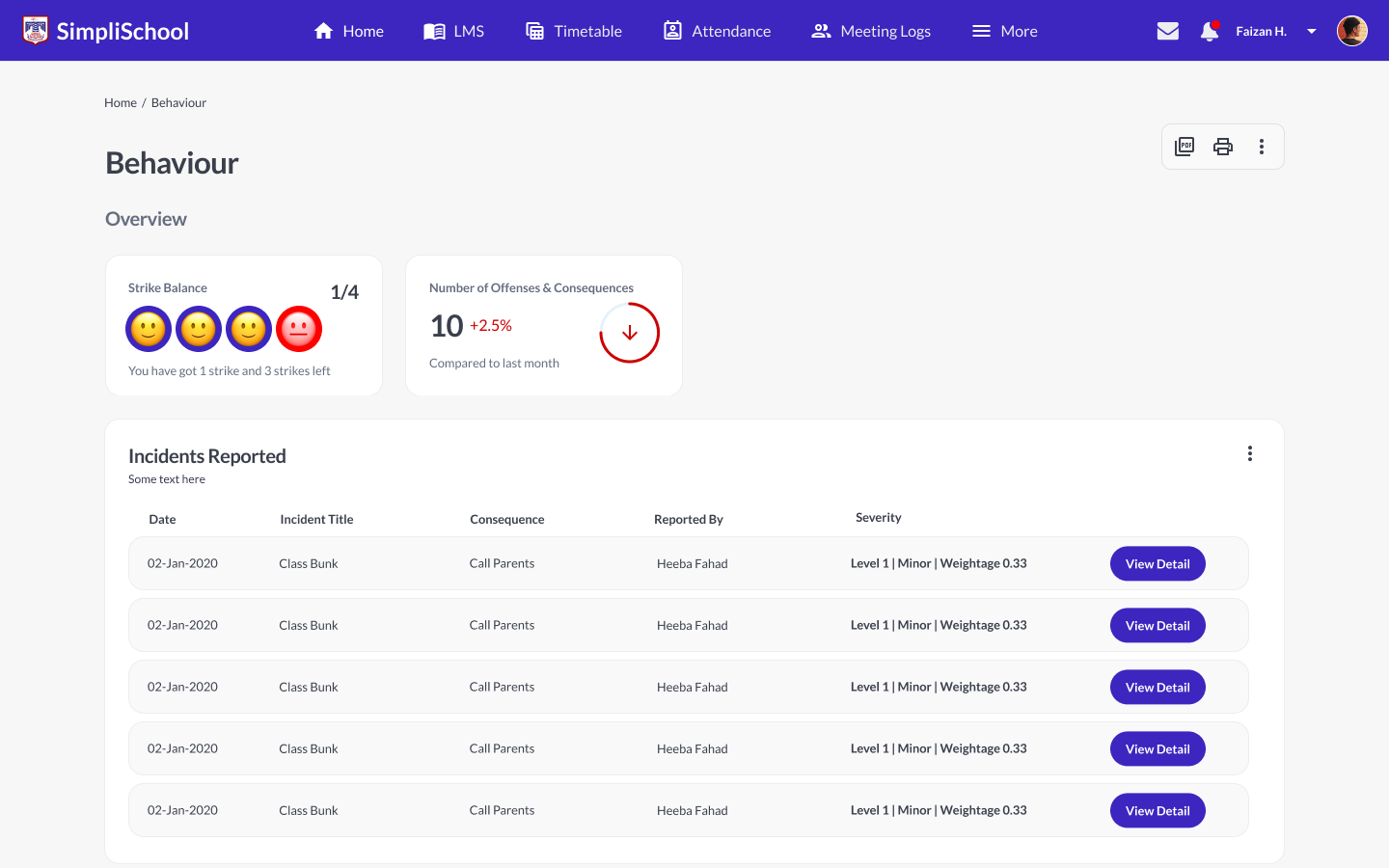
A student's behaviour overview: incidents reported this year with severity, badges gained and referral history
BehaviourIncidents, consequences and badges, kept on the student's record.
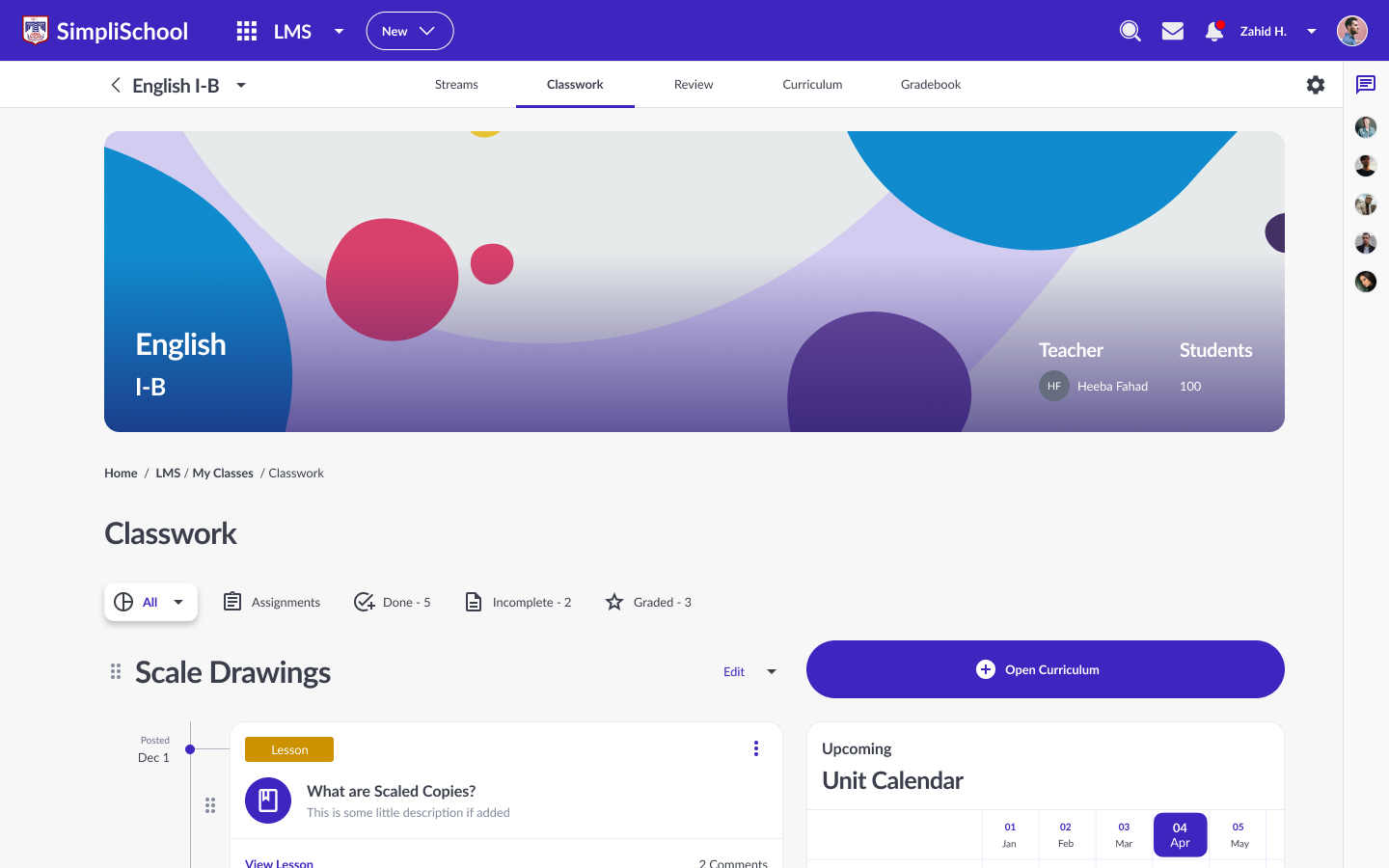
An LMS classroom for English I-B: class banner, classwork grouped by unit, assignments and a unit calendar
ClassroomEach class gets its own space for lessons, assignments and discussion.
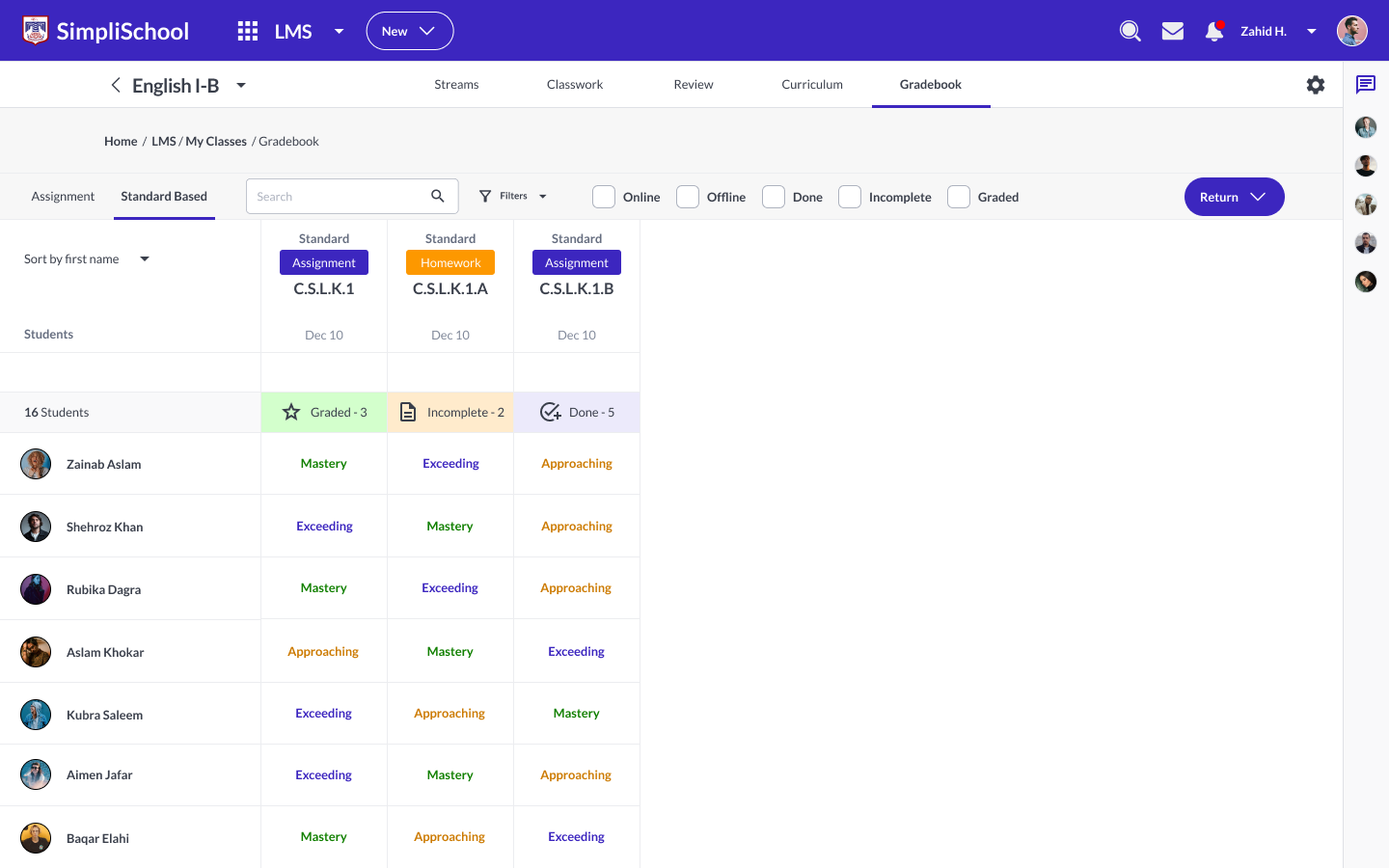
Standard-based gradebook: students down the side, assessments across the top, each cell marked emerging, approaching, meeting or exceeding
GradebookGrades by score or by standard, depending on how the school assesses.
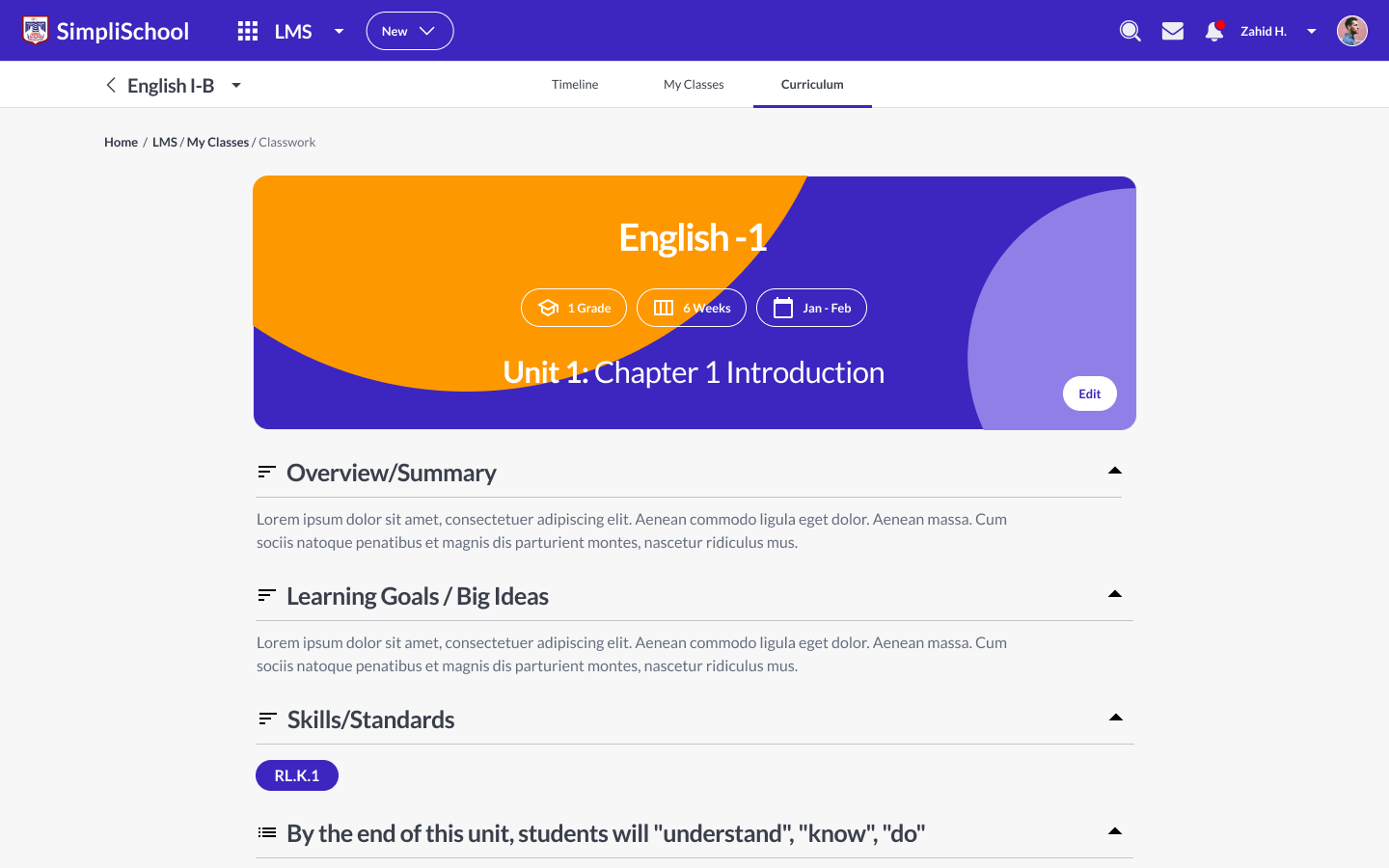
Curriculum unit preview for English 1: overview, learning goals, skills and standards, and what students should understand, know and do
CurriculumUnits planned by the curriculum team, then taught from the same plan.
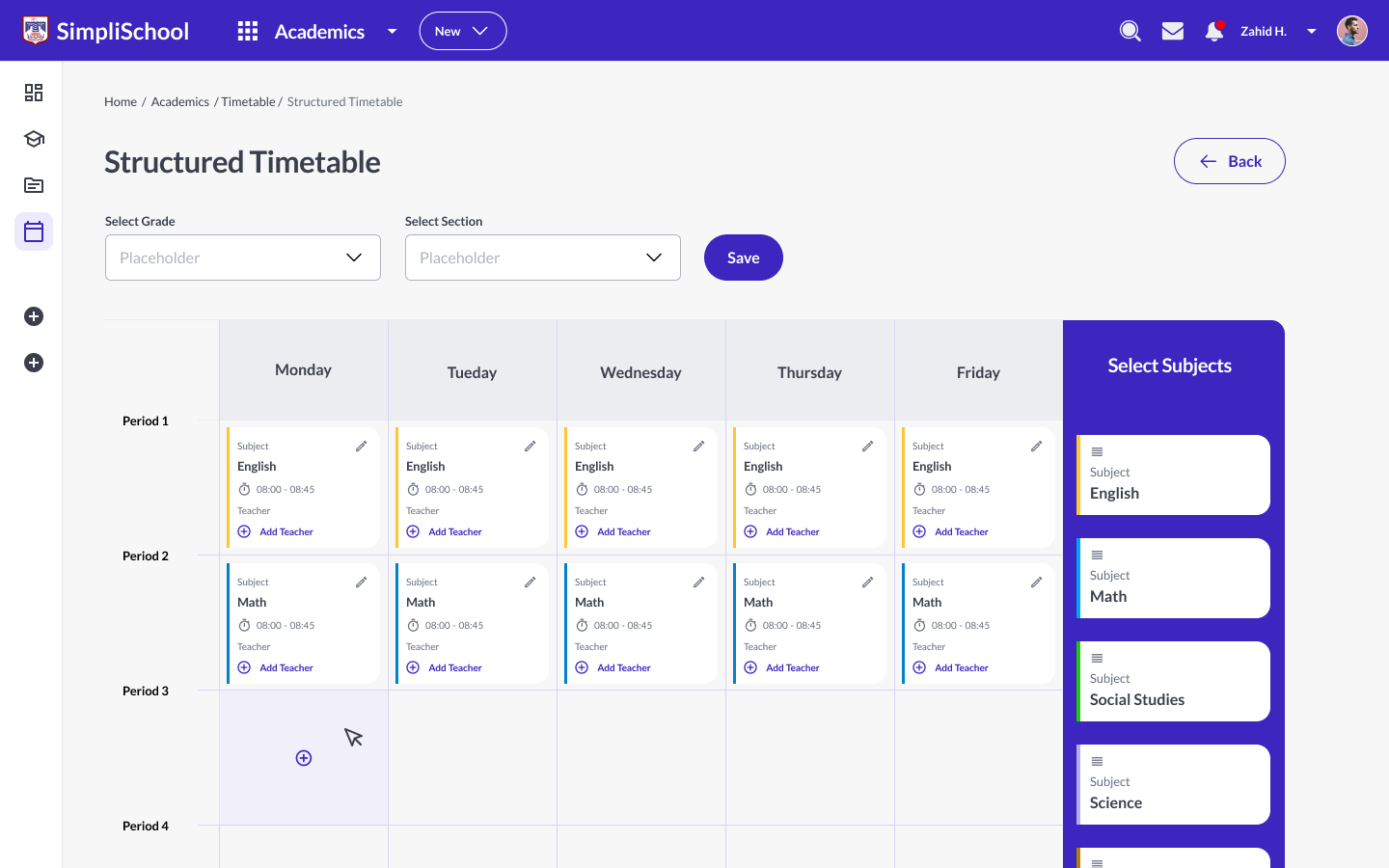
Structured timetable builder: weekdays across, periods down, subjects dragged in from a Select Subjects column with times and teachers
TimetableBuilt per section from the school's own periods, with a teacher on every slot.
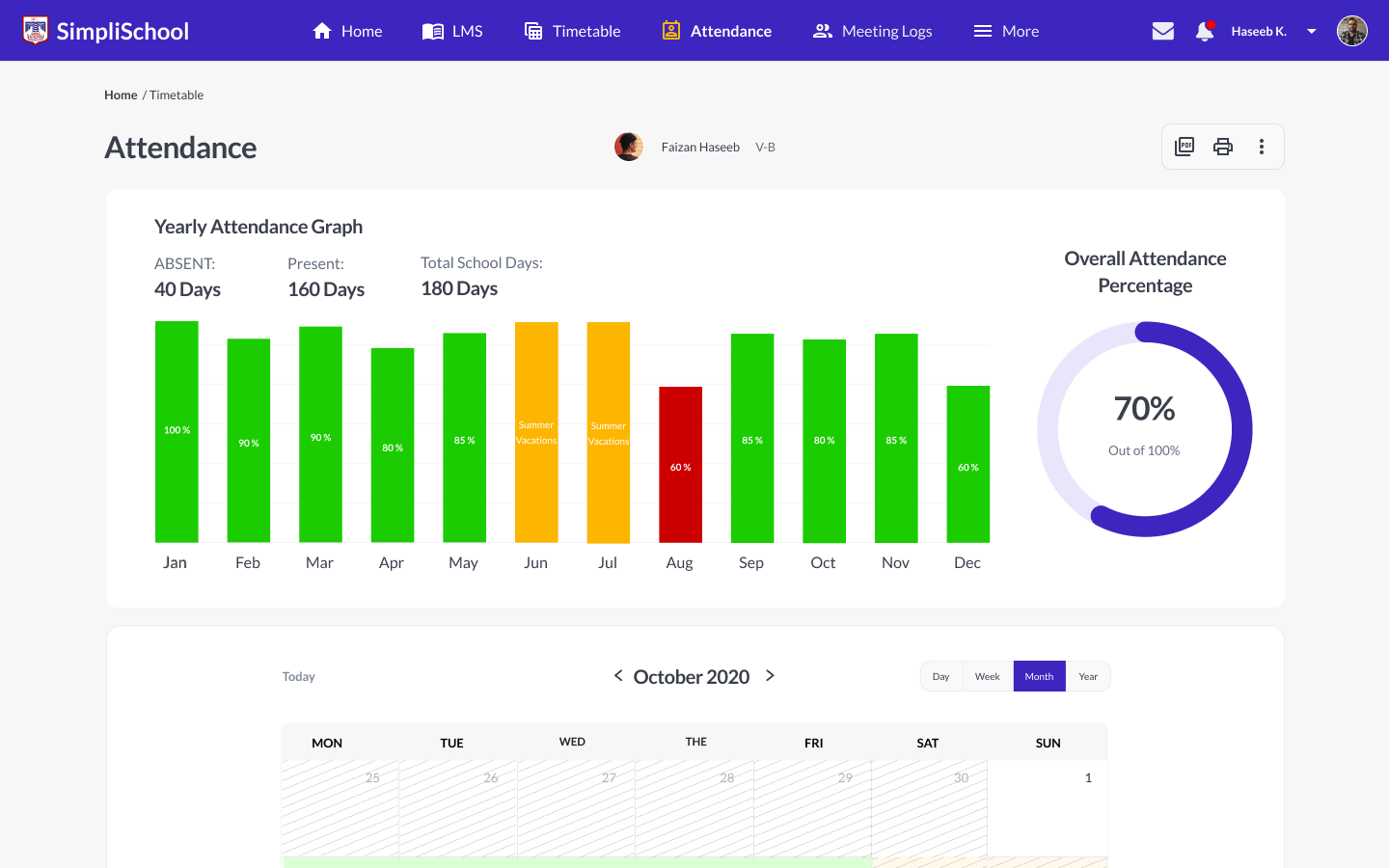
Parent view of a child's attendance: a yearly bar graph by month, an overall percentage ring and a colour-coded month calendar
Parent viewThe same attendance, read from home, a month at a time.

Design system

Lock the system before the screens

With 300+ wireframes approved, we built the core design system before designing a single final screen.

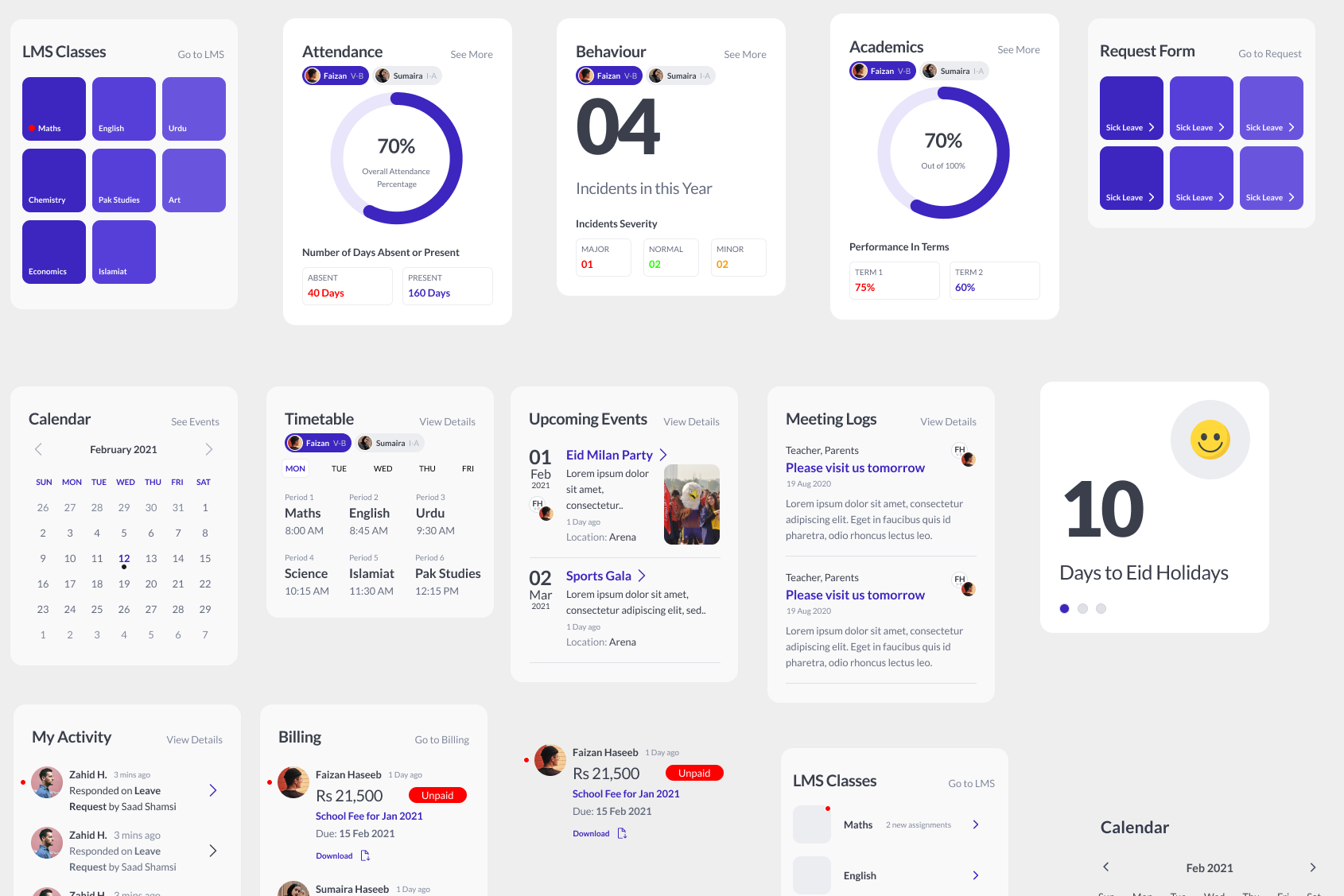
Card components from the design system: attendance and academics rings, behaviour incidents, LMS classes, request forms, calendar, timetable, upcoming events, meeting logs and a holiday countdown

Foundations and parts

One look across 18+ modules

Lato on a 1.25 type scale, an 8px grid, and colours for critical, warning, success and info. Then the parts: cards, tables, tabs, side panels, status pills, toasts, and icons in filled and outlined sets. A flagged student, an overdue fee and a pending incident look the same in every module, and a card designed once shows up on the admin, student and parent screens alike.

A name of its own

To sell beyond FPS, the product needed its own identity. While we designed it, it went by SimpliSchool. The name and brand came once the platform was finished. I hired a brand designer and directed the work: the logo, palette, type and stationery, then a one-page website to introduce the product. The mark is two linked strokes that form an S. Indigo leads the palette, and Lato carries over from the product, so the brand and the platform read as one.

  • Brand by a designer I hired and directed, 2022
  • Logo, palette, type and stationery
  • One-page product website
The SimpliEdTech logo in white on deep indigo: an S formed from two linked strokes beside the wordmark
The mark: two linked strokes that form an S
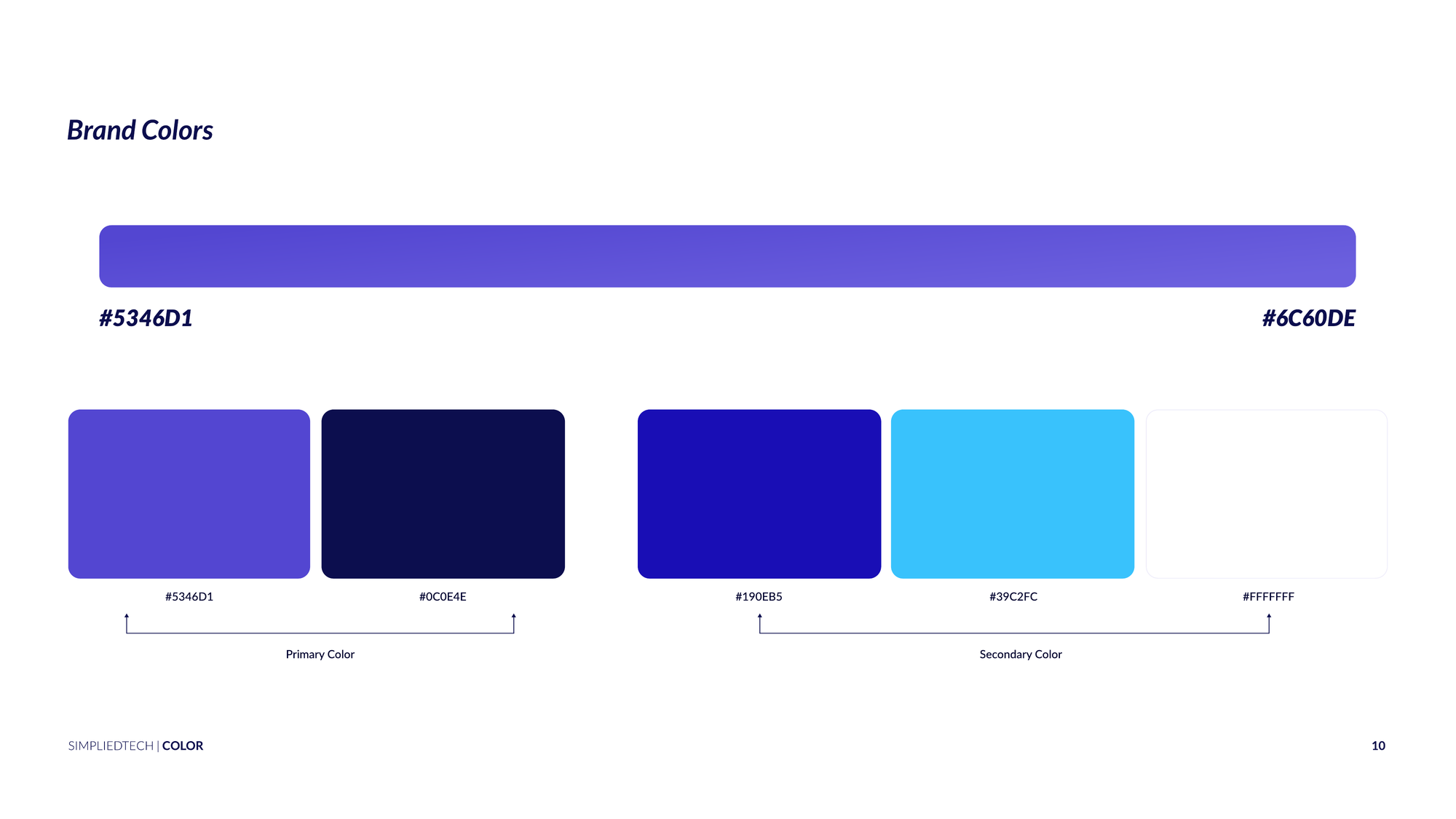
Brand colours page: indigo #5346D1 and navy #0C0E4E as primary colours, royal blue, sky blue and white as secondary
Indigo and navy lead, with royal and sky blue behind
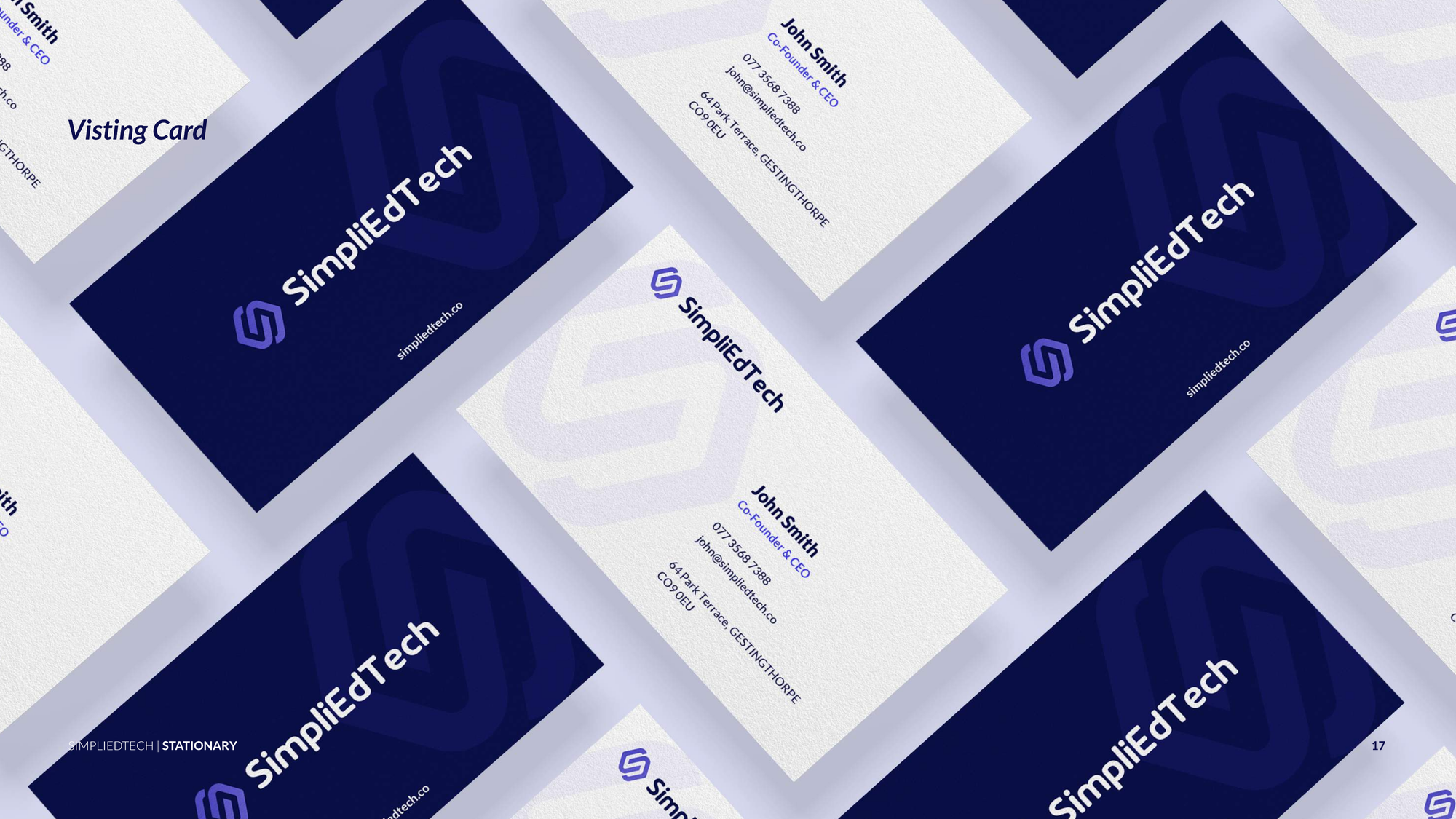
SimpliEdTech business cards laid out at an angle, navy fronts with the logo and white backs with contact details
Stationery from the brand book

From one school to a product

Live

Built by FPS, offered to other schools as SimpliEd

FPS's own admissions run through it today, and the platform is offered to other schools under its own name.

Discovery
A Miro mind map of the platform, plus roles and workflows for admin, teacher, student, parent and finance
Wireframes
300+ screens across 18+ modules, each with its own interviews and competitive review
Design system
Type, colour, 8px grid, components, filled and outlined icons
UI
Every module on desktop, plus key mobile screens for the developers, handed off in Figma
Brand
SimpliEd identity and website design, directed

What I learned

Designing for a whole school

  • A school is many workplaces

    The admissions desk, the fee office and the class teacher needed separate conversations, and each had a best-in-class tool to learn from. That's why each module got its own discovery.

  • Settle structure in grey

    Three hundred screens were argued over and approved as wireframes. By the time colour arrived, the UI phase was about polish.

  • Design for the second customer

    FPS was the first school. Turning its habits into settings is what made a product other schools could use.

A school platform puts a principal, a fee clerk, a teacher and a parent in the same product. Most of discovery was learning how differently they see the same student. The design had to make sense to all of them.
Zair Abbas, product strategist and designer

Get intouch

Building a platform with many roles and many modules? Send me the brief, and I'll show you how I'd break it down.

Get in touch