Get in touch
HomeAboutWorkServicesMentorshipContactGet in touch

PayFastWallet app

A mobile wallet for PayFast, Pakistan's licensed payment gateway. I mapped the whole app and led the MVP design. Live on iOS and Android.

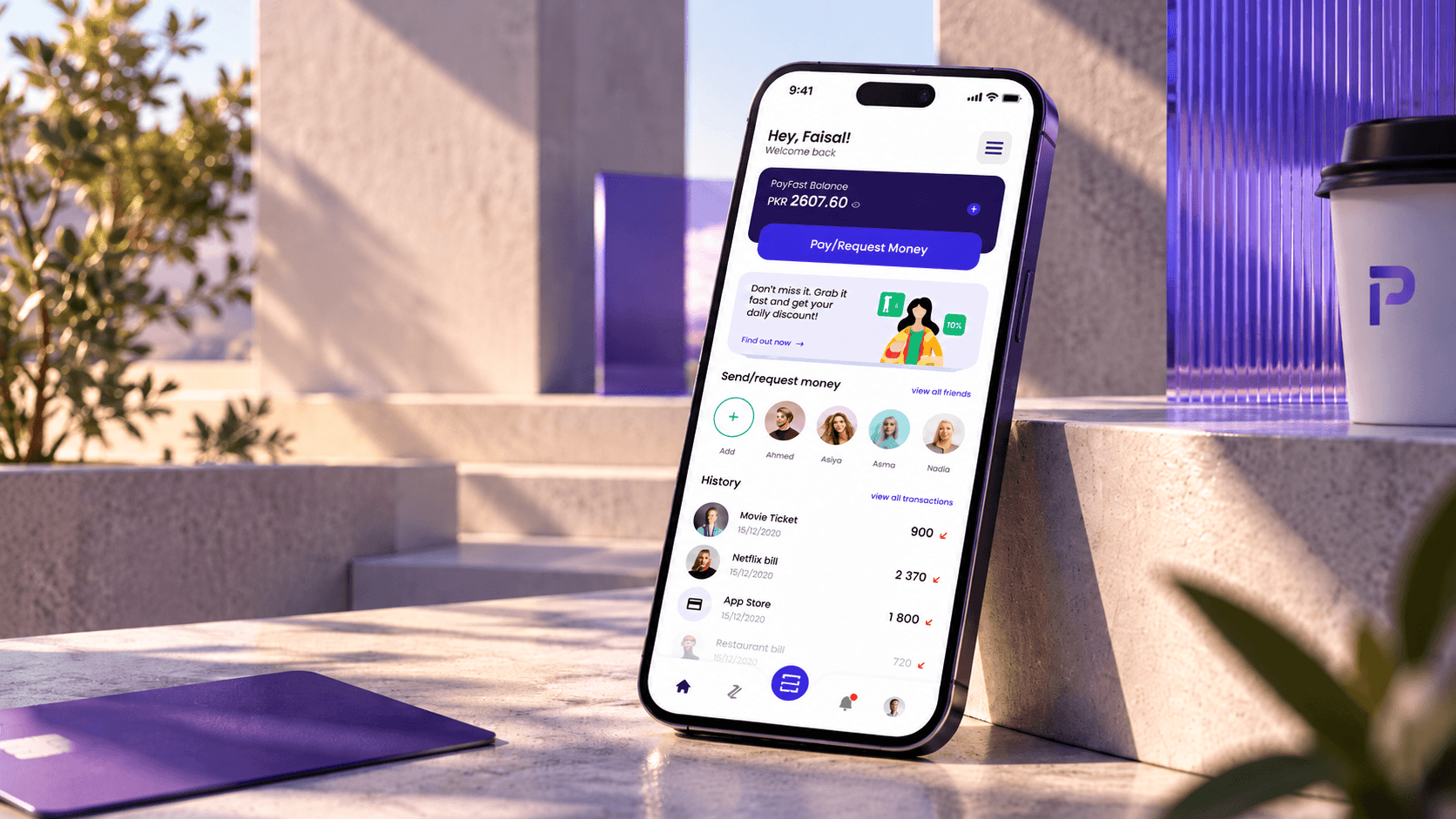
An iPhone leaning on a sunlit stone step showing the PayFast home screen, with the rupee balance, a Pay/Request Money button, friends and recent payments, beside an indigo card, a coffee cup with the PayFast mark and indigo glass panels

The short version

PayFast already moved money for online stores. Next it wanted an app people would open every day.

PayFast is the payment gateway run by Avanza Premier Payment Services, and the first in Pakistan to get a commercial licence from the State Bank. In early 2022 it hired Grocode, my studio at the time, to design a consumer wallet: add money, pay bills, and send or request money from friends. PayFast pointed to Venmo as the feel it wanted.

I led the project. I ran the client calls, agreed the scope with PayFast, drew the UX flow and kept the screen checklist. A designer I hired worked under me on the wireframes and the UI, to the direction we settled on in those calls. PayFast's own team built the app and launched it on iOS and Android.

Role
Project lead UX and product design
Client
PayFast Karachi
Platform
Mobile wallet iOS and Android
Team
Me, plus a designer I hired and directed, at Grocode. Build by PayFast's own developers
Status
Live on iOS and Android ↗ Designed 2022

A US payments habit, rebuilt for Pakistan.

Venmo works because paying a friend takes a few taps and feels social. PayFast wanted that feeling, but its users would pay in rupees, top up from Pakistani banks and wallets, and spend much of their money on utility bills.

The brief also changed shape halfway. The flow covered the full app, and PayFast asked for a smaller first version its developers could start building straight away.

  • Bills come first

    K-Electric, SSGC and KWSB bills are a monthly job for most households, and each needs a consumer number.

  • Many ways in

    Money arrives from a bank account, a debit or PayPak card, or another mobile wallet.

  • A licence behind it

    A wallet needs CNIC details before it can hold money. Signing up and opening the wallet are different steps.

The whole map, then the first slice

We agreed the full flow with PayFast first, so cutting the MVP meant choosing what to leave out.

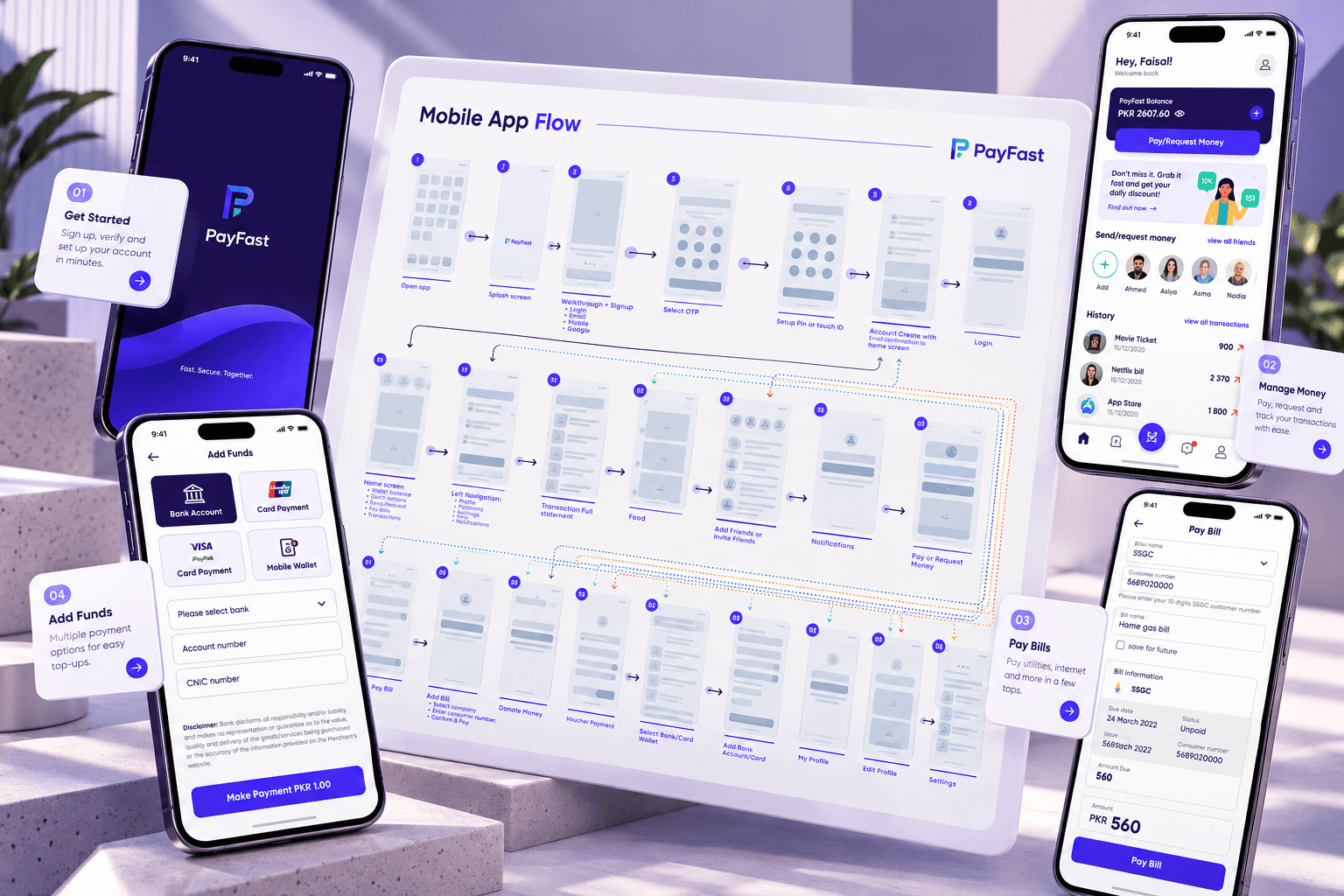
The PayFast Mobile App Flow board, from open app and splash through sign-up, OTP and PIN to home, navigation, payments, bills, wallet and profile, with dotted lines for the links between screens, framed by phones showing the splash, add funds, home and pay bill screens and four cards: get started, manage money, pay bills and add funds
The full flow we agreed with PayFast, with screens from the MVP around it
  1. 1

    Flow

    The complete app mapped as one flow with PayFast: onboarding, home, payments, bills, wallet, profile.

  2. 2

    Checklist

    Every screen listed and tracked as done, needs changes or missing, so PayFast and the design team worked from one list.

  3. 3

    MVP cut

    PayFast picked the first release: sign-up, wallet, bills, pay or request, history and settings.

  4. 4

    Wireframes

    Each MVP screen in grey first, including its empty, error and success states.

  5. 5

    UI and prototype

    Final screens on PayFast's brand, linked into a clickable prototype and handed off in Figma.

In the first release

Designed, prototyped and handed off.

  • Sign-up and login
  • OTP
  • Security PIN
  • Open wallet
  • Home
  • Add funds
  • Pay bills
  • Pay or request money
  • Receipts
  • History and insights
  • Notifications
  • Profile
  • Settings

Mapped for later

On the flow, waiting for a later release.

  • Split payments
  • Vouchers
  • Donations and zakat
  • QR scan
  • Invite and earn
  • Insurance
  • Telehealth
  • Tickets

Design decisions

What I decided, and why

Venmo set the tone. These calls made it fit the way people in Pakistan pay.

Payments

One button for both directions.

Home leads with a single Pay or Request button. The payment screen asks who, how much and what it's for, and the choice to pay or request comes last, as two buttons side by side. Quick amounts sit under the field, and every payment is confirmed with an MPIN. A note on each payment keeps the history readable: "Netflix bill" says more than a transaction number.
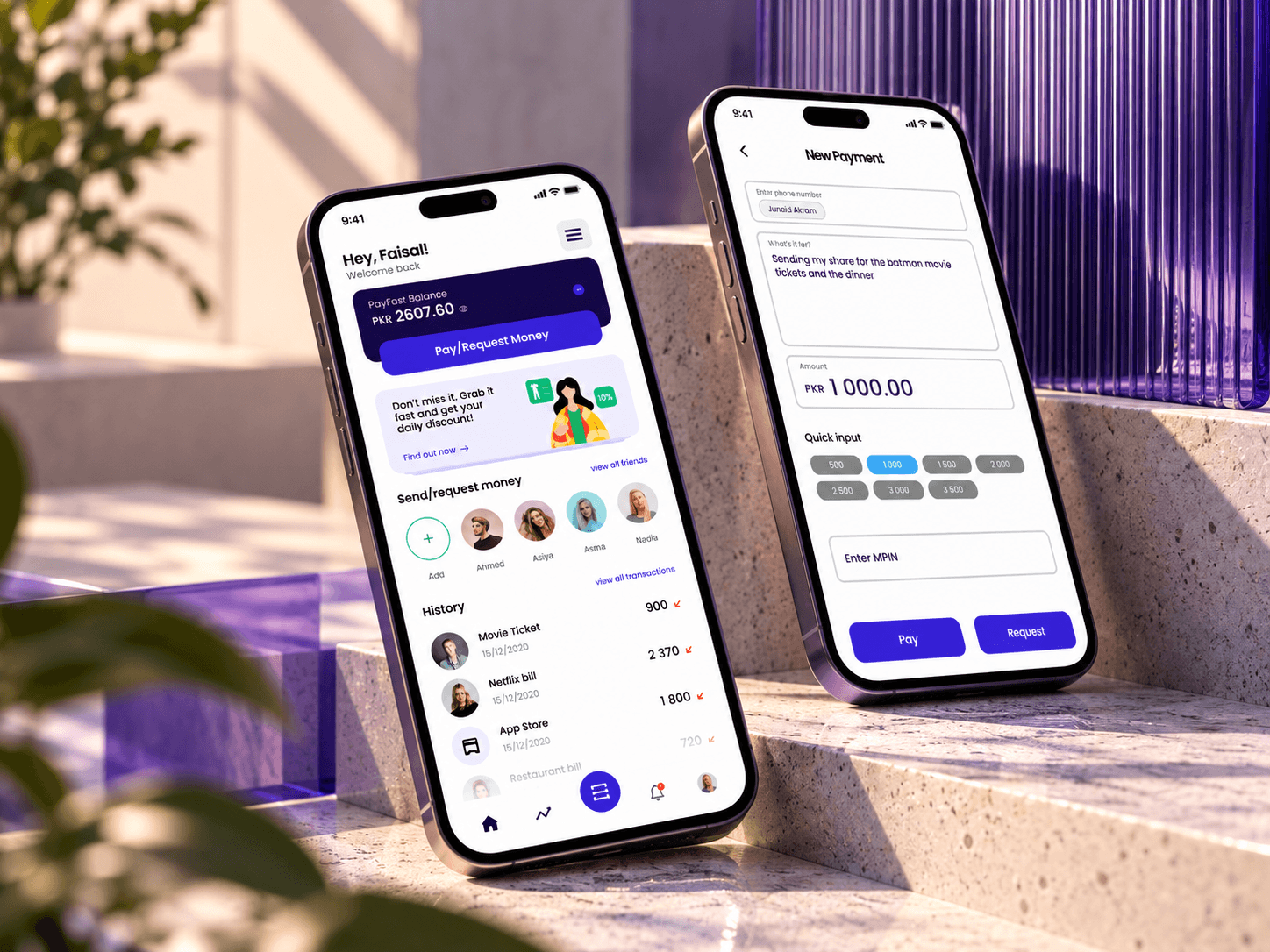
Two phones leaning on sunlit stone steps beside indigo glass: the home screen with the PayFast balance, a Pay/Request Money button, friends and history, and New Payment with a note about movie tickets and dinner, PKR 1,000, quick amounts, an MPIN field and Pay and Request buttons

Onboarding

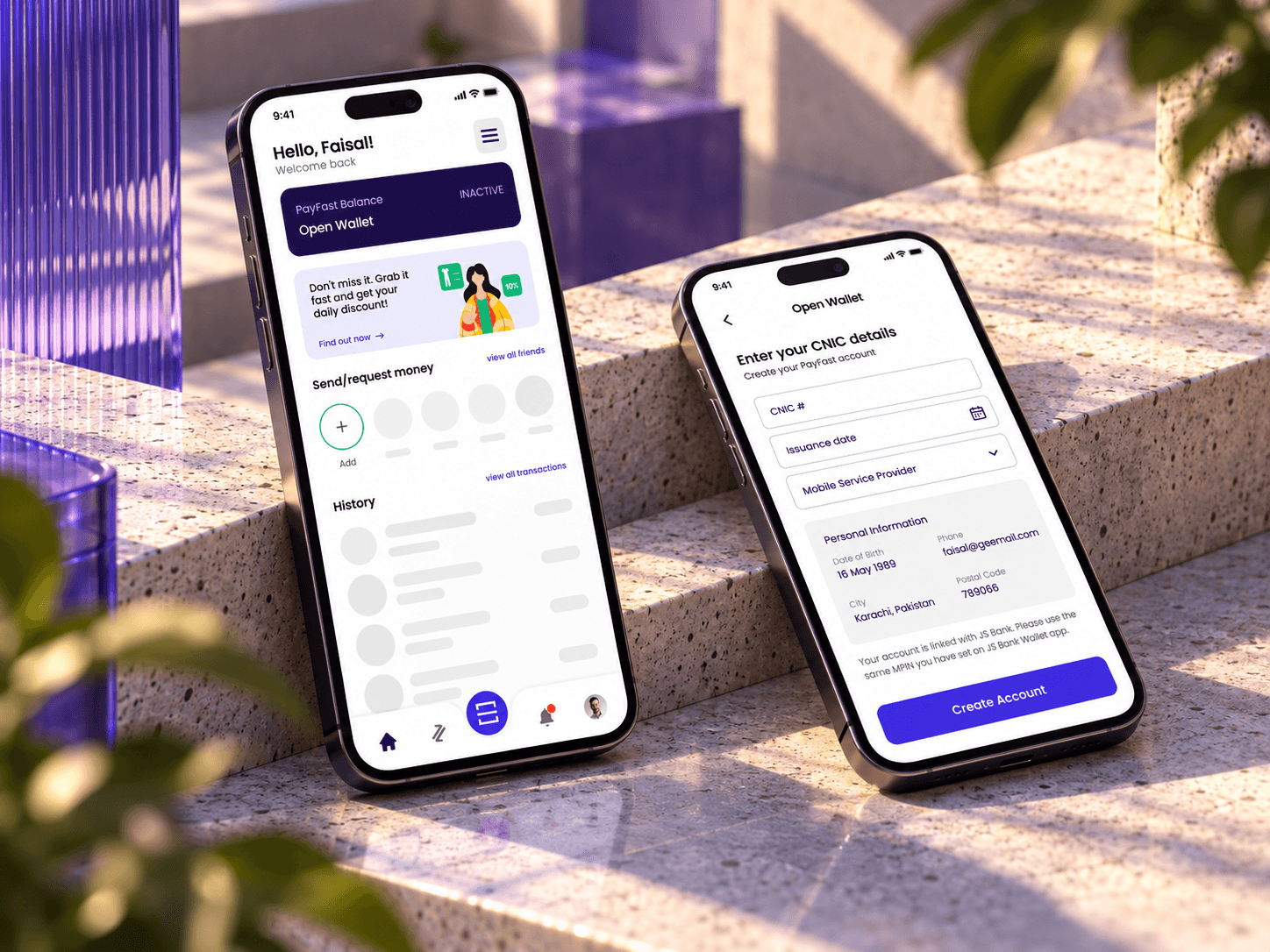
Sign up now, open the wallet later.

PayFast wanted sign-up to stay short, so the ID check moved out of it. Sign-up takes an email or a Google or Facebook account, an OTP and a security PIN. The wallet opens later, from a card on the home screen, with the CNIC number, issuance date and mobile network. Until then the home screen shows the wallet as inactive, so people can look around before they hand over their ID.

Two phones on sunlit stone steps: the home screen with an inactive Open Wallet card and placeholder content, and Open Wallet asking for the CNIC number, issuance date and mobile service provider

Bills

Save the bill for next month.

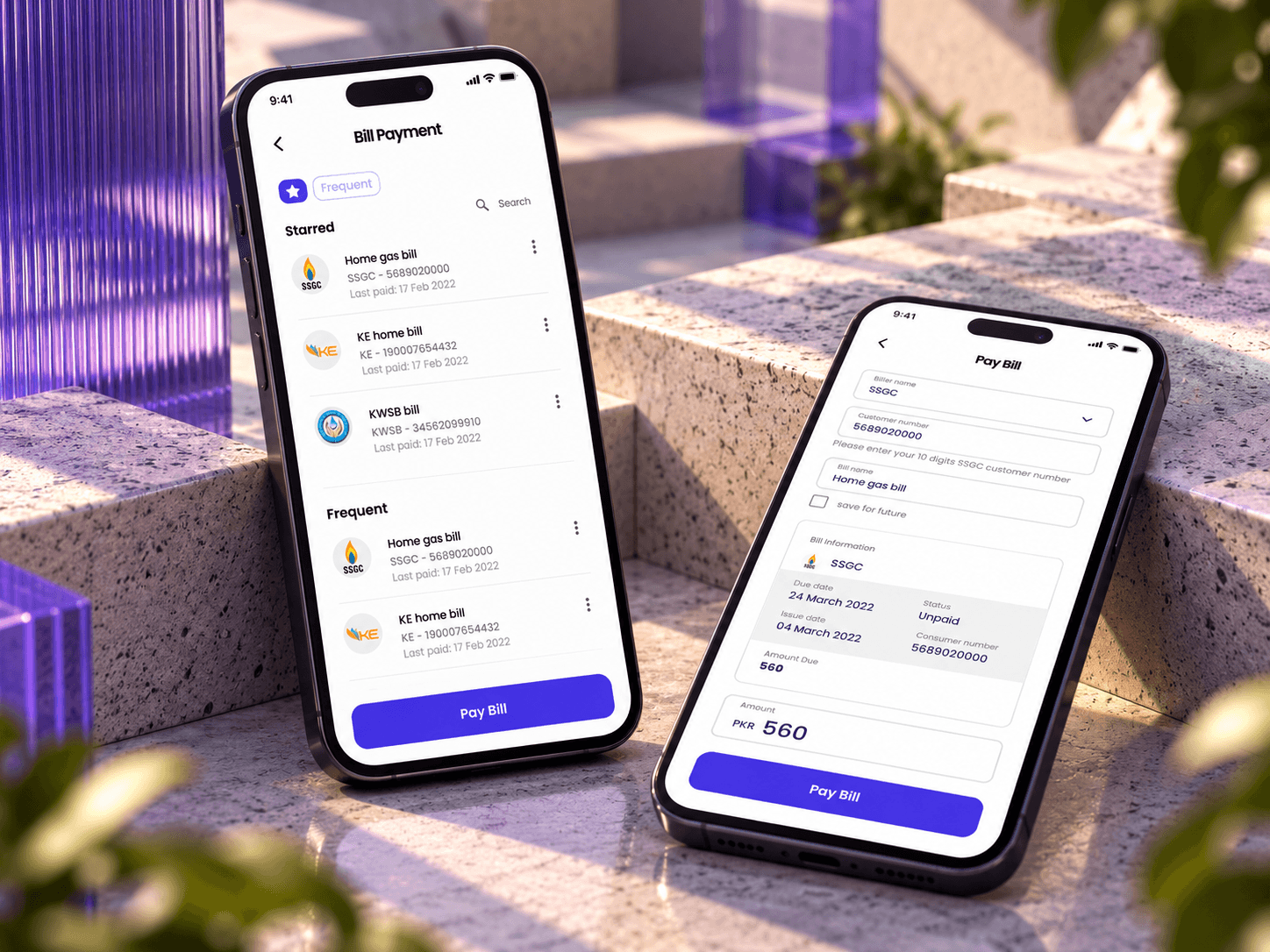
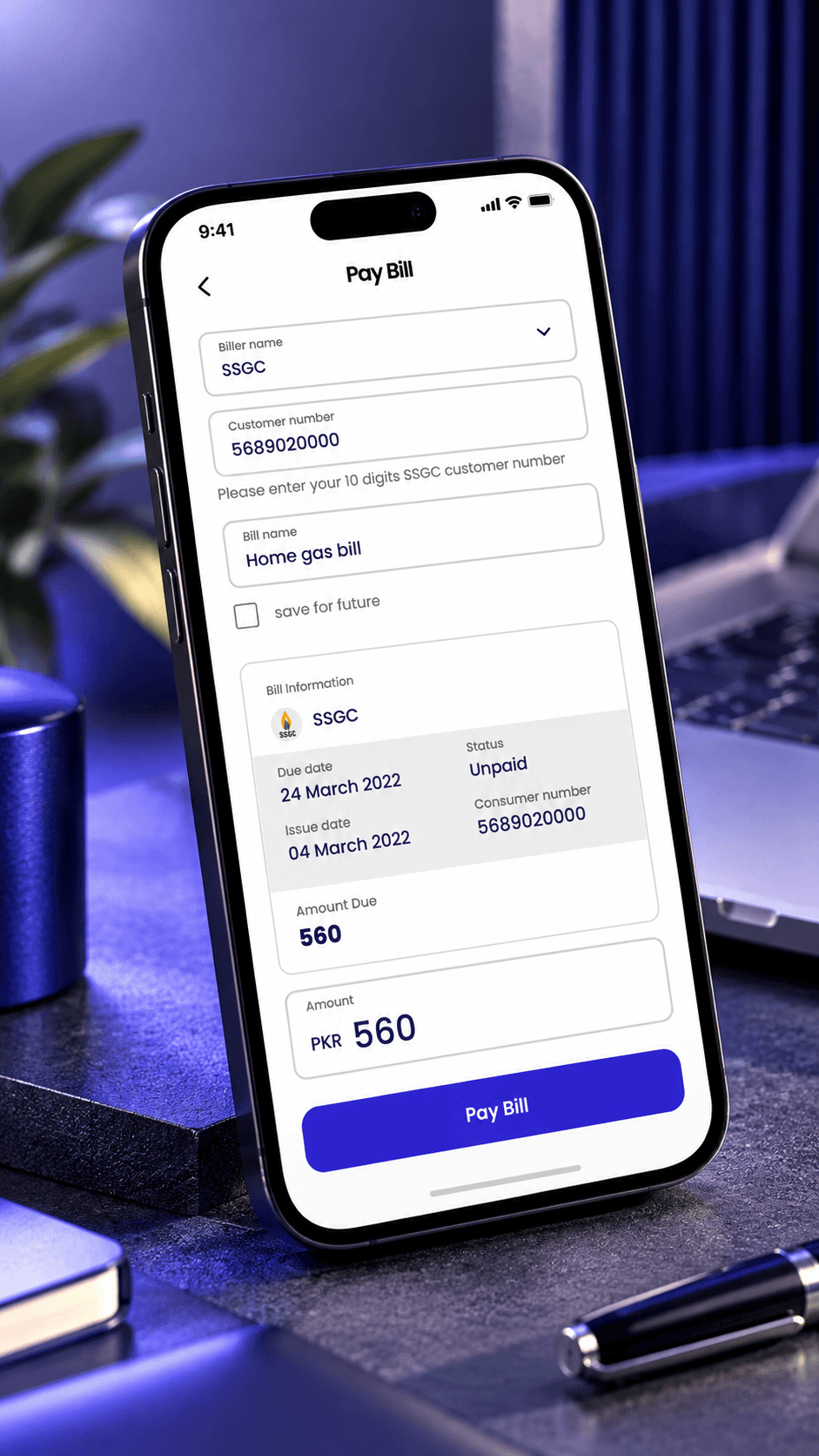
A bill is saved once with its consumer number and comes back every month under Starred or Frequent. Before paying, the app shows what the biller holds: due date, status and the amount due. Paying a bill becomes two taps and a PIN.

Two phones on stone steps: Bill Payment with starred and frequent bills for SSGC, K-Electric and KWSB, and Pay Bill showing an SSGC bill's due date, unpaid status and amount due

Receipts

End every payment on a receipt.

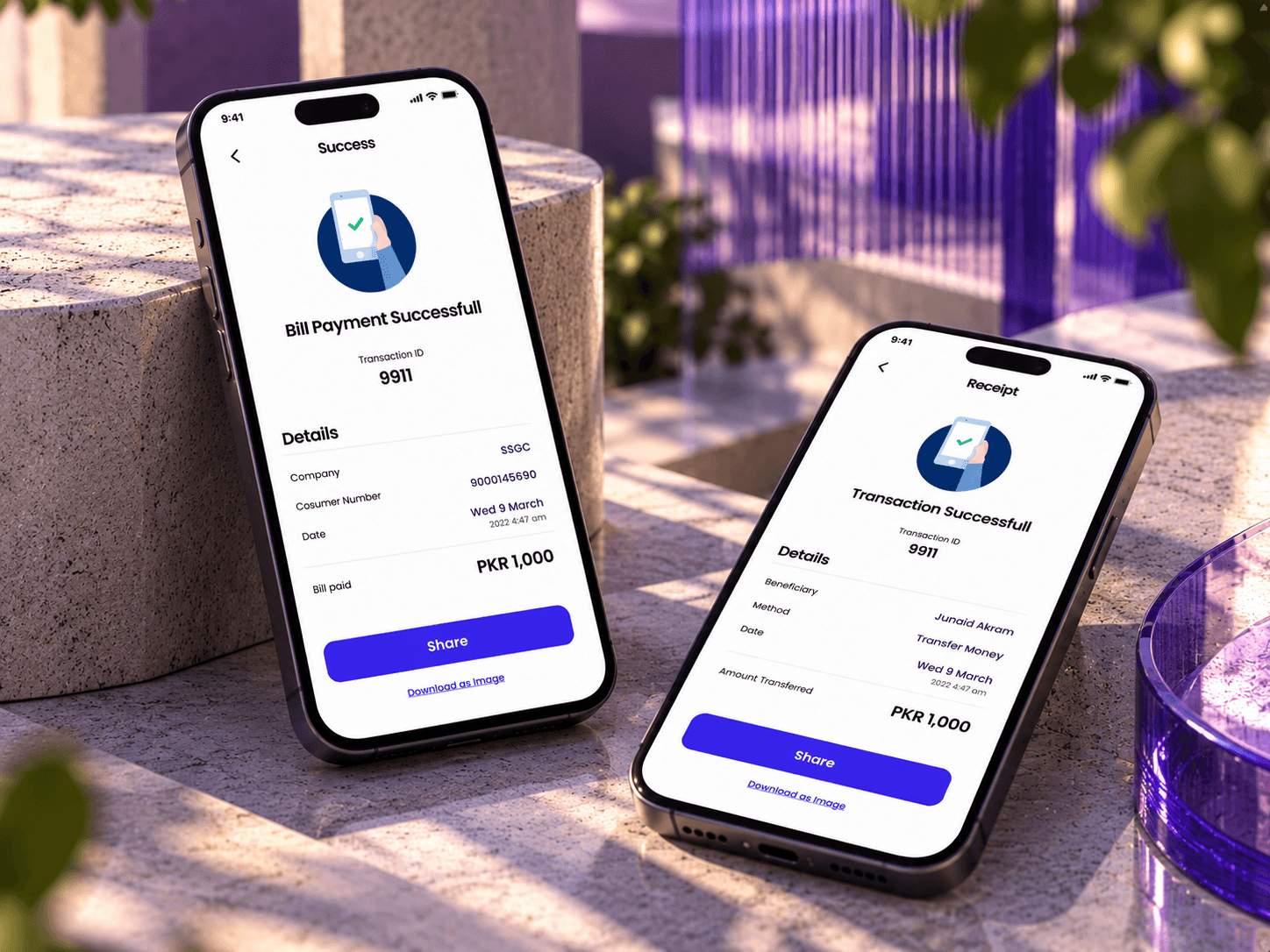
Bills, transfers and top-ups all finish on the same screen: a transaction ID, the details, and buttons to share it or save it as an image. A payment people can show as proof is one they trust.

Two phones on stone steps: Bill Payment Successful and a Transaction Successful receipt, each with a transaction ID, details, the amount, a Share button and a Download as image link

Inside the app

The MVP, from the first launch to a paid bill.

01 / 08

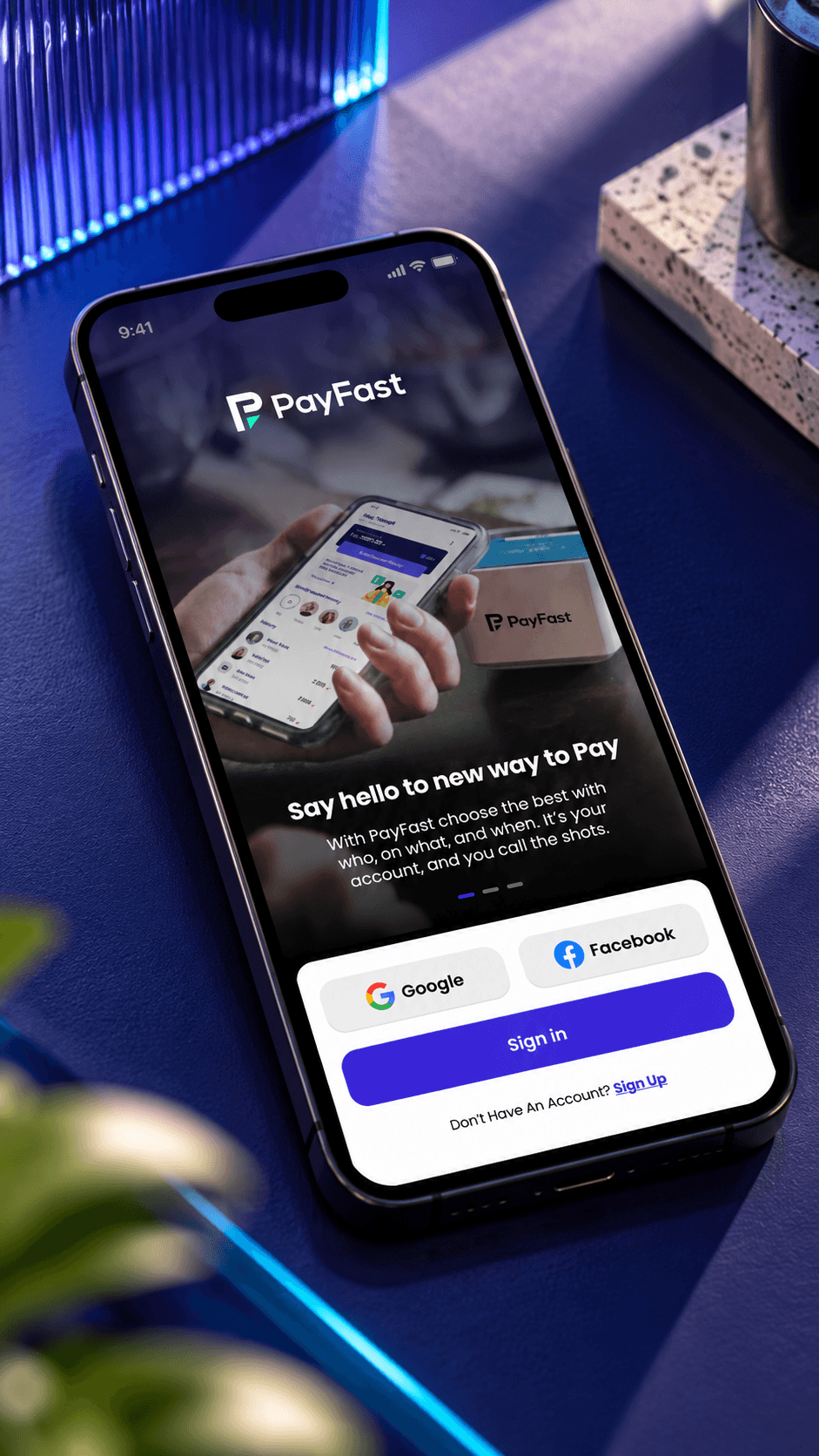
Walkthrough screen: the PayFast logo over a photo of a hand holding a phone, the line Say hello to new way to Pay, and Google, Facebook and Sign in buttons
WalkthroughOne line on what PayFast does, then Google, Facebook or email to start.
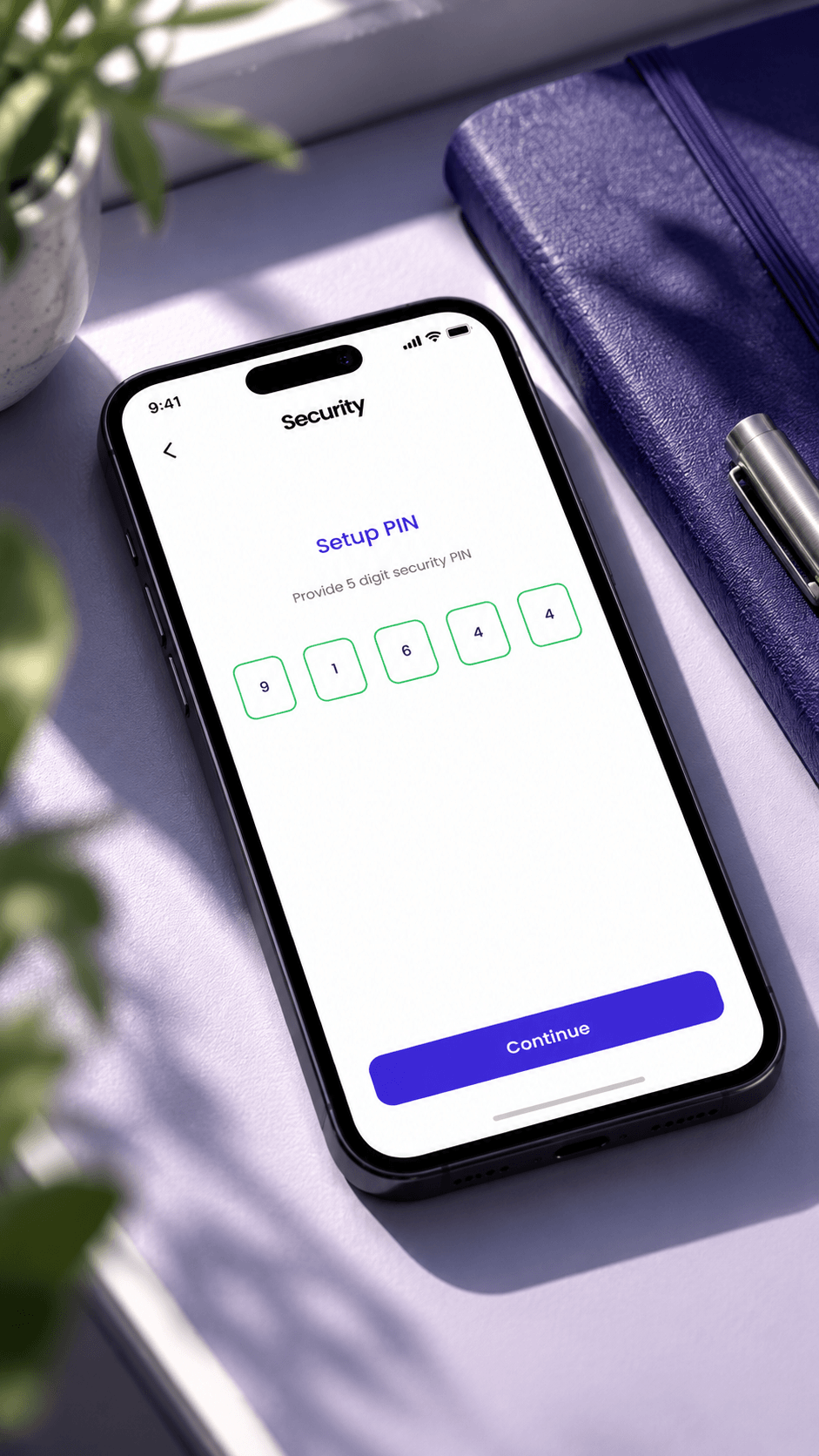
Setup PIN screen asking for a five-digit security PIN, with a Continue button
Security PINFive digits, set once, used to confirm every payment.
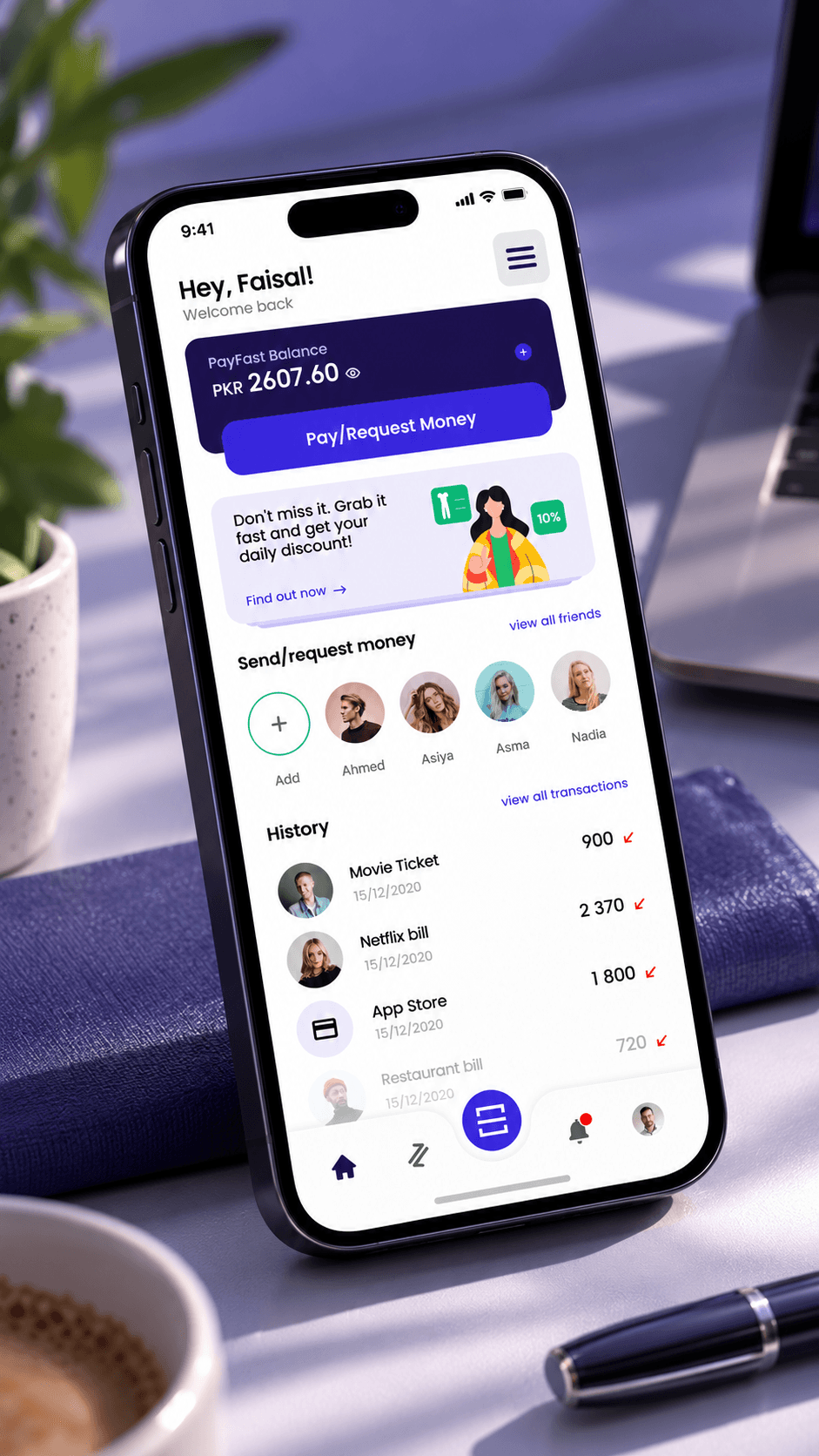
Home screen: PayFast balance in rupees, a Pay/Request Money button, a daily discount card, friends to send or request money, and recent history
HomeBalance, pay or request, deals, friends and the latest payments.
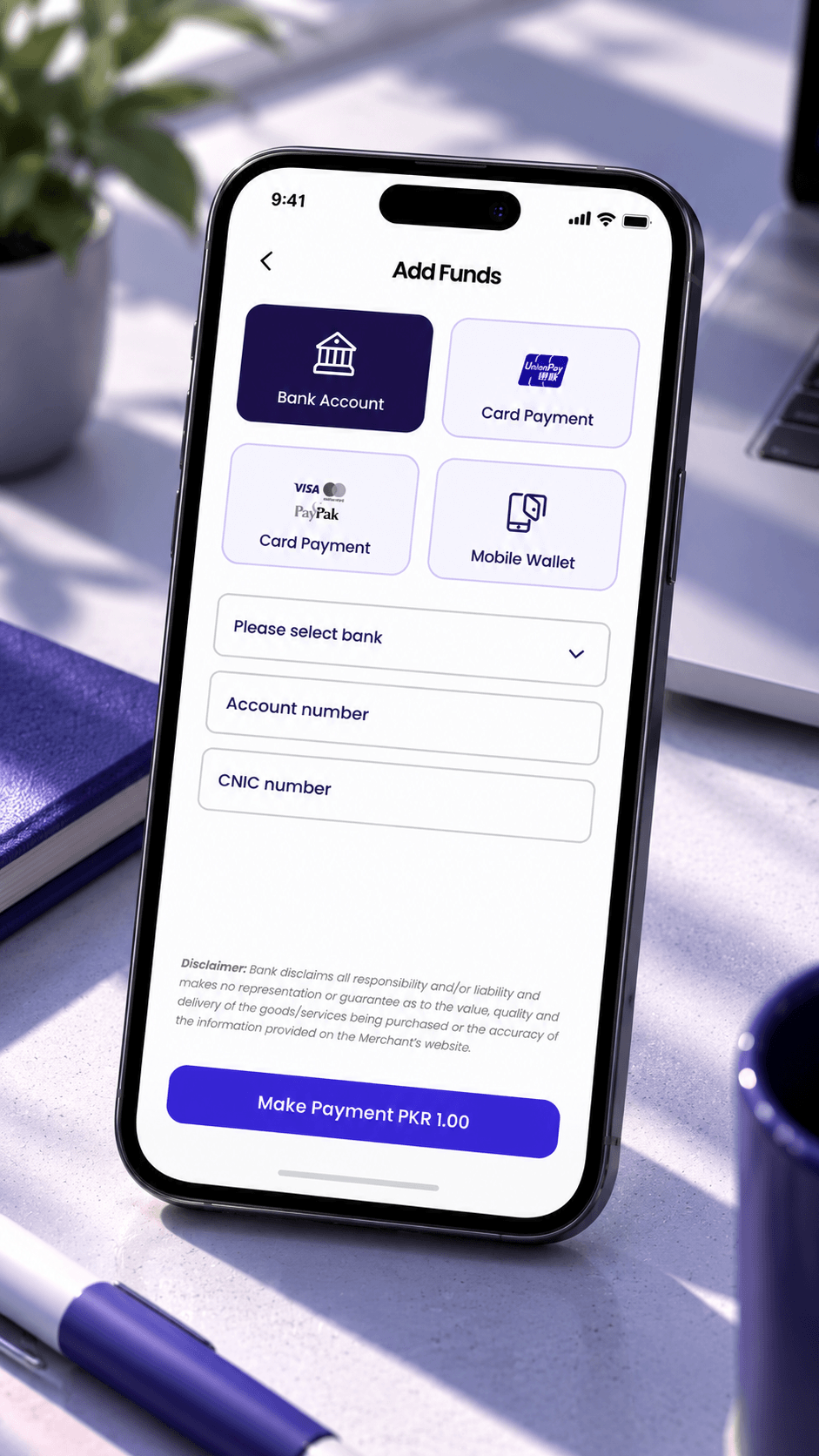
Add Funds screen with four sources, bank account, card payment, Visa or PayPak card and mobile wallet, above bank, account number and CNIC fields
Add fundsFrom a bank account, a card or another mobile wallet.
Pay Bill screen for an SSGC gas bill: biller, customer number, bill name, then bill information with due date, status and amount due
Pay billBiller, consumer number and the bill itself before you pay.
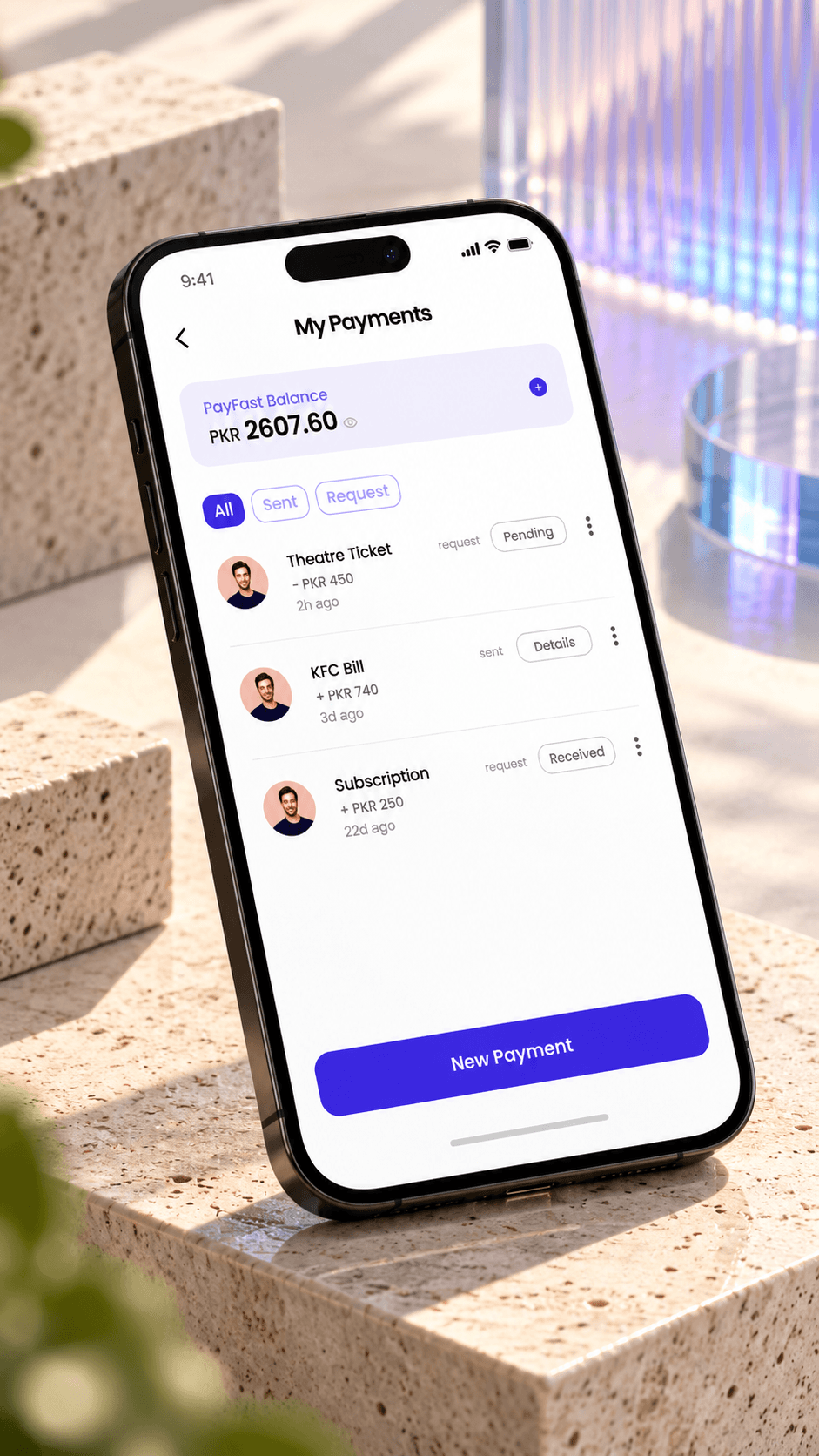
My Payments screen: balance on top, All, Sent and Request filters, and payments marked pending, details or received
My paymentsMoney sent and requested, with what is still pending.
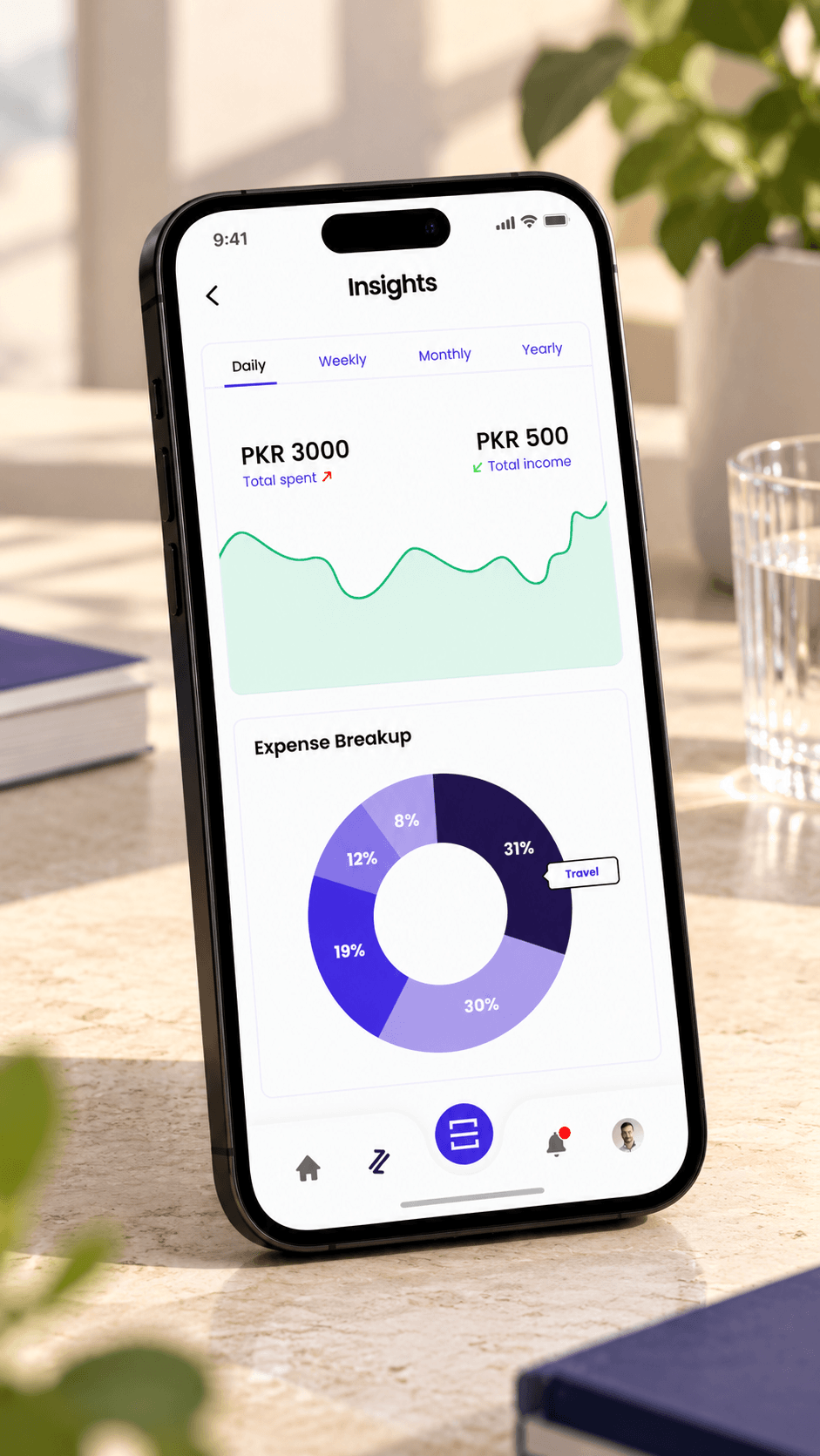
Insights screen: total spent and total income by day, week, month or year, a line chart and an expense breakdown donut
InsightsSpending and income by day, week, month or year.
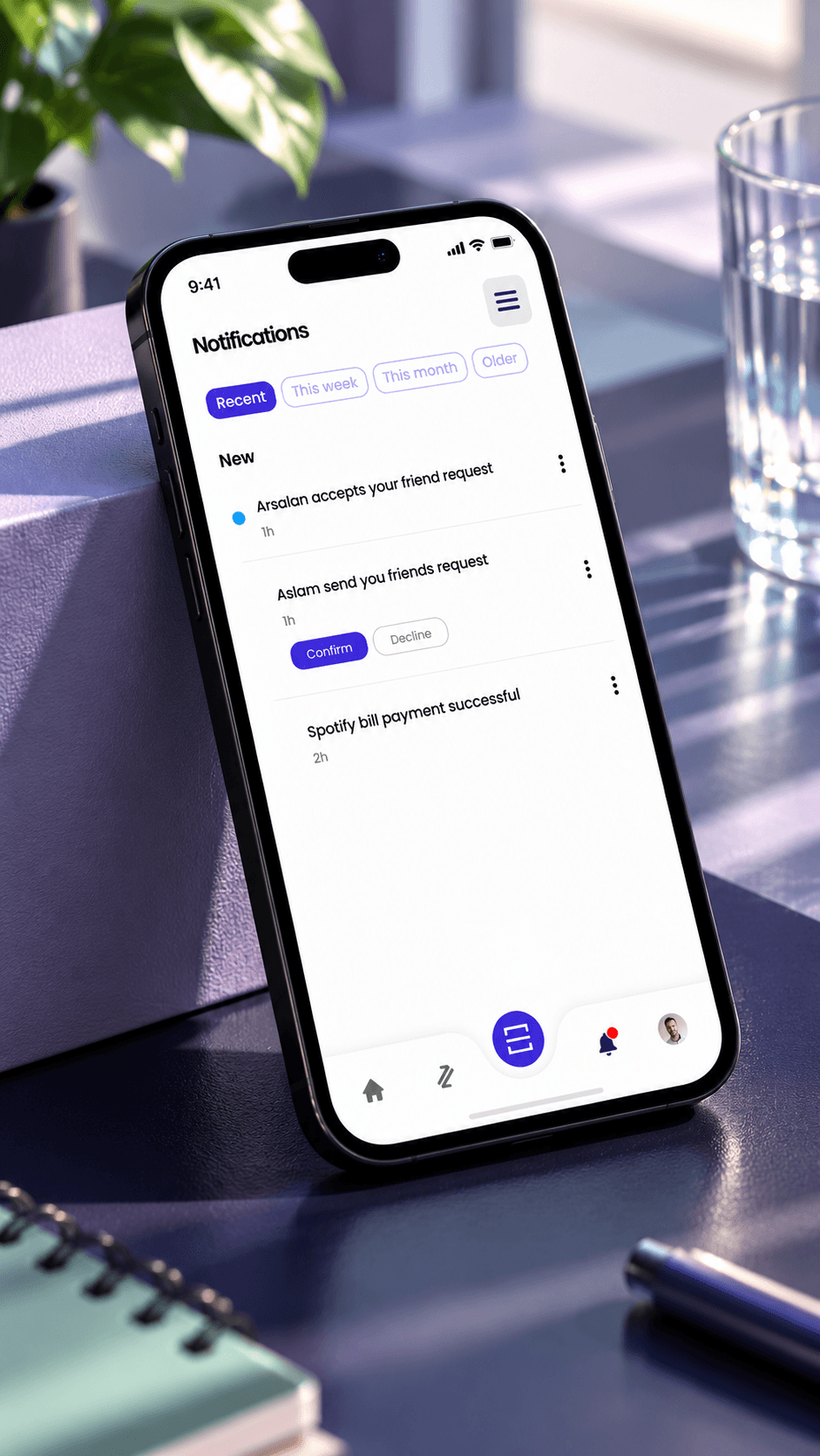
Notifications screen with Recent, This week, This month and Older tabs, a friend request to confirm or decline, and a bill payment that went through
NotificationsFriend requests to confirm and payments that went through.

PayFast's brand, applied

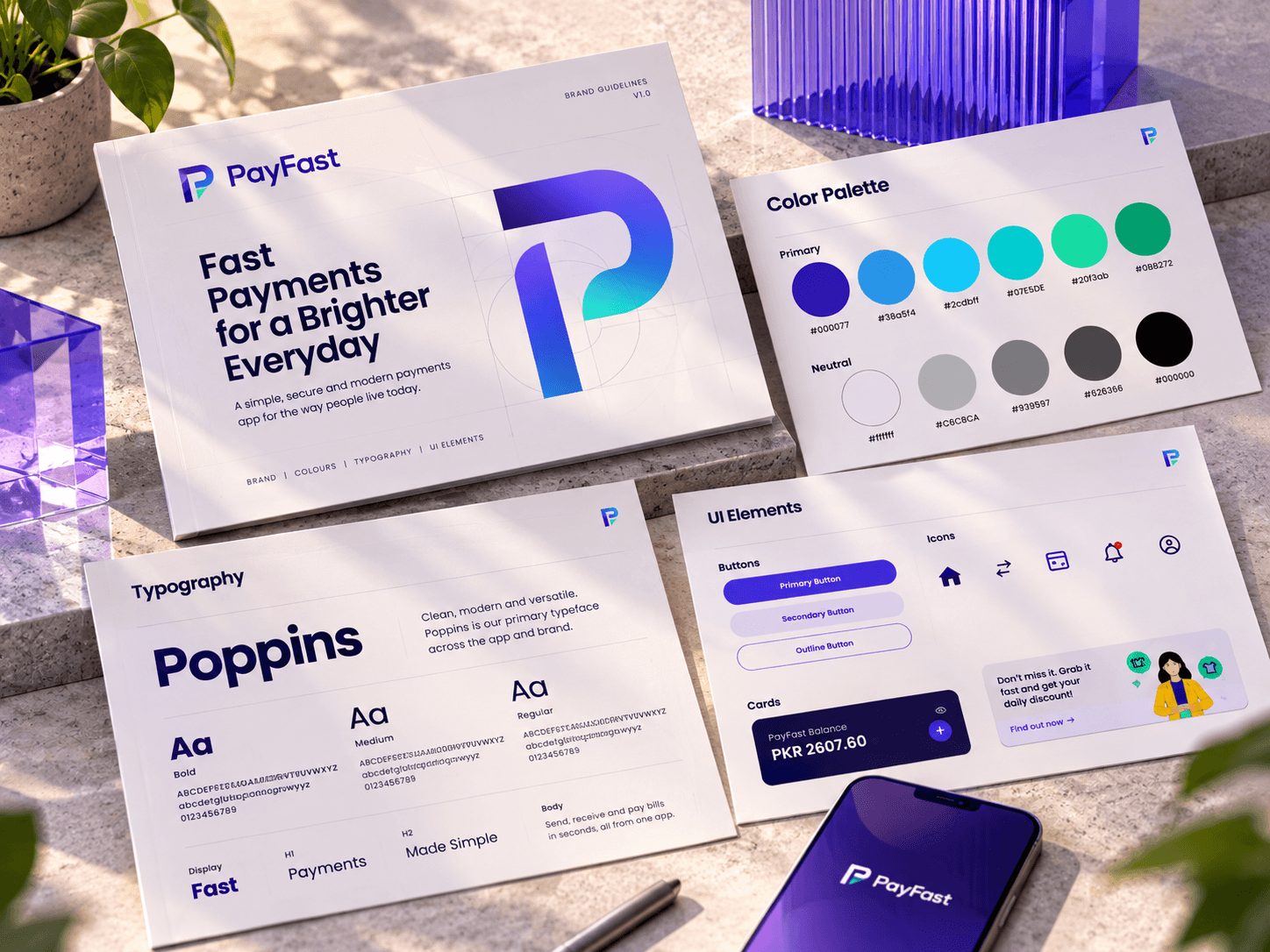
PayFast supplied its brand guide, so our job was to apply it well. Its indigo leads, and the blues and greens follow it. We stretched the indigo into a scale of tints for cards, selected states and charts, so the app had enough shades to work with while staying on brand. The guide pairs Nexa headings with Poppins body text. In the app, Poppins does both jobs.

  • Brand guide by PayFast
  • Indigo #3D2CD4 with five blues and greens
  • Tint scale by Grocode, Poppins throughout
PayFast brand guide sheets on a sunlit stone ledge: the cover with the P mark, the colour palette from indigo to green with neutrals, Poppins in bold, medium and regular, and UI elements with buttons, icons, the balance card and the daily discount card, beside a phone showing the PayFast splash
The guide pages: palette, Poppins and the app's UI parts

From handoff to the app stores

Live

Built by PayFast's own team, on iOS and Android

We handed off the MVP designs, the prototype and the full flow in 2022. PayFast's developers built the app, customised it along the way, and launched it. QR payments, which sat on our map outside the MVP, are in the app today.

UX flow
The full app mapped, with the MVP marked inside it
Wireframes
Every MVP screen, with its empty, error and success states
UI
Final screens on PayFast's brand, handed off in Figma
Prototype
A clickable flow of the MVP
Style guide
The indigo tint scale and Poppins type, applied from PayFast's brand

What I learned

Designing the first slice

  • Map all of it first

    Because the full flow existed, the MVP was a cut along clear lines. Features we mapped for later, like QR payments, had a place waiting for them.

  • Borrow the pattern, localise the details

    Venmo gave us pay or request and the social history. Bills, CNIC, rupees and Pakistani banks had to be designed here.

  • One list for everyone

    The screen checklist meant PayFast, my designer and I argued about the same screens, marked the same way.

PayFast came with a reference app and a brand, and wanted something its developers could start on fast. My job was to keep the full picture in view while we drew the first slice. The app PayFast launched grew from that slice.
Zair Abbas, project lead and product designer

Get intouch

Planning a fintech or payments app? Send me the brief, and I'll show you how I'd map it before we design a screen.

Get in touch