Get in touch
HomeAboutWorkServicesMentorshipContactGet in touch

McDonald'sTechnology Hub

A members-only hub inside McDonald's intranet that turns technical release notes into stories franchise owners read. Lead product designer, shipped on Unily.

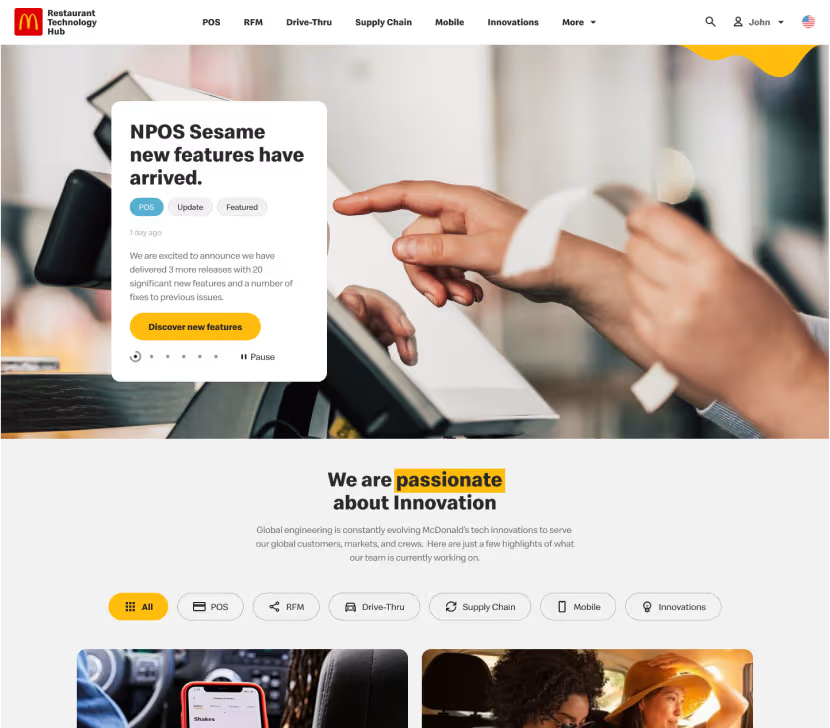
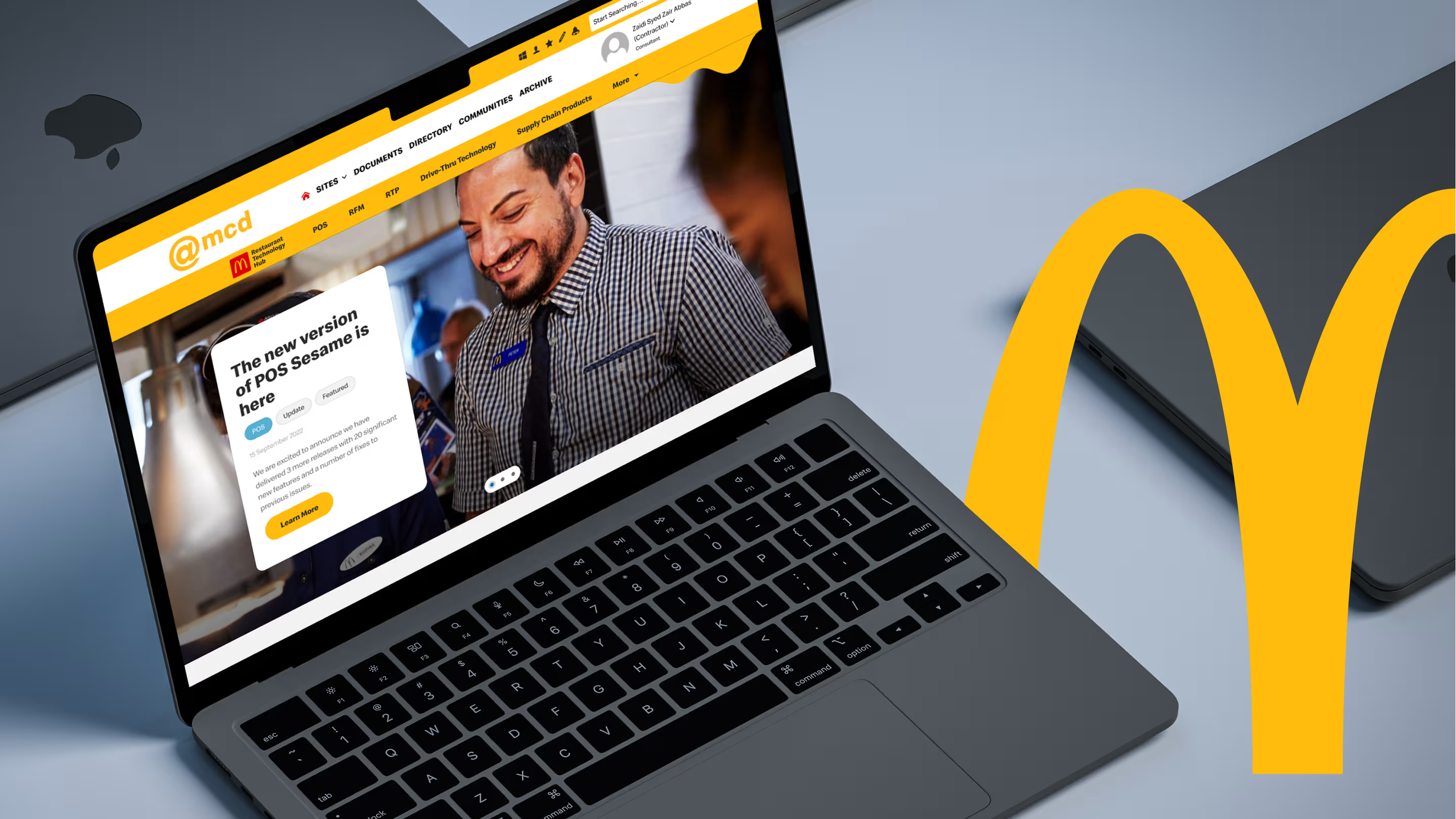
Laptop showing the Restaurant Technology Hub home page inside McDonald's @mcd intranet, beside a large golden arch

The short version

Franchise owners were paying outside vendors for technology McDonald's already had.

The tools weren't hidden. They were written up for engineers, in release notes no business owner could read. The brief was to show these people what already exists, in a way a non-technical reader can digest.

I led the product design: a first concept, a change of direction after discovery, then the hub that shipped inside McDonald's own intranet.

Role
Lead product designer
Client
McDonald's Restaurant Technology
Platform
Unily CMS inside the @mcd intranet
Team
Design by me. Build and QA by a separate development team
Status
Shipped, 2022

Tech nobody could read.

McDonald's global engineering team ships a constant stream of restaurant technology: POS releases, drive-thru tools, kiosk updates and supply chain systems.

Almost all of it was documented for engineers. The people who decide what goes into a restaurant are franchise owners and partners, and in release notes full of version numbers and acronyms they couldn't tell whether a tool was something they could use.

  • Written for engineers

    Version numbers, acronyms and changelogs. Accurate, and unreadable to the business.

  • Read by owners

    Franchise owners, stakeholders and partners. Business people deciding what to buy.

  • Lost in translation

    Some went to outside vendors for problems McDonald's had already solved.

The brief changed shape

The first concept came from the brief alone. Stakeholder interviews showed a different product.

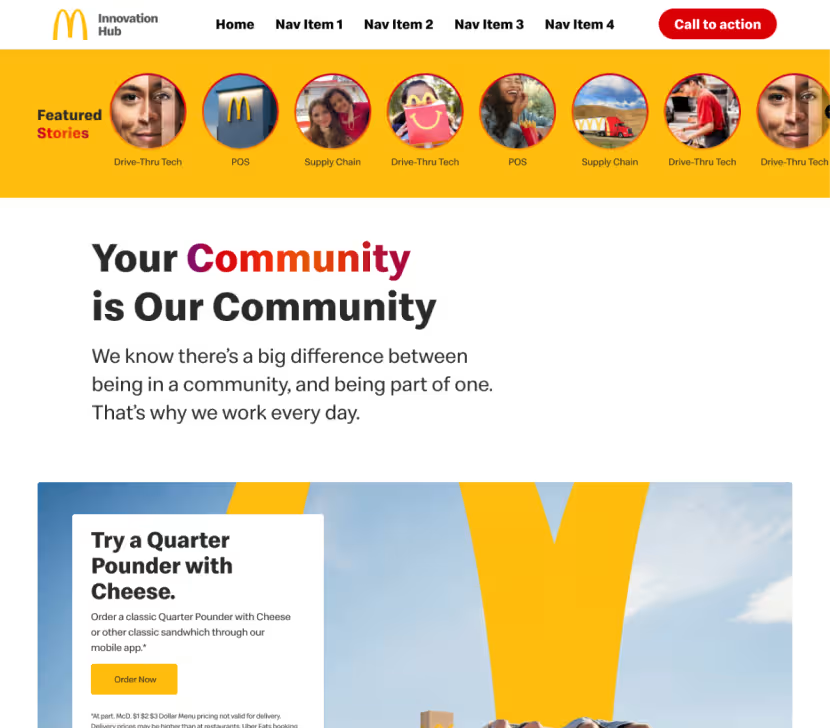
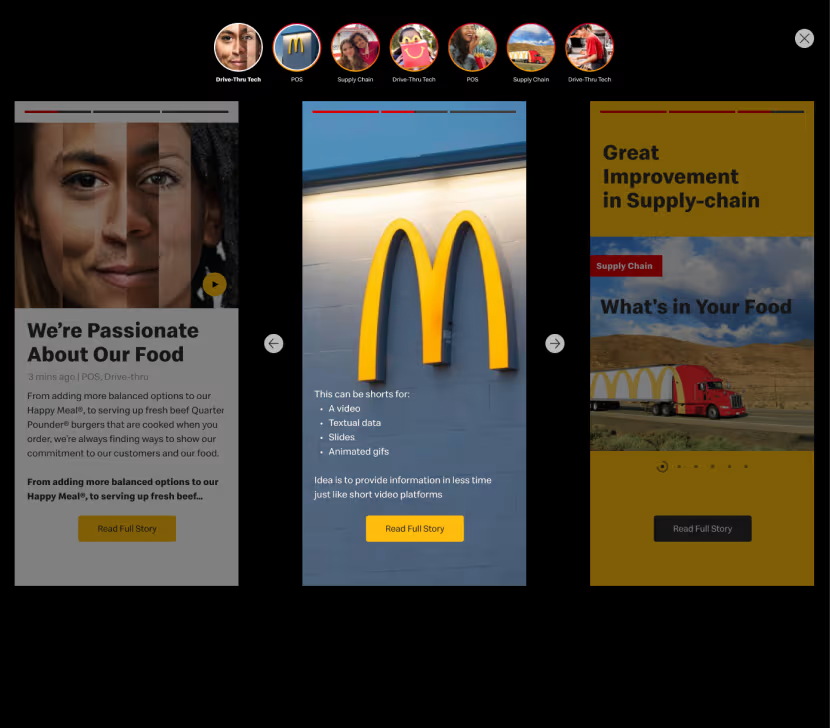
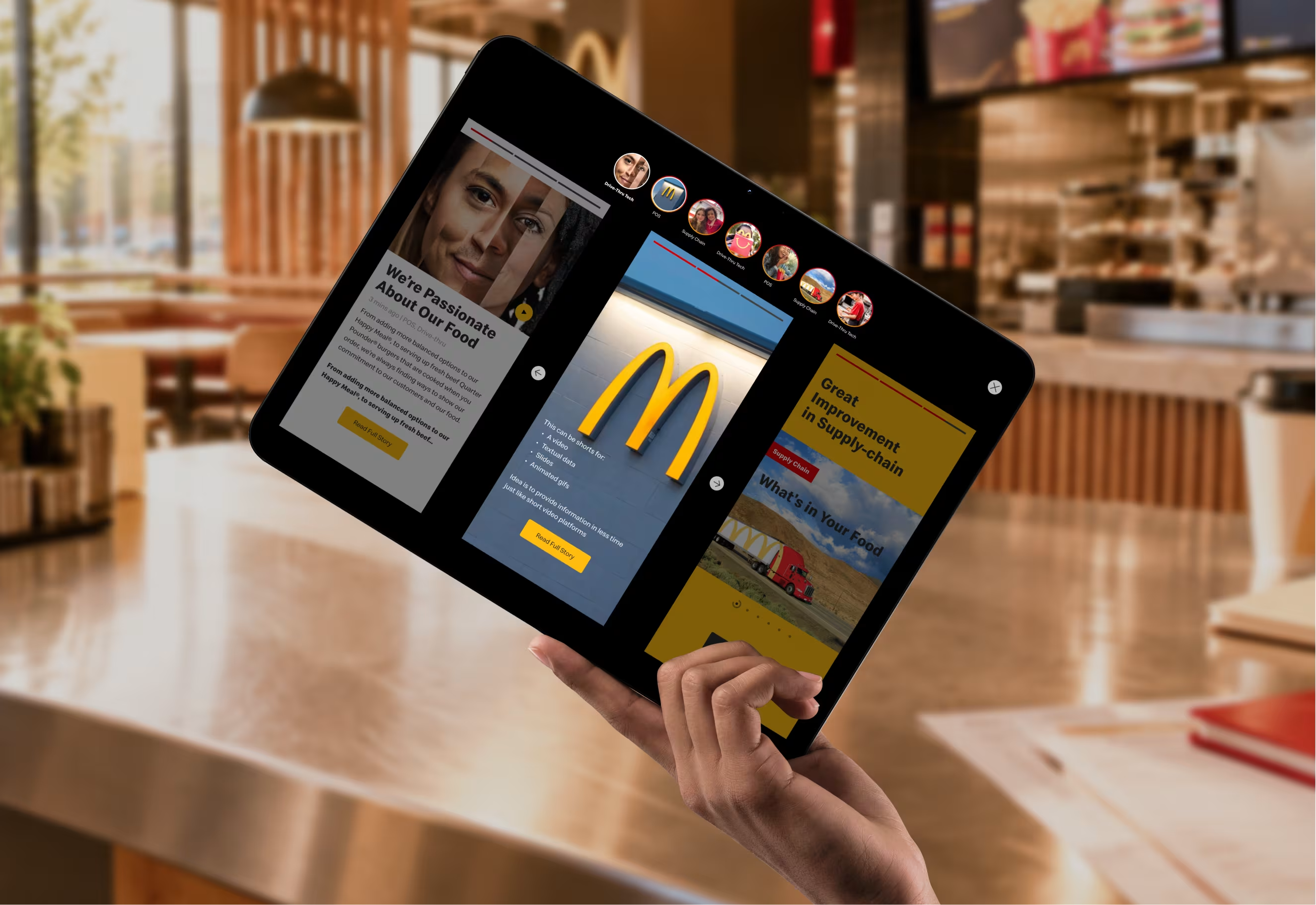
Stories concept on a tablet: a row of category story circles above three swipeable story cards, each with a Read Full Story button

First concept

Start with stories

I went where these people already spend their attention: Instagram and Facebook stories. Story circles by category (POS, Supply Chain, Drive-Thru Tech), each opening into short, swipeable slides. One feature, one benefit, one tap to the full story.

Format
Swipeable stories
A blog of articles
Entry point
Open the feed
A newsletter in the inbox
Access
Open
Members-only, McDonald's hub login
Platform
Custom build
A microsite on Unily, inside the existing intranet

That changed the job. I was now designing a system that had to fit a CMS and a header that already existed, and still feel like its own product. The stories were parked. Their principle carried through: short, image-led cards that say what something does before they say how it works.

From inbox to answer

Most people would never type the URL. They'd arrive from the newsletter, sign in and land on one story, so the flow was designed backwards from that moment.

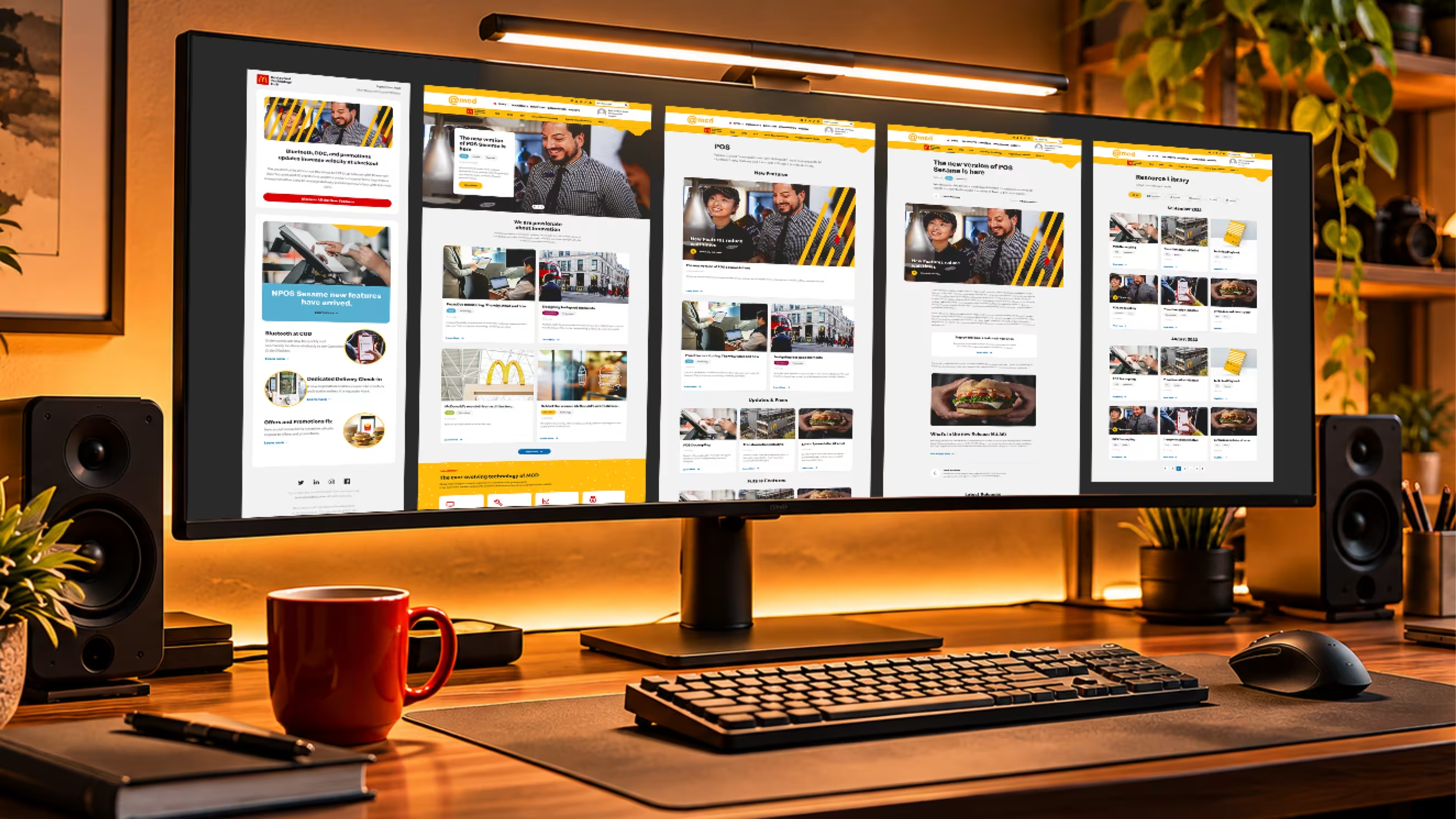
Desk at dusk with a wide monitor showing the hub flow side by side, from the newsletter through to the resource library
  1. 01

    Newsletter

    One headline and one link per story.

  2. 02

    Hub login

    Their existing McDonald's account.

  3. 03

    Home

    What's new, what changed, where to go next.

  4. 04

    Category or library

    POS, RFM, RTP, Drive-Thru, Supply Chain, or filter by type.

  5. 05

    Article

    A plain-language story, with release notes one click away.

Design decisions

Four calls that shaped the hub

Each one answers the same question for a franchise owner: is this for me, and is it ready?

Navigation

Their header, our brand.

The top header had to stay Unily's: the @mcd logo, Sites, Documents, Directory, search and profile. Fighting it would have broken the intranet everyone knew. So the hub got its own sub-menu underneath, with its own logo and navigation. One header says where you are in McDonald's. The second says where you are in the hub.
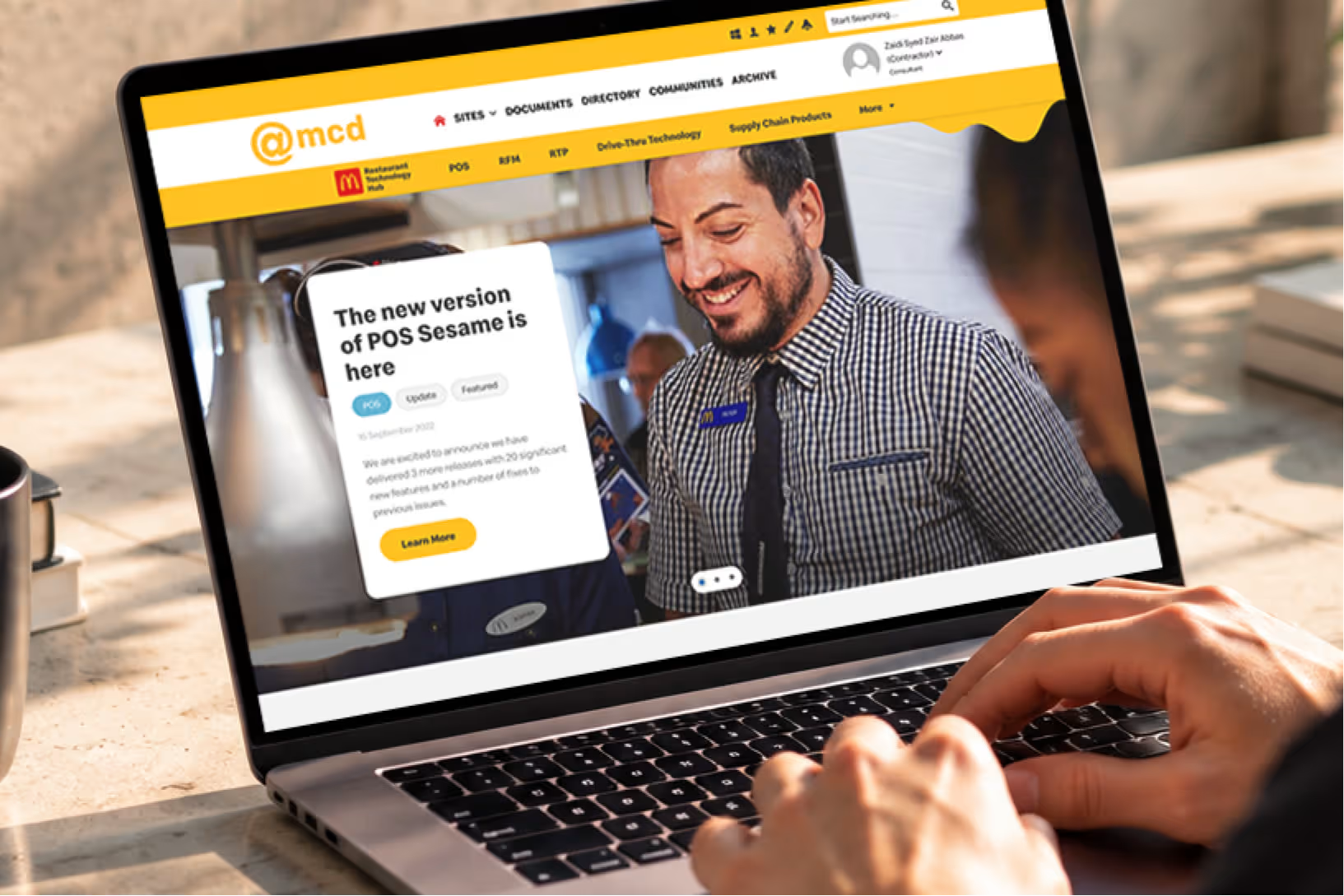
Hub home page: the Unily @mcd header on top, the yellow Restaurant Technology Hub sub-navigation below it with a melted-cheese drip

Front door

The newsletter is the front door.

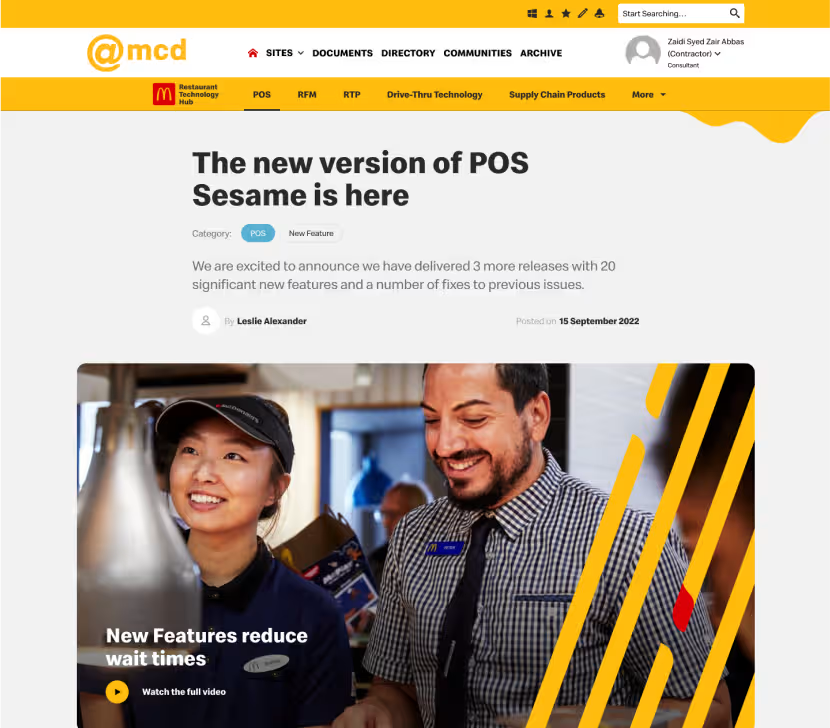
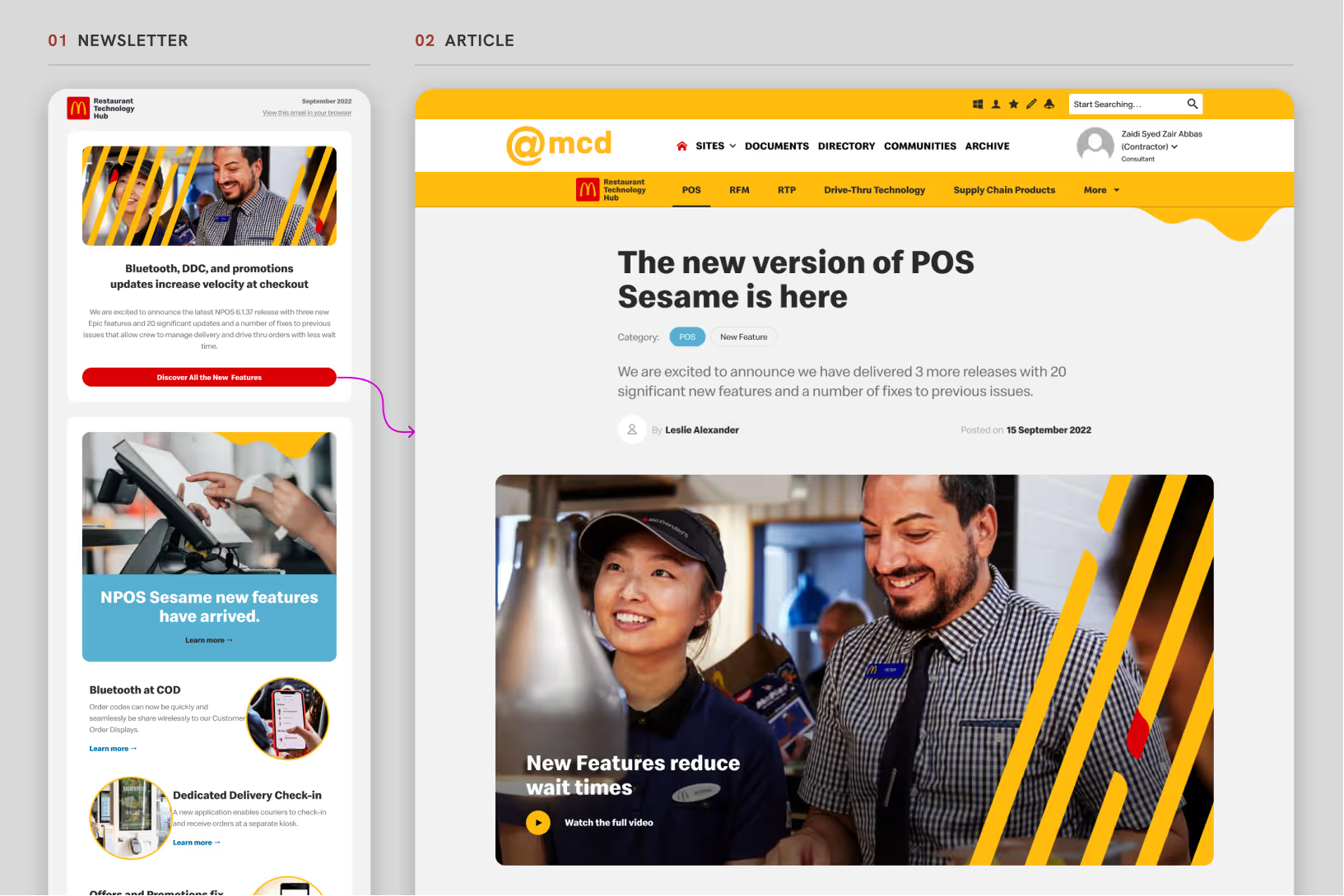
Every newsletter story teases an article in the hub, so the two were designed as one system: same headline, same imagery, same cards. The article you land on looks like the thing you just read about, with tags, author, date, a video hero and the full release notes one click away.

The September newsletter beside the matching article detail page in the hub

Category hubs

Answer "is it ready?" on the page.

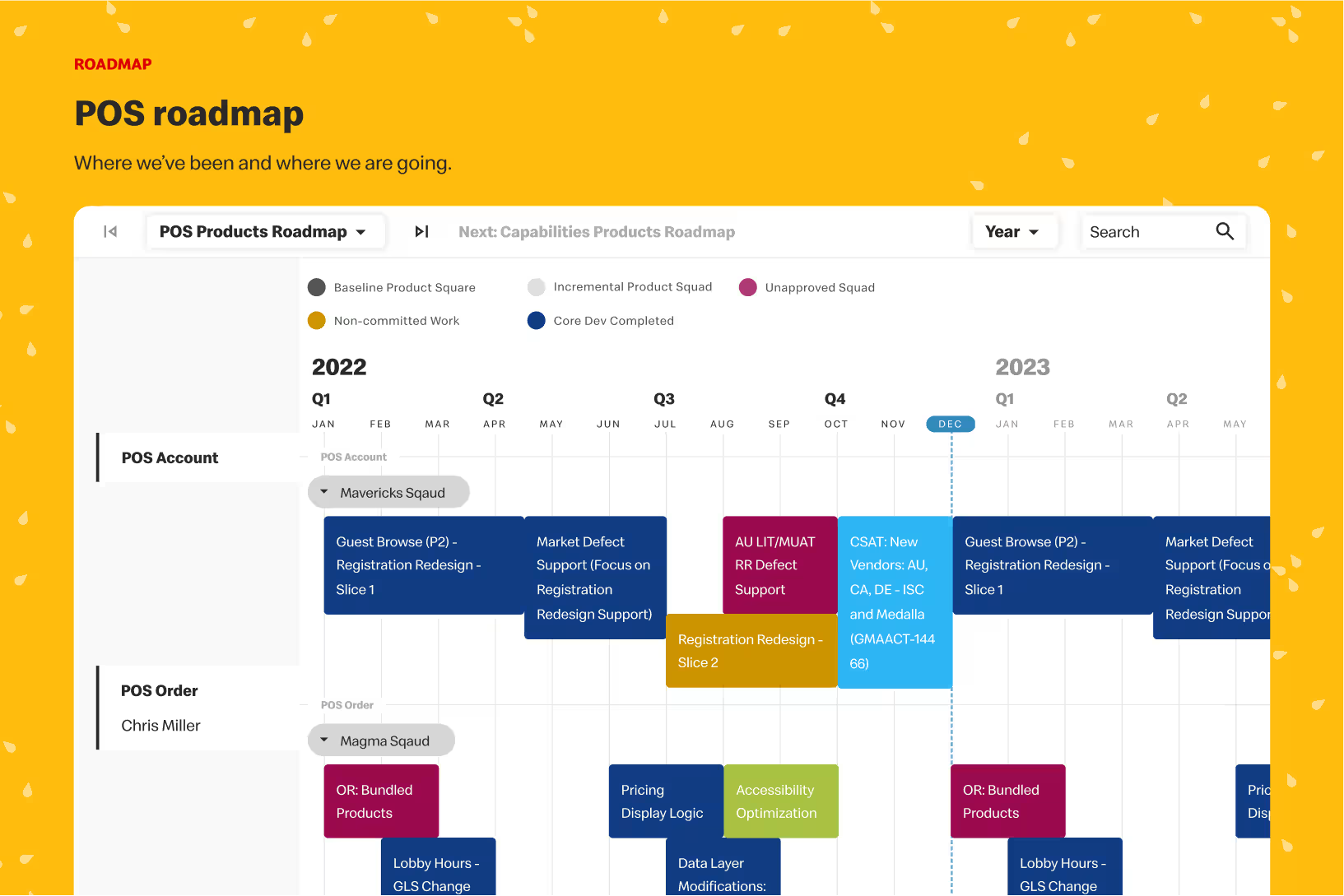
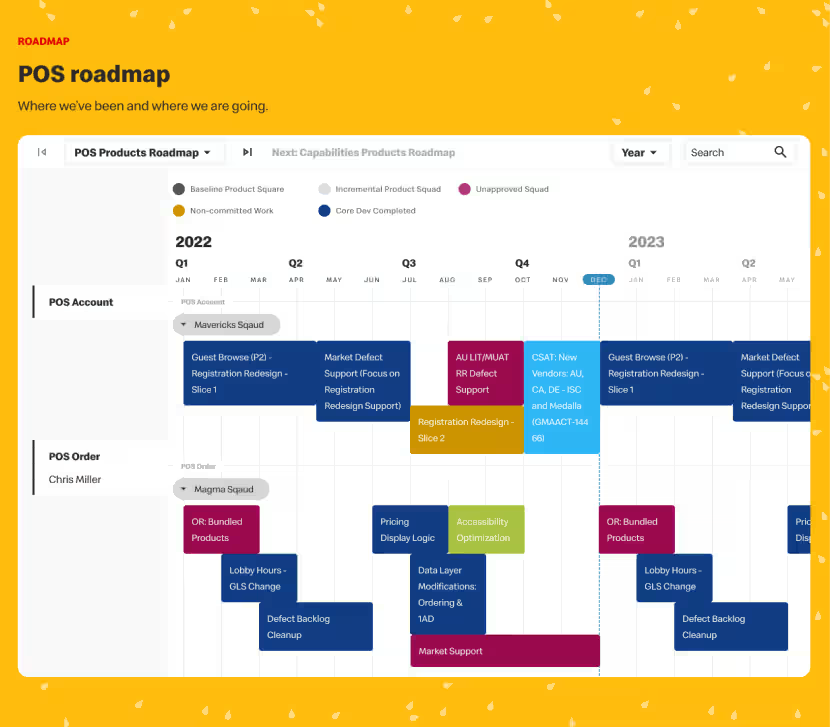
Each category became a hub: new features, fixes, future features, releases by version and a roadmap. The roadmap matters most. A franchise owner can see what a team is building and when it lands, and decide to wait for it instead of buying elsewhere.

POS roadmap: a quarterly timeline of squads and initiatives across 2022 and 2023, on a yellow sesame-seed background

Findability

Filter by what it is.

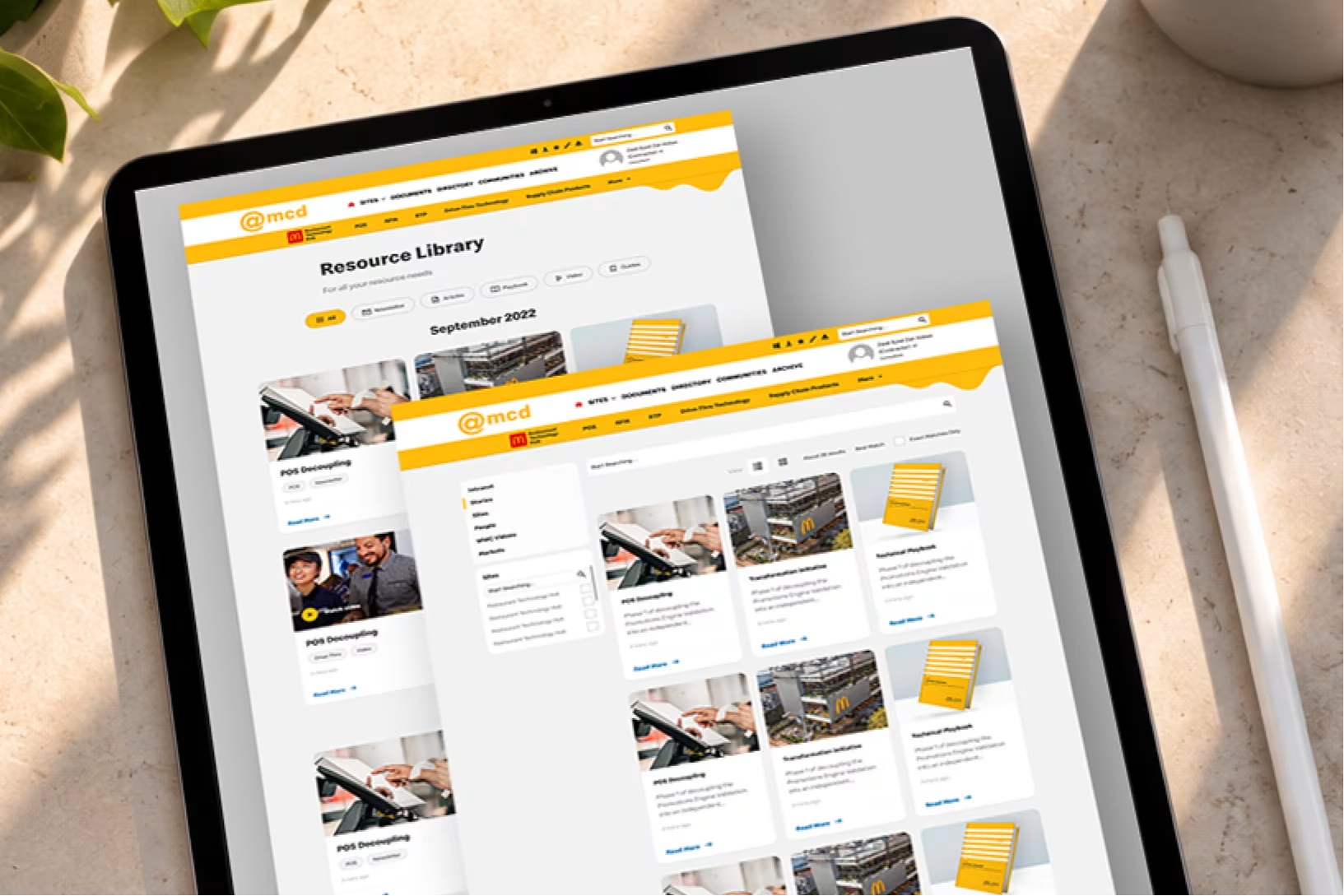
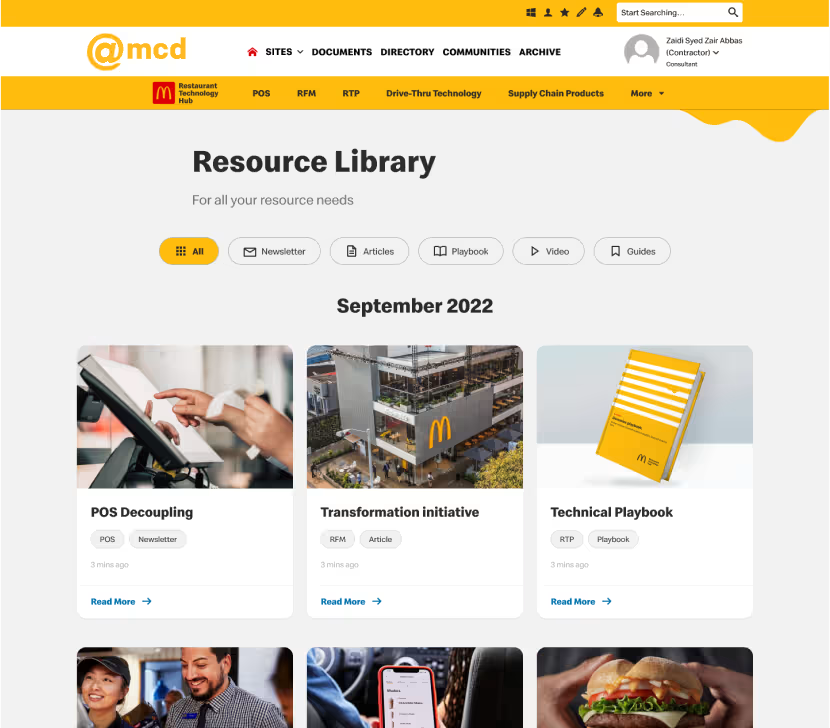
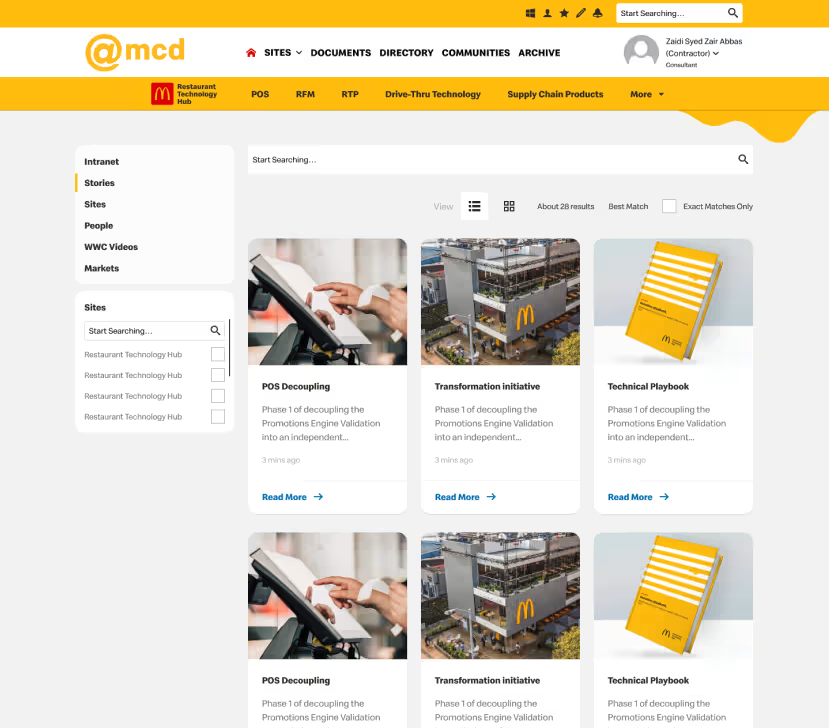
The Resource Library groups everything by month and filters by type: Newsletter, Articles, Playbook, Video, Guides. Every card carries the same two tags, category and format, so you know what you're opening. Search covers the whole hub, with list and grid views and filters by site.

Resource Library with type filters and monthly groups beside the hub search results page

Built from the brand

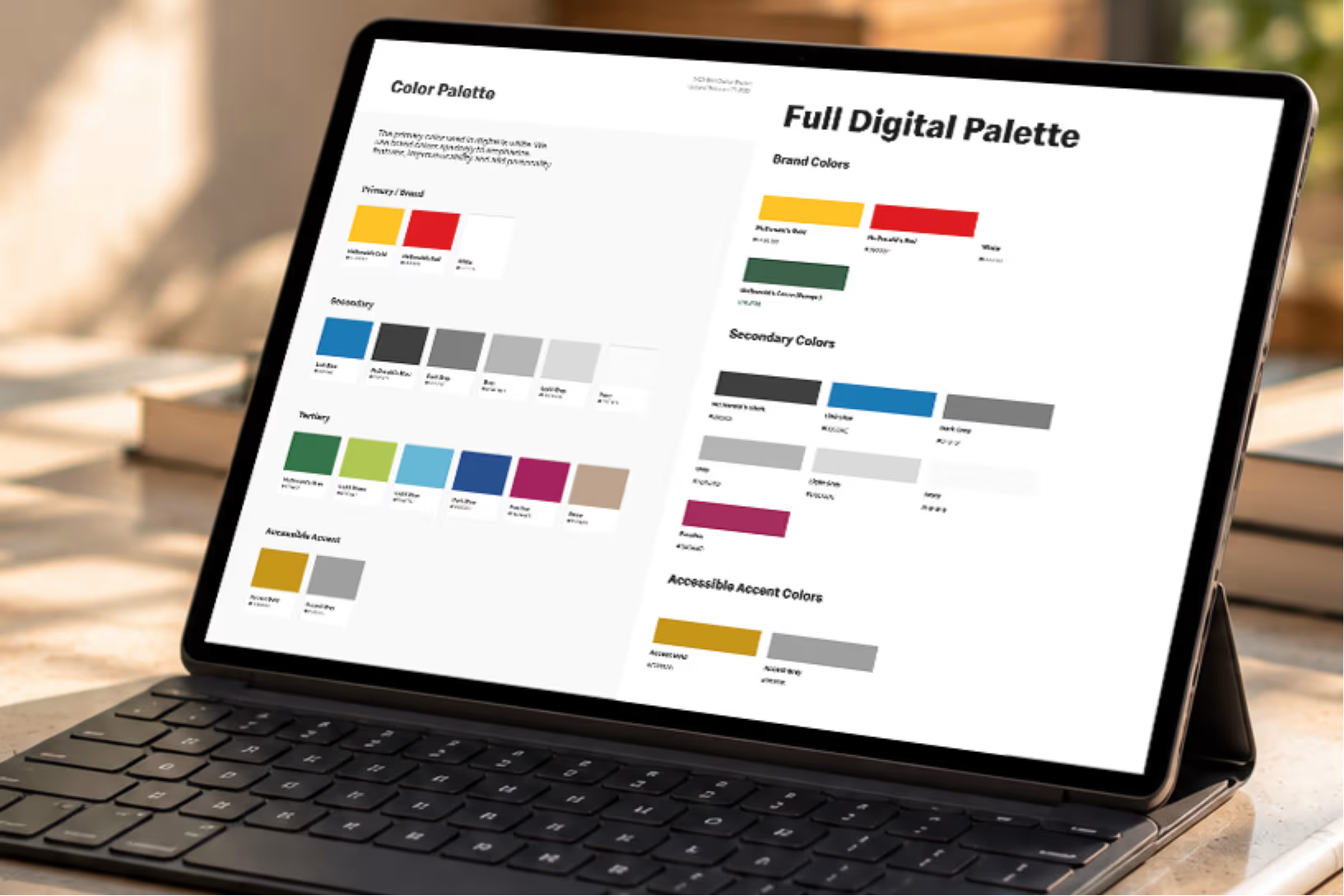
Official artwork only, applied in new ways, and a small set of parts that editors can publish with after launch.

Tablet showing the full McDonald's digital palette: brand yellows and reds, secondary and accessible colour sets

Brand system

Melted cheese, sesame seeds, fries

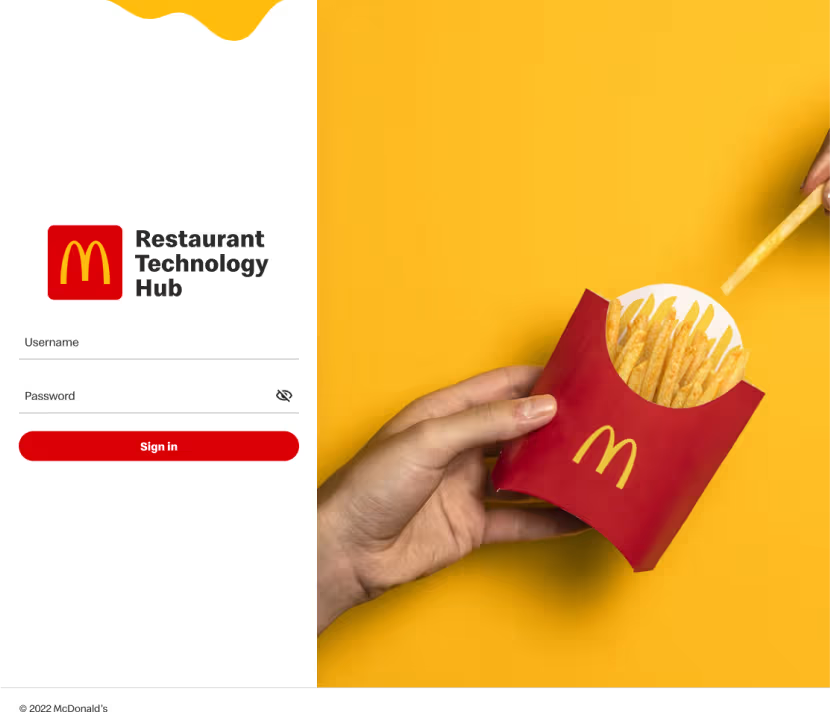
I read McDonald's brand portal and design system end to end. The playful parts came straight from it: a melted-cheese drip on the navigation, sesame seeds behind the roadmap, fries on the login. The melted-cheese nav was the detail the client loved most.

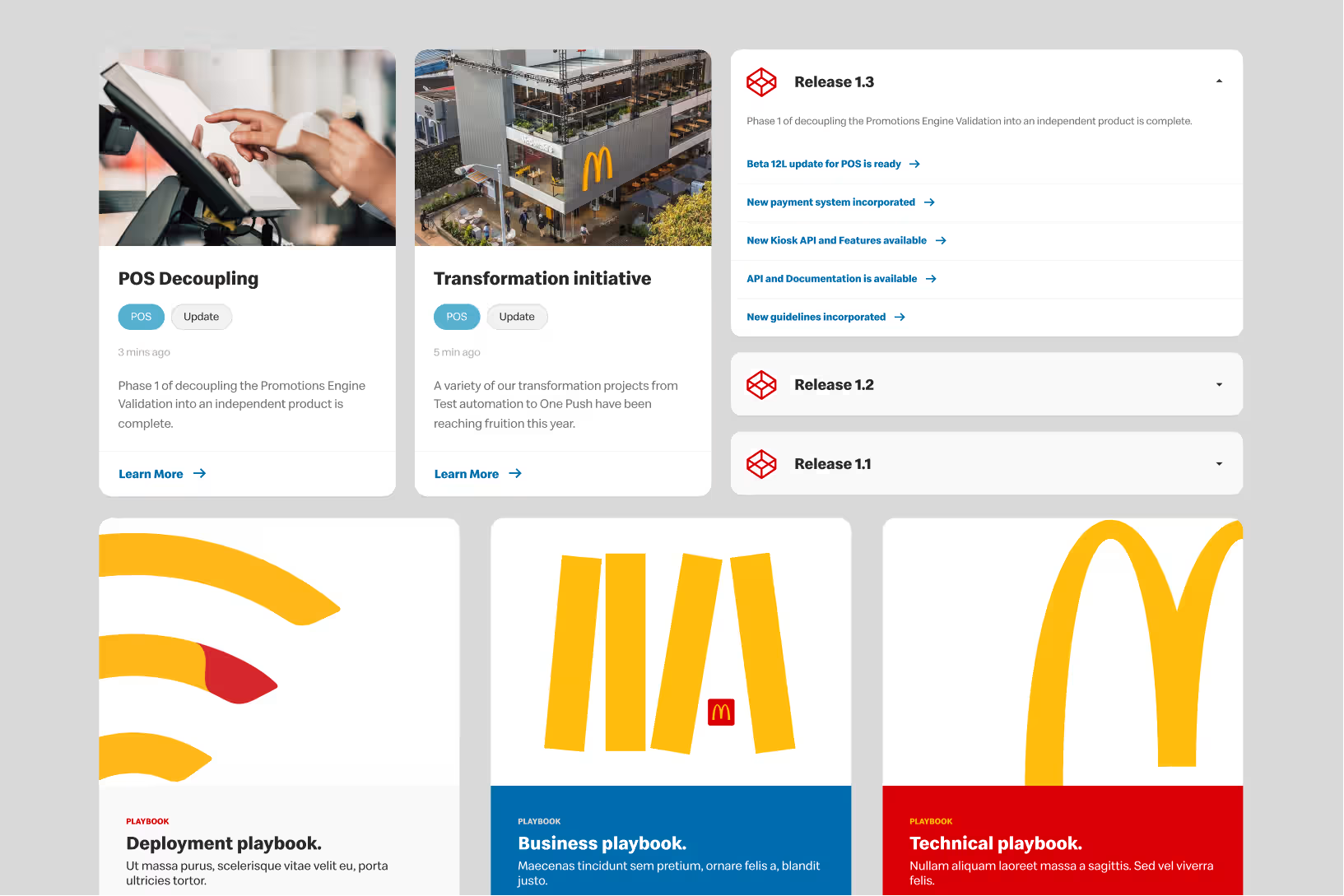
Reusable components: story cards with category and format tags beside a release accordion listing what shipped in Release 1.3

CMS-ready

Designed for the editors too

After launch, content authors keep publishing without a designer in the room. Every page is assembled from the same parts: story cards with tags, a hero card, release accordions, filter pills and stat cards. If an editor can fill the fields, the page looks right.

Concept to shipped

The stories concept first, then the hub as it shipped.

Shipped inside McDonald's

Shipped

On Unily, inside the @mcd intranet

It runs on the platform, login and header McDonald's teams already use, built from templates and card patterns the developers could assemble and editors keep publishing into.

Login
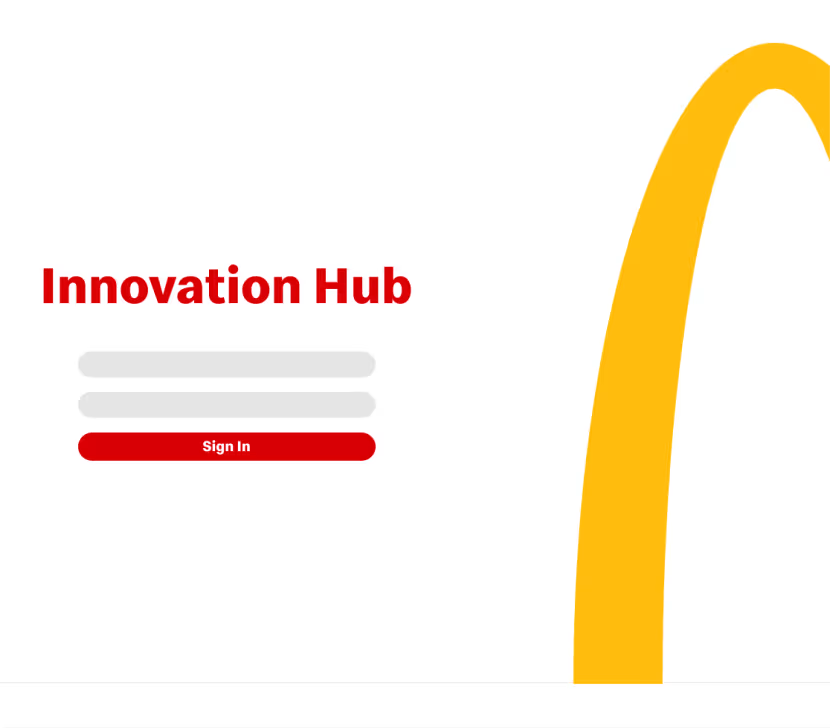
Branded sign-in on the existing McDonald's account
Home
Featured release, latest stories, the year in review
Category hub
Features, fixes, future features, releases, roadmap, playbooks
Releases
Every story for a release, grouped by version
Library
Filter by newsletter, article, playbook, video, guide
Search
Hub-wide, with list and grid views and filters
Article
Story, author, date, video hero, release notes
Newsletter
The email that sends people to all of the above

What I learned

Great work inside the box

  • Respect the platform

    Big organisations rarely need their platform torn down. They need design that fits the CMS and the brand they already have, and still makes people want to open it.

  • Keep the point, drop the format

    The stories didn't ship. Short, image-led cards that explain what something does before how it works did.

  • Skip steps on purpose

    With the brand guide and design system in hand, we went straight to high-fidelity design. Wireframes would have decided nothing new.

The first idea is a bet on the brief. Discovery tells you what the product is. My job was to let go of the stories and keep what they were for.
Zair Abbas, lead product designer

Get intouch

Enterprise platform, intranet or a brand-heavy product with a CMS to respect? Send me the brief, and I'll tell you where discovery should start.

Get in touch