Get in touch
HomeAboutWorkServicesMentorshipContactGet in touch

LuminopiaParent app and VR

A new parent app and a redesigned headset for an FDA-authorized lazy eye therapy for children. Design lead, handed off to Luminopia's team.

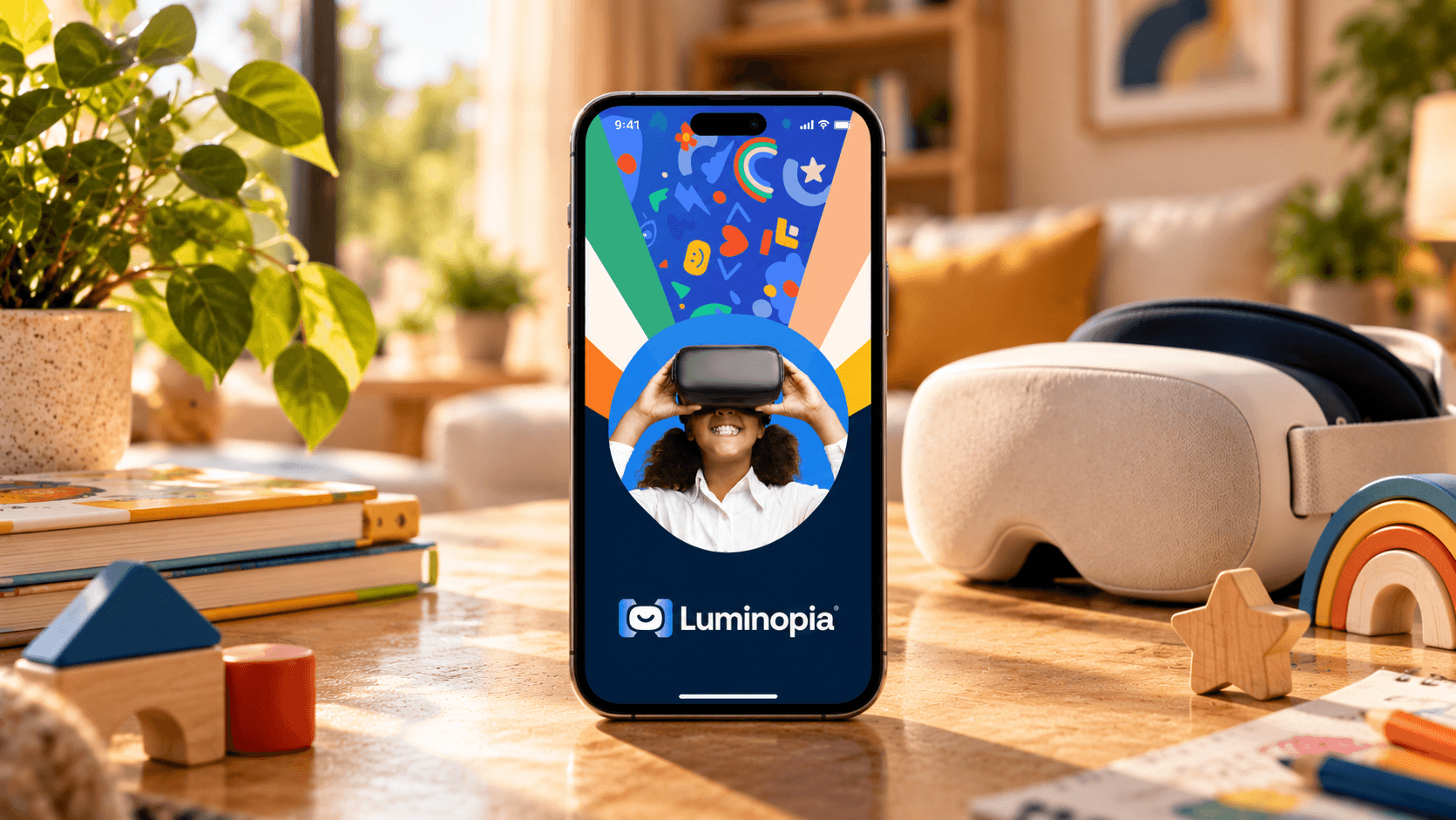
Phone standing on a sunlit wooden table showing the Luminopia parent app splash screen, a smiling child in a VR headset under a burst of colour, with a VR headset, toy blocks and a plant behind it

The short version

The doctor prescribes the minutes. The parent has to make them happen, without seeing inside the headset.

Luminopia treats amblyopia, or lazy eye, with a VR headset instead of an eye patch. The child watches regular TV shows while the software makes the weaker eye do more of the work.

I led the design of both sides: a parent app that didn't exist yet, and a redesign of the experience inside the headset. Research, structure and direction were mine; two designers worked under me on UI.

Role
Lead product designer
Client
Luminopia USA
Platform
Parent app and the VR headset
Team
Me plus two designers. Build by Luminopia's in-house team
Status
Design handed off, 2024

Treatment you can't see.

A doctor prescribes Luminopia for a set time each day. The child wears the headset at home, and the headset tracks every session.

The parent is the one responsible for the minutes, and had no window into any of it. All the content is licensed from studios like Disney, Nickelodeon, Paramount and PBS Kids and curated by Luminopia. Parents still wanted the final say. They kept asking the same three things.

  • Is my child using it?

    The headset knew. The parent didn't.

  • Are they hitting the minutes?

    The prescription is daily, so the answer had to be daily too.

  • Can I hide a show?

    Curated by Luminopia, approved by the family.

Two products, one loop

The parent app is only useful if it can talk to the headset, and the headset only shows what the parent allows. So we designed them together, from prescription to the daily session.

  1. 01

    Prescription

    The doctor prescribes Luminopia and a daily time.

  2. 02

    Headset arrives

    Luminopia ships the headset to the family.

  3. 03

    Pair

    The parent connects it to the app with one code.

  4. 04

    Curate

    Age setting, studios, and any show to hide.

  5. 05

    Daily therapy

    The child watches. The parent sees minutes, streaks and history.

VR research

Learn the room before the screen

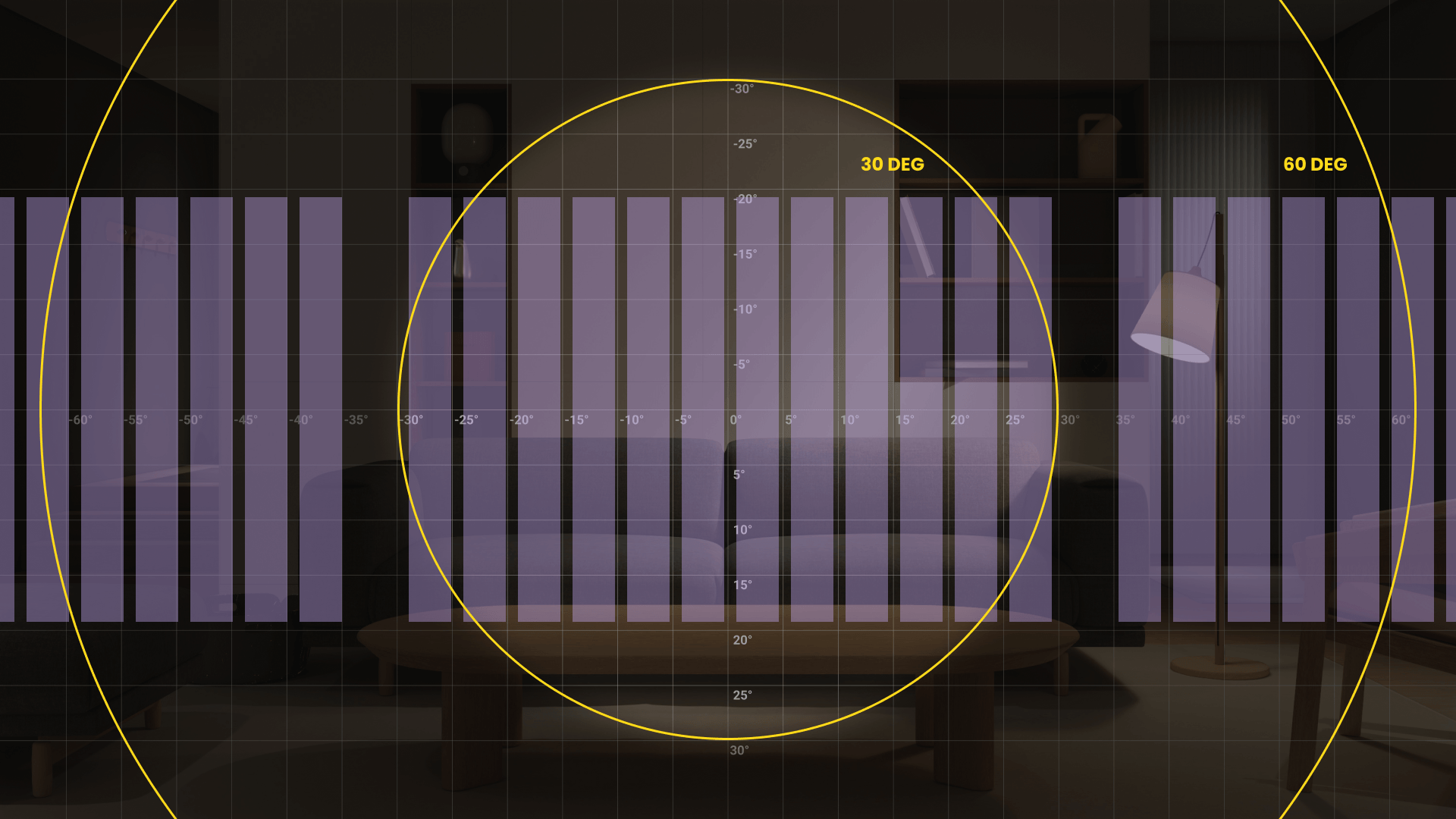
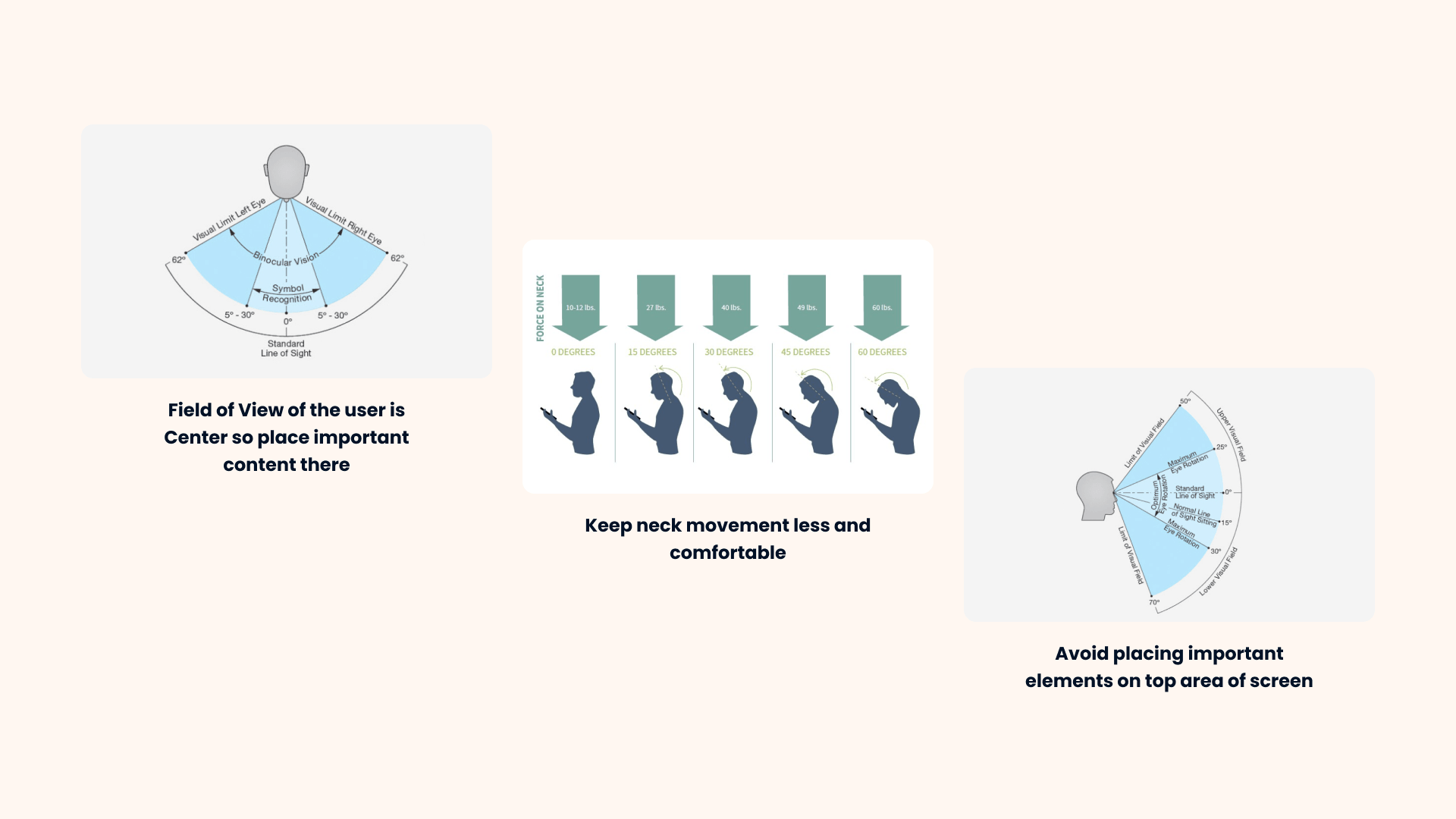
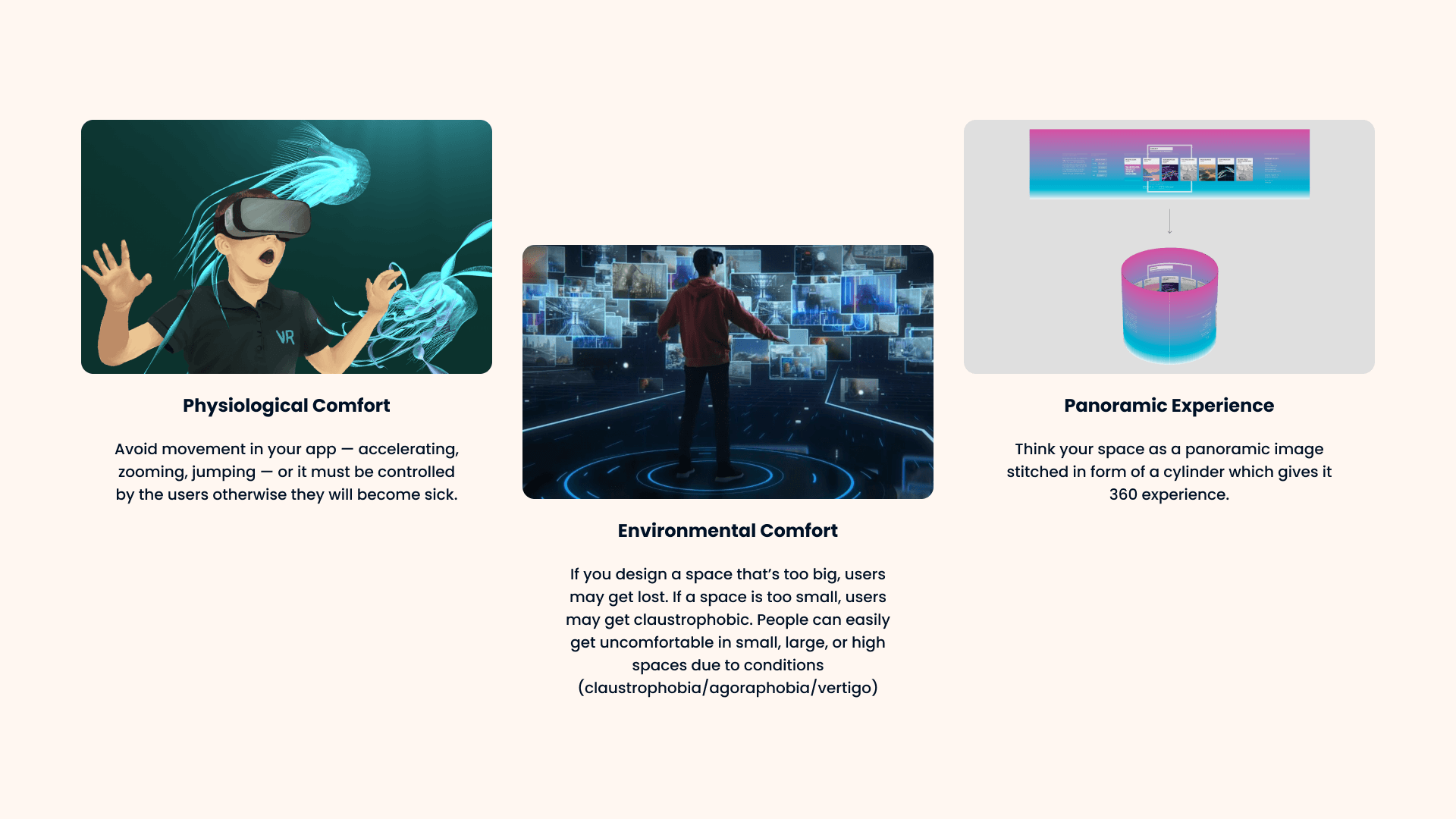
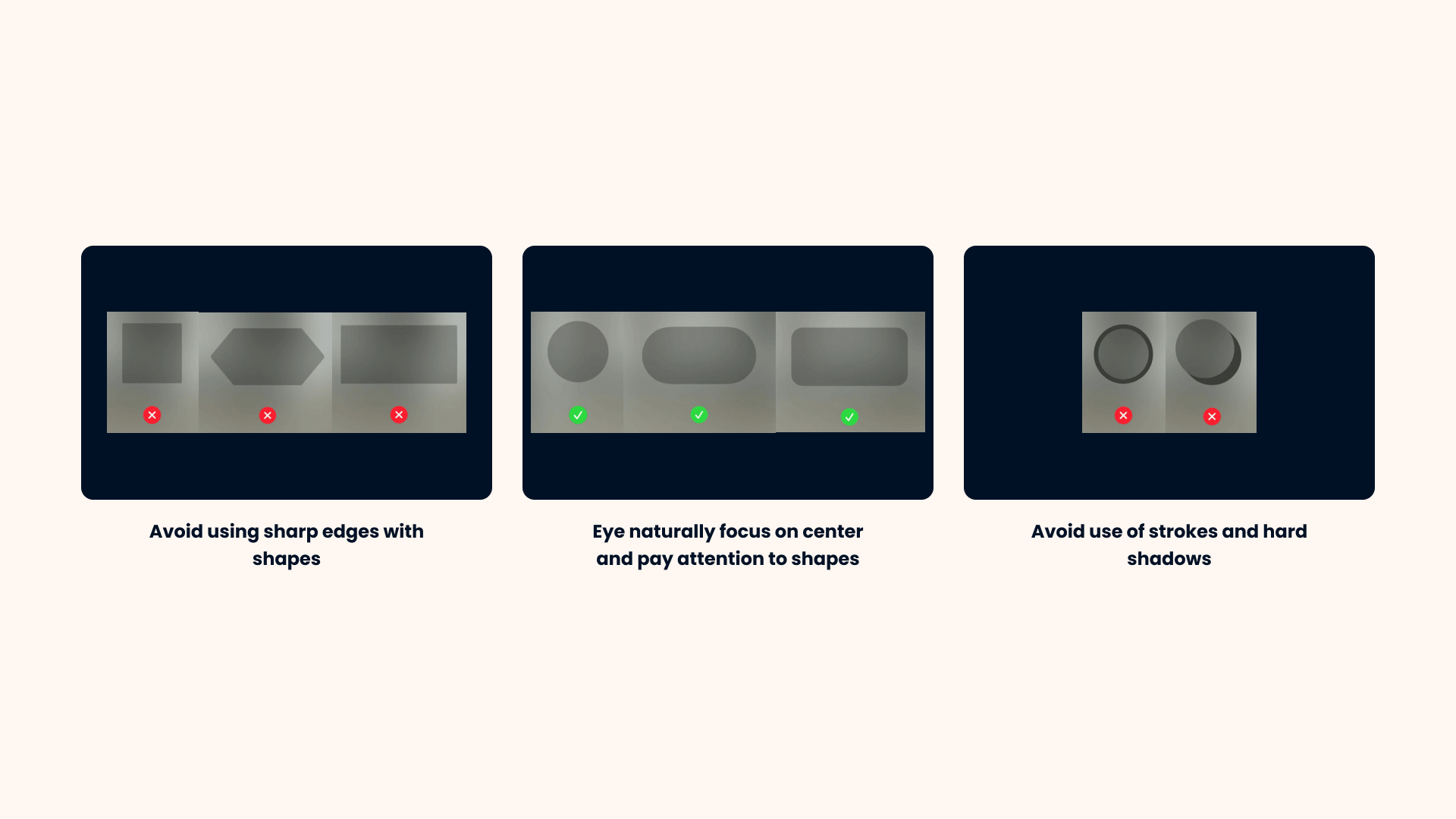
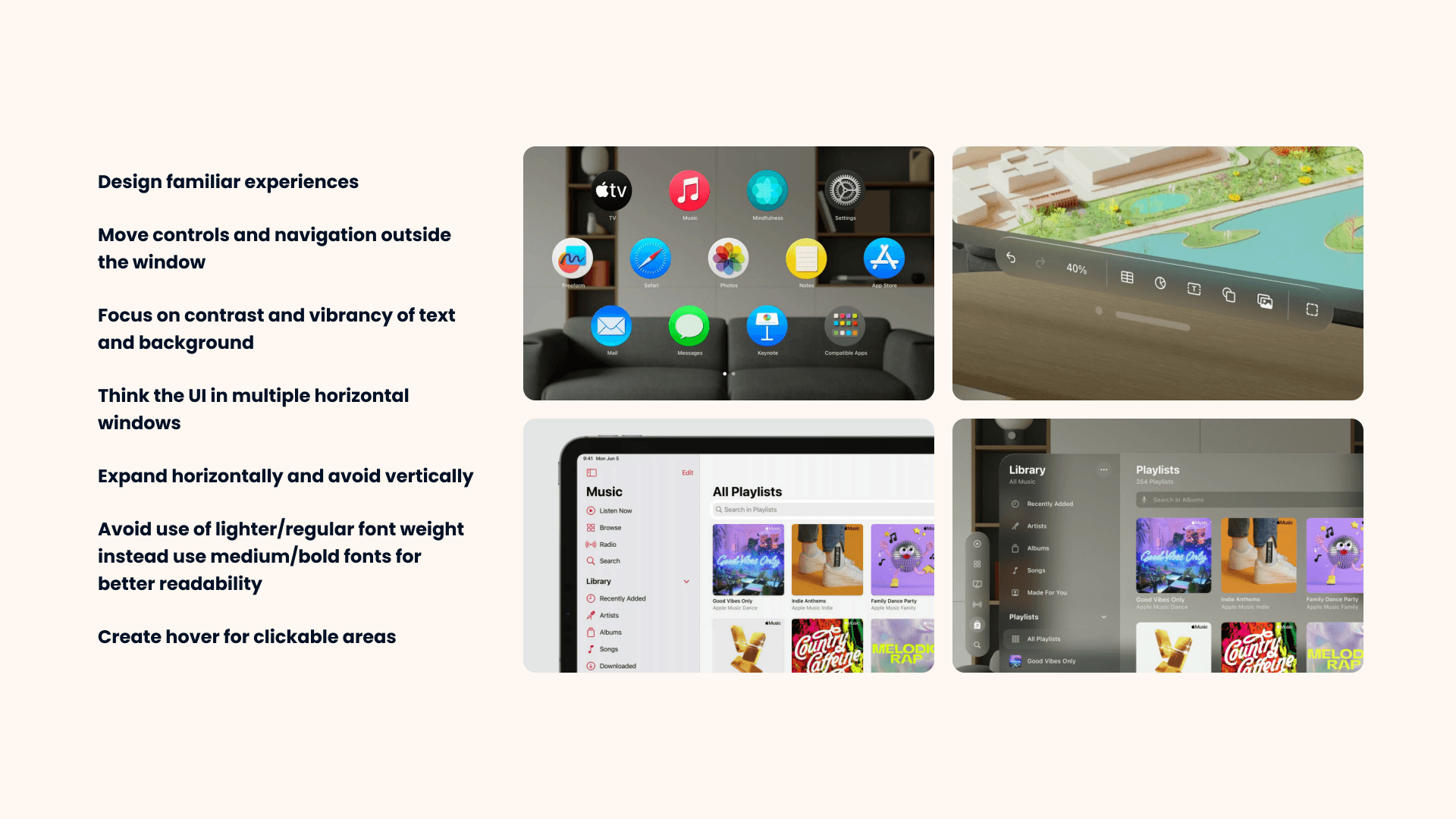
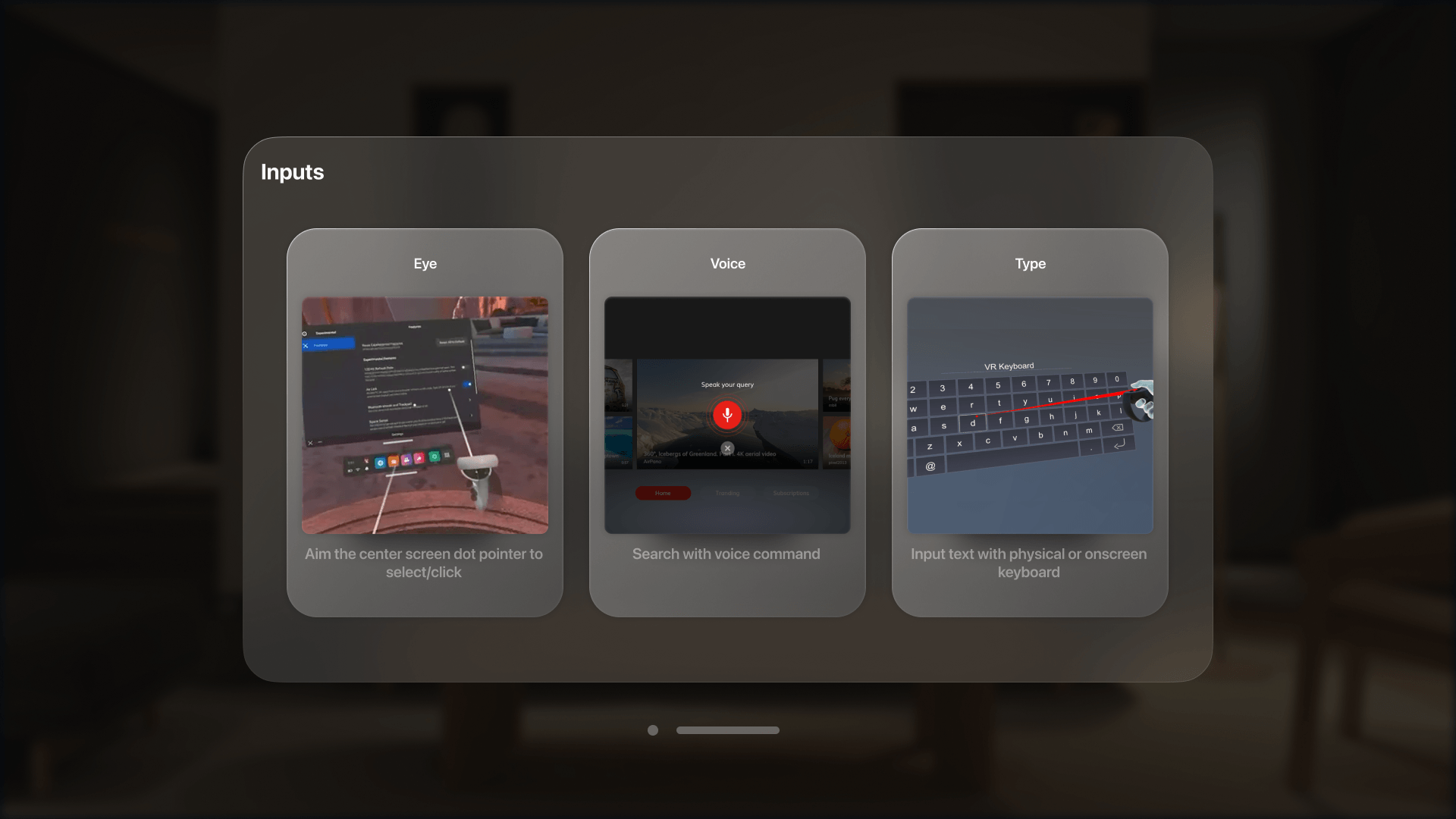
Before touching the headset, I studied how good spatial interfaces work, mostly through Apple Vision Pro's guidelines. I presented it to the client as a deck, and what we agreed became the rules for every headset screen.

Inside the headset

The child's side, rebuilt on the research: from the first run to the star at the end of a session.

01 / 06

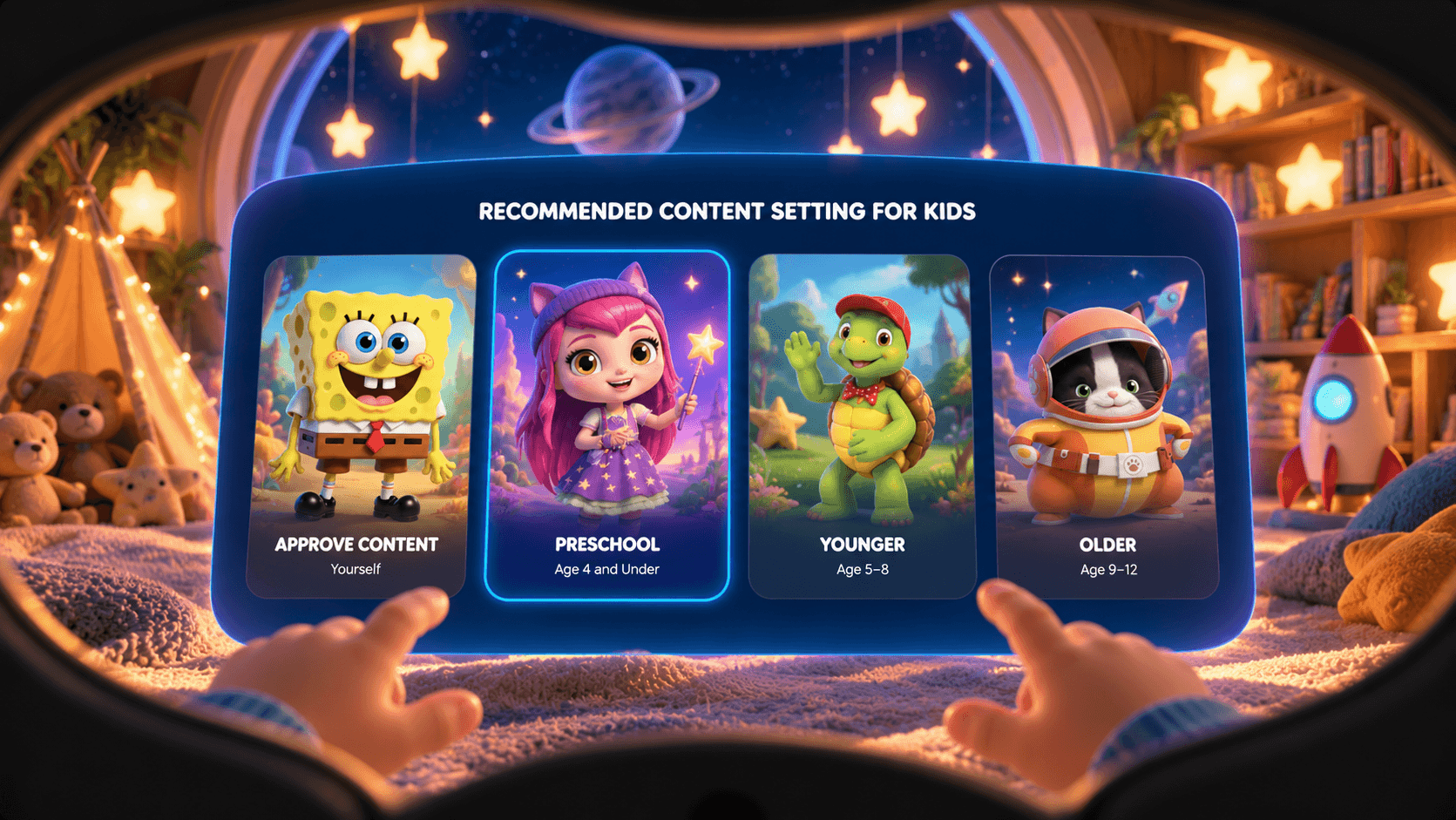
Headset setup screen: four large character cards for approve content yourself, preschool, younger and older age groups
SetupAn age group, chosen with pictures instead of text. Every step can be skipped.
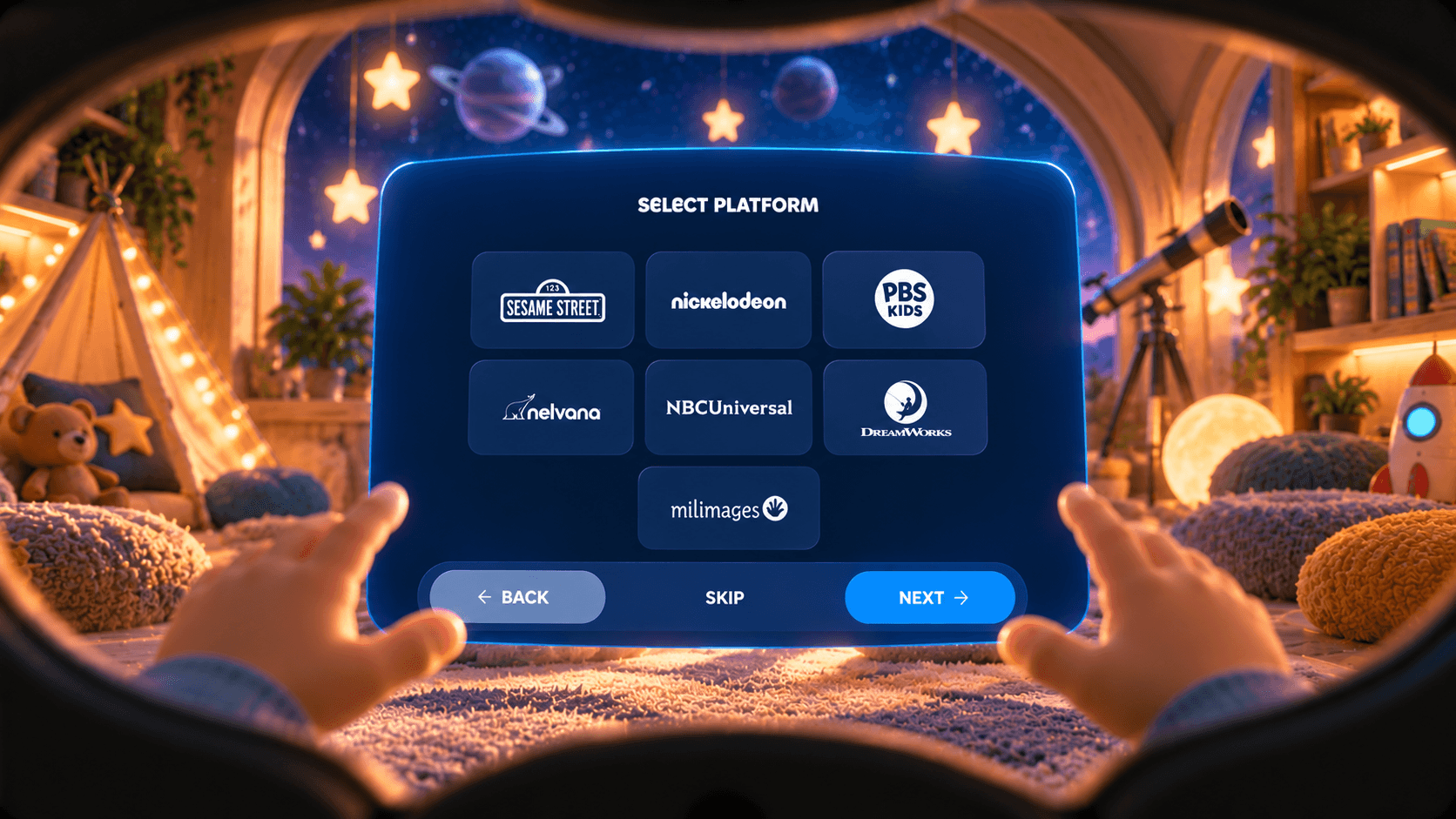
Select platform screen with studio tiles including Sesame Street, Nickelodeon, PBS Kids, NBCUniversal and DreamWorks
StudiosThe family picks the studios, in one row inside the comfortable centre.
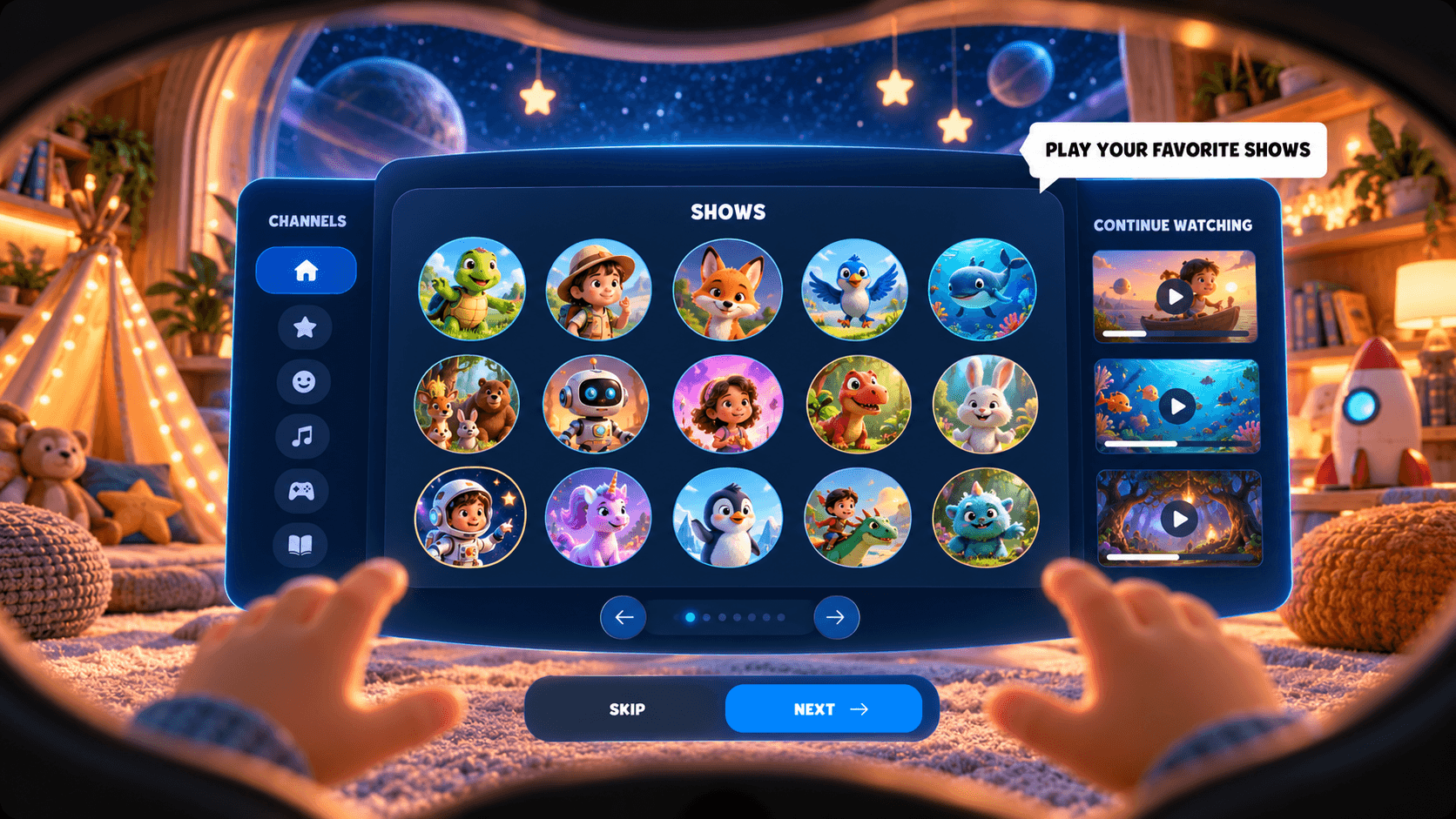
First visit in the headset: channels, shows and continue watching side by side, with a single callout pointing to the shows: play your favorite shows
First visitOne tip at a time, pointing at the shows. Skip is always there.
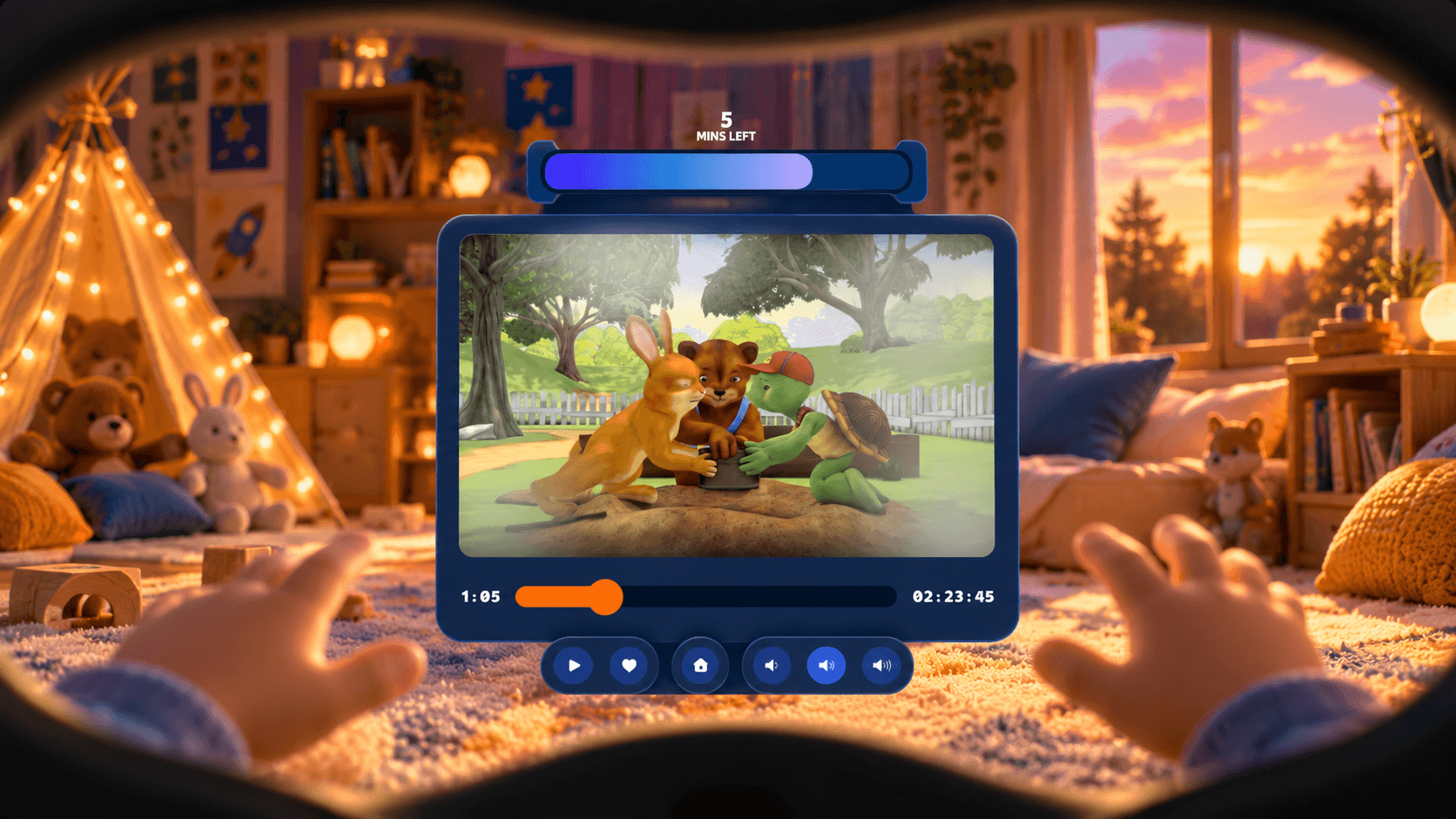
Playback in the headset with a countdown bar showing five minutes left and simple player controls
PlaybackA bar at the top counts down to the end of today's session.
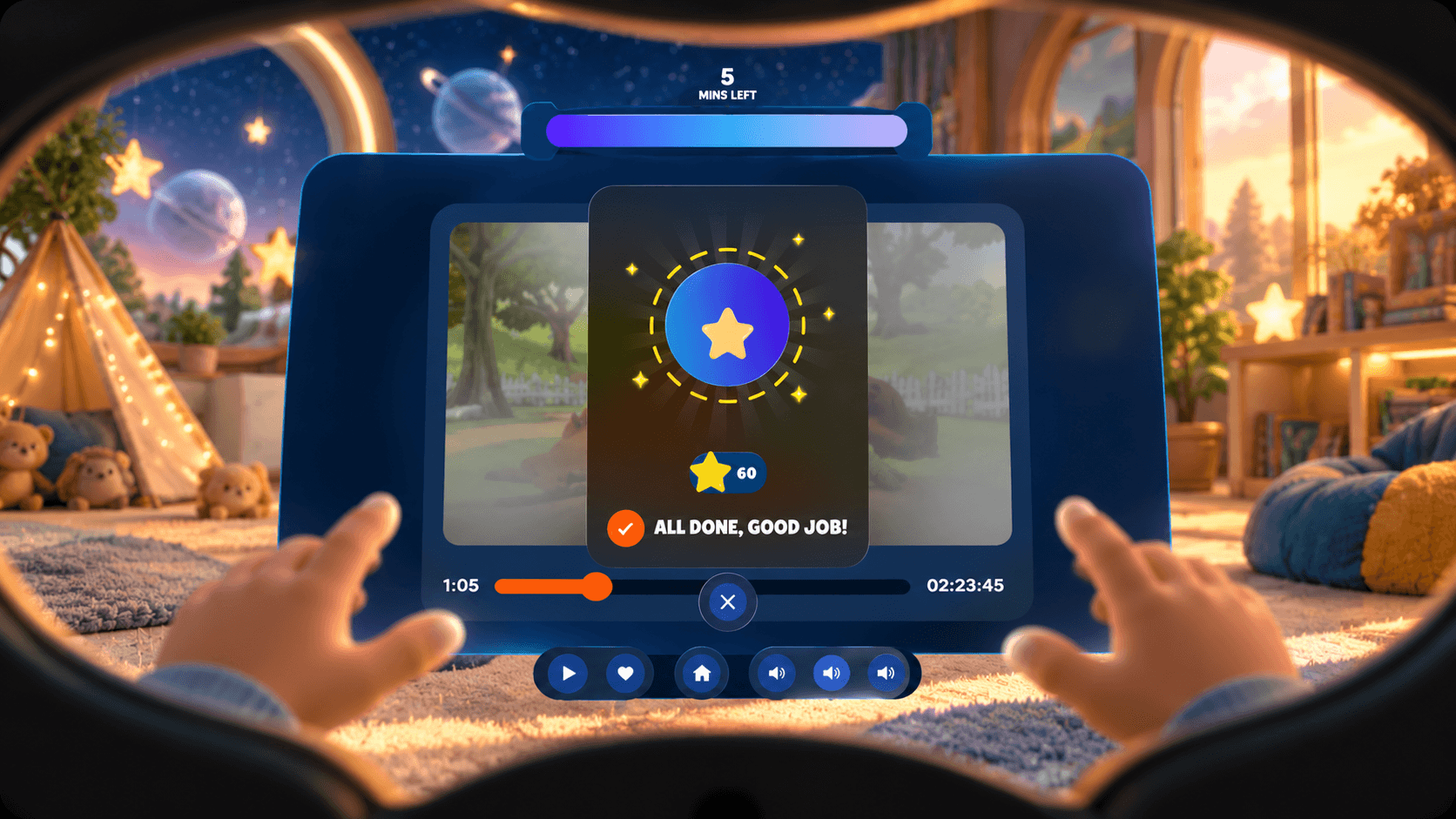
Session complete in the headset: a star badge with the total star count and the message All done, good job
RewardMinutes done, a star earned: "All done, good job!"
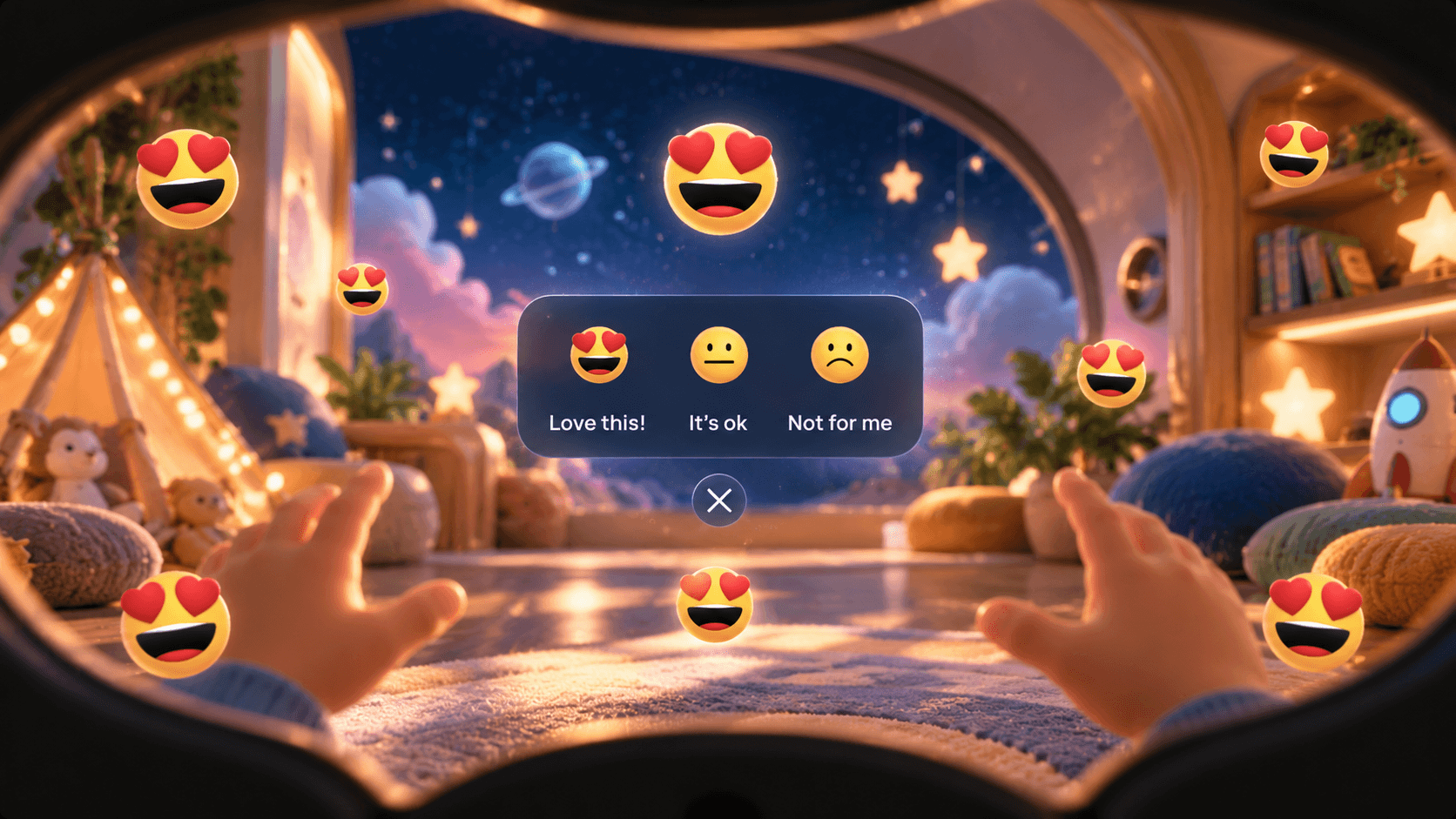
Show rating after a session: love this, it's ok, not for me, with floating emoji
RatingThree faces for the show: love this, it's ok, not for me.

Design decisions

Four calls on both sides of the headset

Each one answers a parent's question in one tap, or keeps a child comfortable for a whole session.

Pairing

Connect the headset with one code.

A headset arrives in the post and has to talk to a phone. That's where most hardware loses people. The headset shows a short code the first time it turns on, the parent types it into the app, and that's it. The app greets them with "Henry's headset has arrived", so the first feeling is that treatment can start.
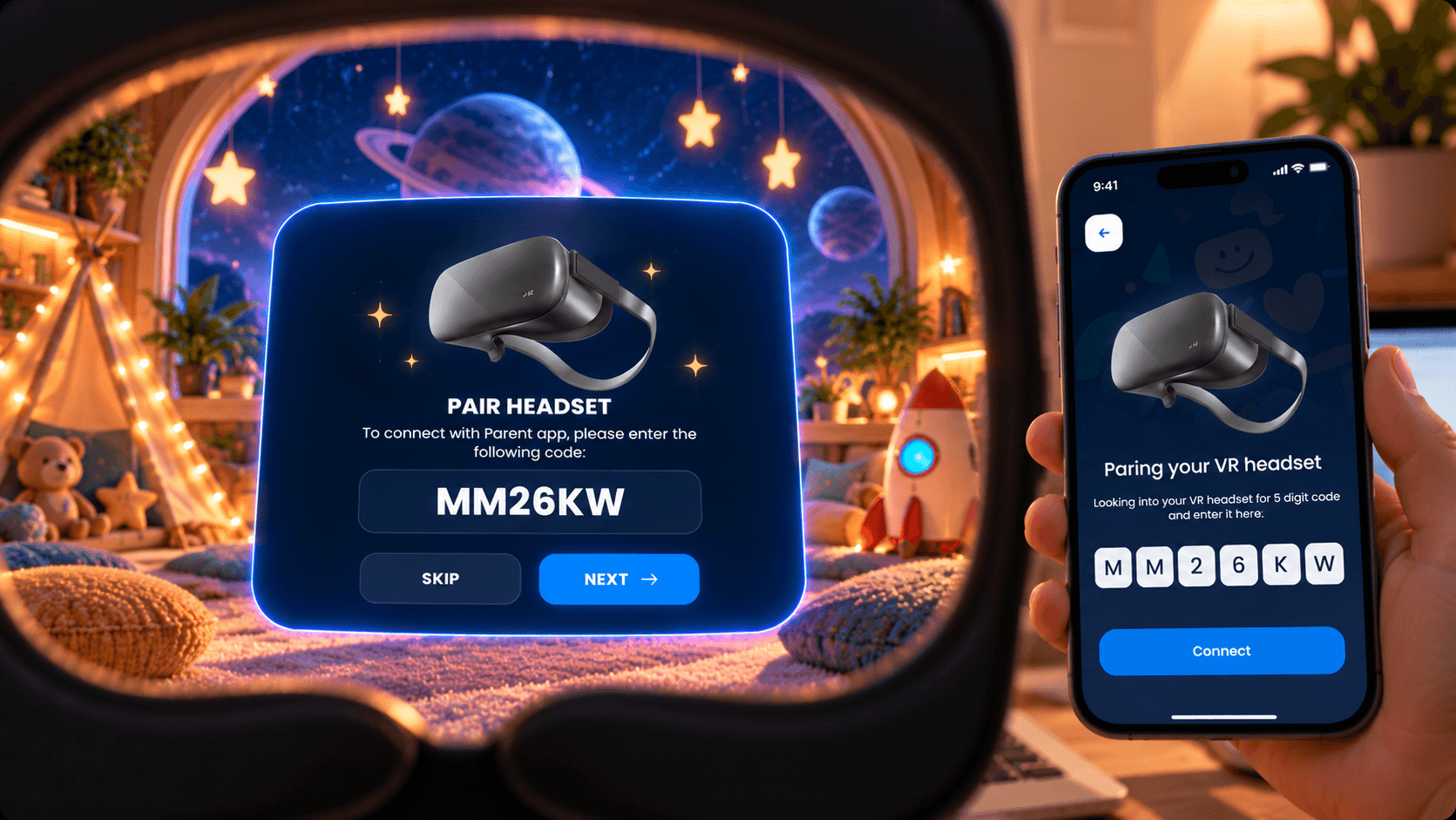
The headset shows the pairing code MM26KW while a parent types the same code into the parent app on a phone

Dashboard

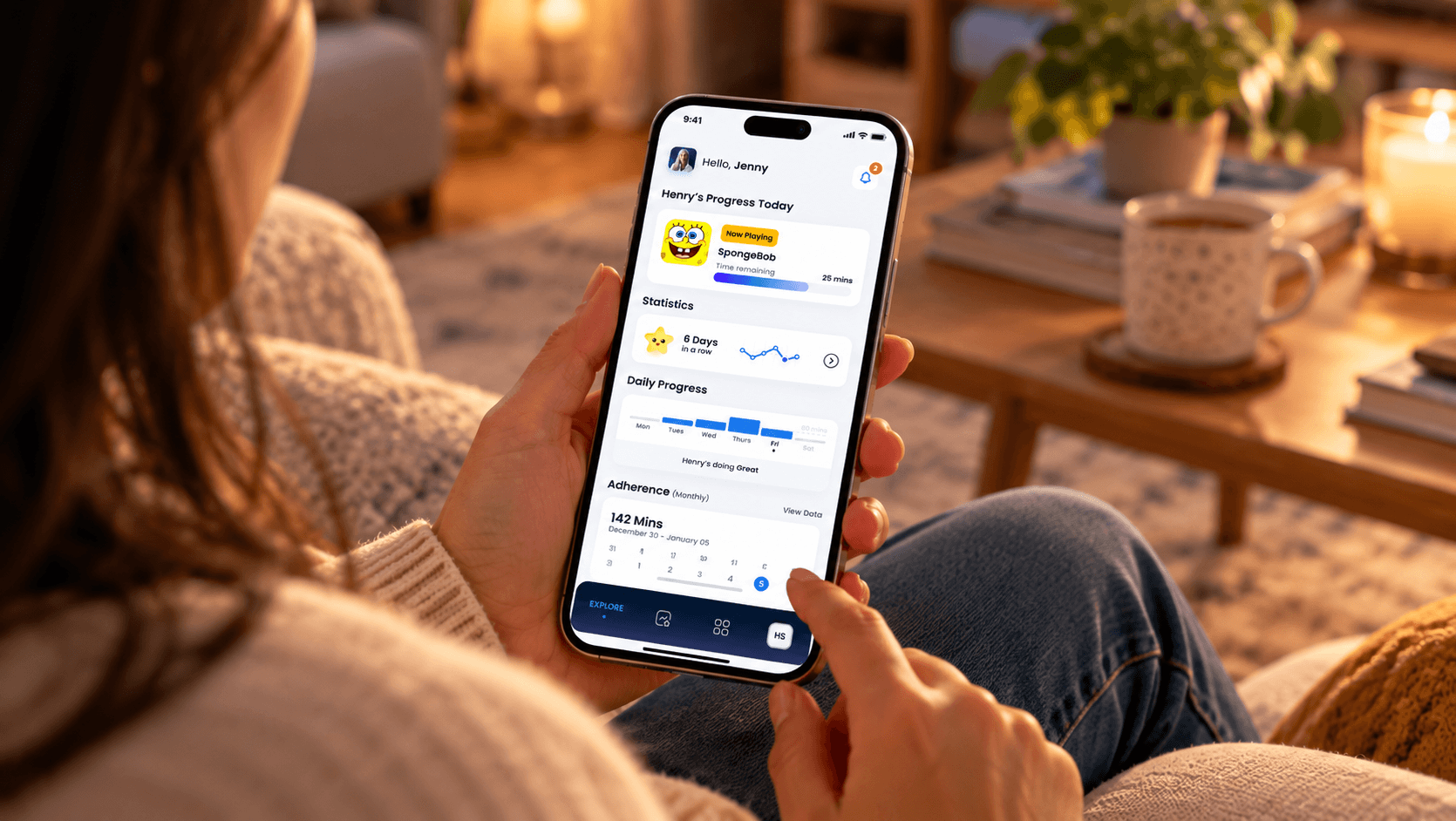
Answer "did they do today's minutes?" first.

The home screen opens on today: what the child is watching right now and how much time is left. Then the streak, a daily bar chart against the prescribed time, and a monthly adherence calendar. No clinical charts and no jargon, just whether treatment is happening.

A parent on the sofa holding the parent app open on today: Henry's progress with SpongeBob now playing, statistics, daily progress and adherence

Content

Luminopia curates. Parents decide.

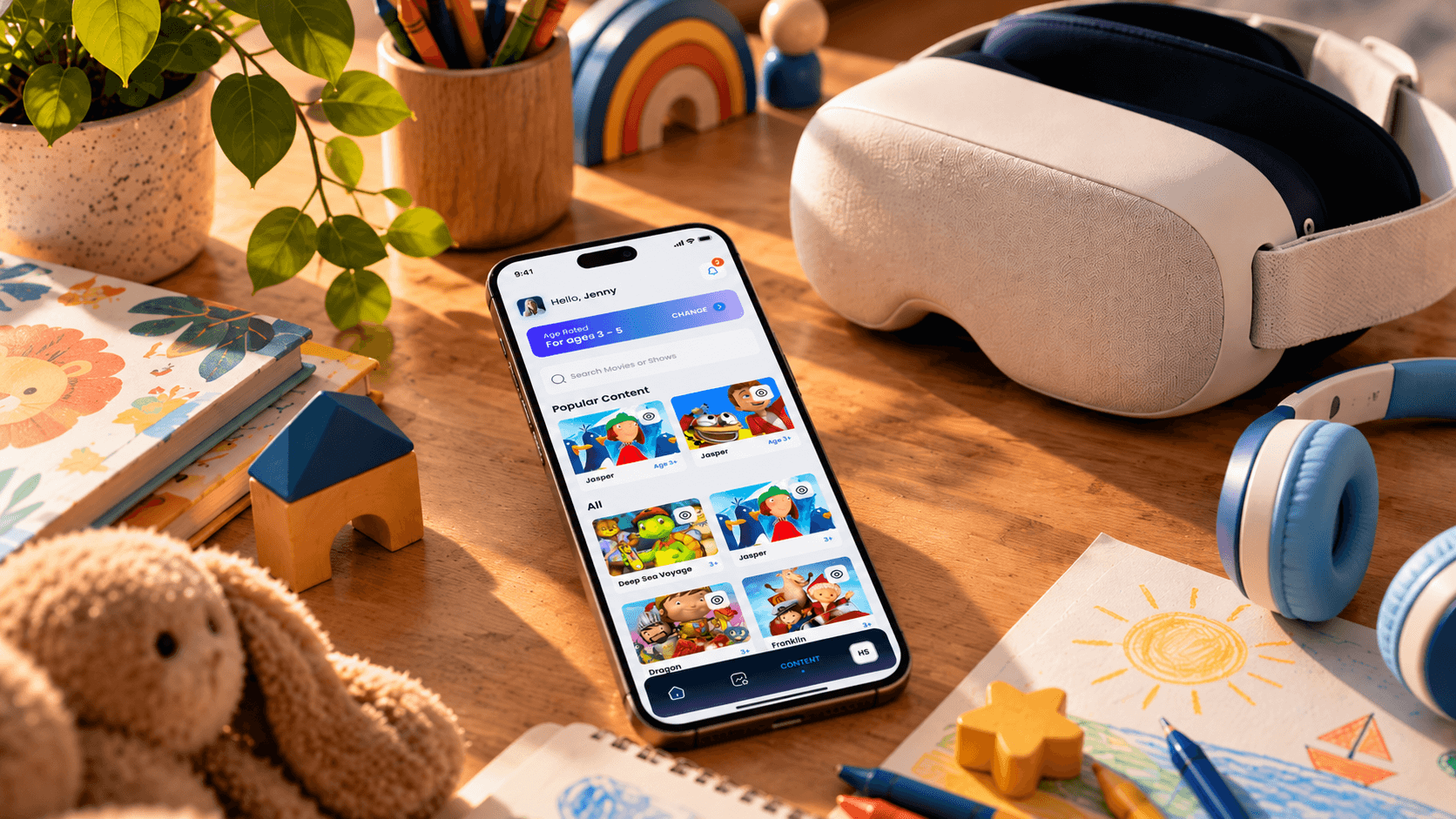
An age rating sets the starting point, and any show can be hidden with one tap. A hidden show disappears from the headset. The child's profile holds the rest: which eye is treated, watch history, the headset and its code. Because the app was new, I worked every flow out in wireframes before the designers took it to UI.

The parent app's popular content grid on a phone lying on a child's desk, next to the VR headset, headphones and a drawing

Headset layout

Turn the eyes, spare the neck.

The headset home comes straight from the research: Channels, Shows and Continue Watching side by side, so the child looks across instead of up and down. Navigation sits outside the panels as arrows. New episodes carry a badge, and the day's progress and stars sit in a small bar above.

Headset home: channels, shows and continue watching panels side by side, with navigation arrows outside the panels

A new brand, mid-project

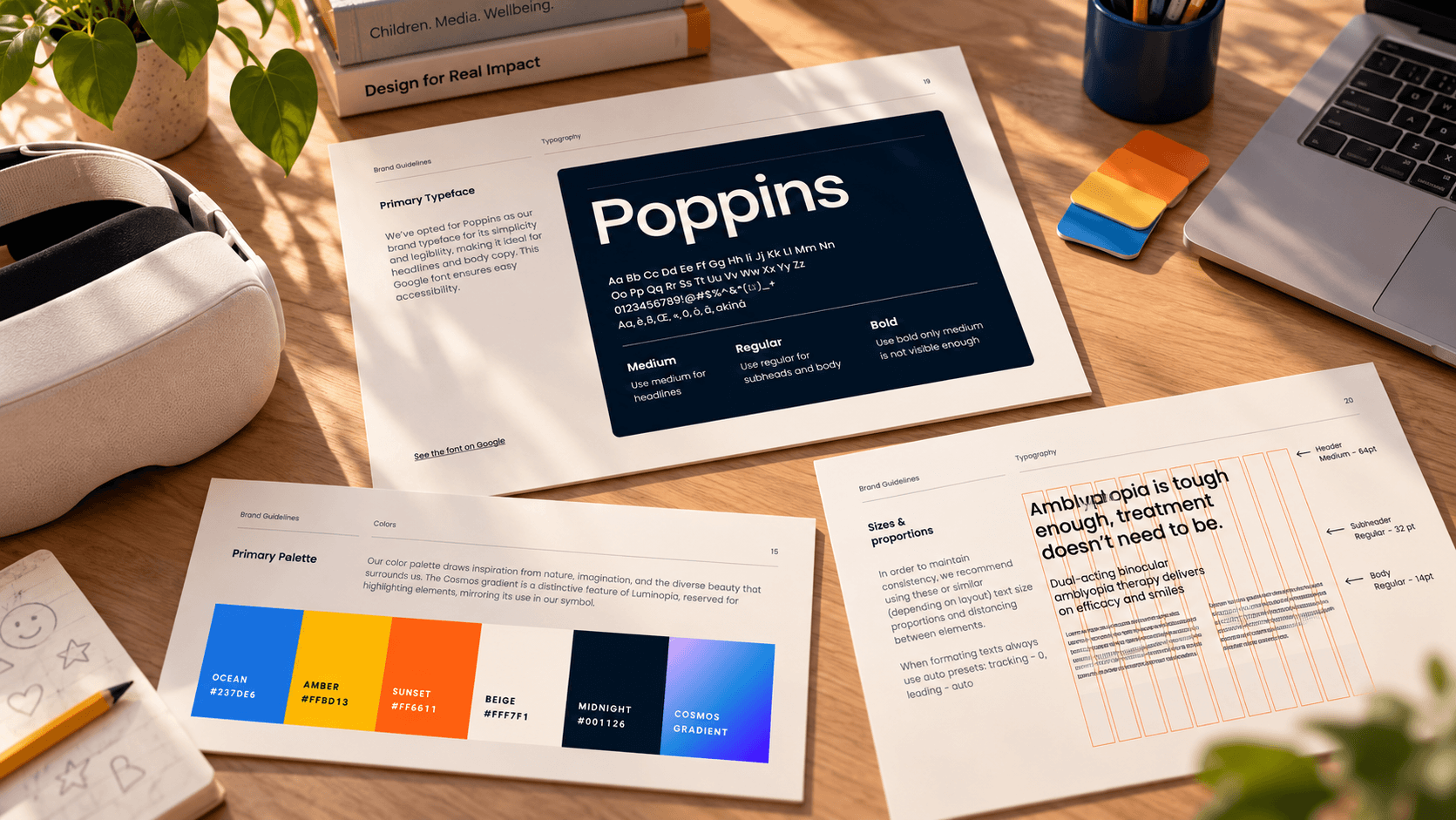
Luminopia was rebranding while we designed. Their brand designer delivered the guide part-way through, and both apps moved onto it: Poppins throughout, Midnight Blue as the headset's ground, and the Cosmos gradient for progress and active states. The research had already ruled out light weights, so headset text sits at Medium and Bold.

  • Guide by Luminopia's brand designer
  • Applied to the parent app
  • Applied to the headset
Luminopia's brand guide printed on a desk: Poppins in Medium, Regular and Bold, the type scale on a column grid, and the primary palette of Ocean, Amber, Sunset, Beige, Midnight and the Cosmos gradient, beside a VR headset and a laptop
The brand guide: Poppins, type scale, palette and the Cosmos gradient

Ready for their team to build

Handed
off

Design discovery, delivered to Luminopia

We delivered the full set, and it's with Luminopia now: their in-house team builds and deploys it on their own roadmap.

Research
The VR deck: field of view, comfort, eye focus, inputs, layout rules
Flows
Parent app wireframes for pairing, dashboard, content and profile
Parent app
Onboarding, pairing, progress, adherence, content controls, child profile
Headset
Setup, guided first visit, home, playback, reward, rating
Handoff
Both apps on the new brand, packaged for the in-house developers

What I learned

New medium, same discipline

  • Research becomes rules

    The VR study only mattered once the client agreed it. After that, every screen and every designer was held to the same six rules, and nobody had to guess why.

  • Design the loop

    Two apps for two users who want different things. Treating them as one journey kept the parent's controls and the child's screens in step.

  • Expect the brand to move

    The rebrand landed mid-project. Because the structure was settled first, moving both apps onto it was translation work.

In healthcare the question changes. It stops being which button is clearer and becomes whether a child finishes today's minutes. That question decided every screen on both sides of the headset.
Zair Abbas, lead product designer

Get intouch

Healthcare, hardware-connected or spatial product with more than one kind of user? Send me the brief, and I'll tell you where the research should start.

Get in touch